ProtoMat S Operation
© 2011 LPKF AG HB V0.9/Mrz-11 59
6
Pos: 23 /ED_Technisc he_Dokumentation/2_Be dienungsanleitun g/Maschine/RP_Fräsb ohrplotter/Pr otoMat_S_Serie/Pr otoMat_S_Serie_II G/Kapitel_6_Bedien ung/6_03_Maschi ne_verbinden @ 0\mod_126745 3299757_2058.doc x @ 6550 @ 2
6.3 Establish a connection
As a first step a connection between the PC and the circuit board plotter has to
be established.
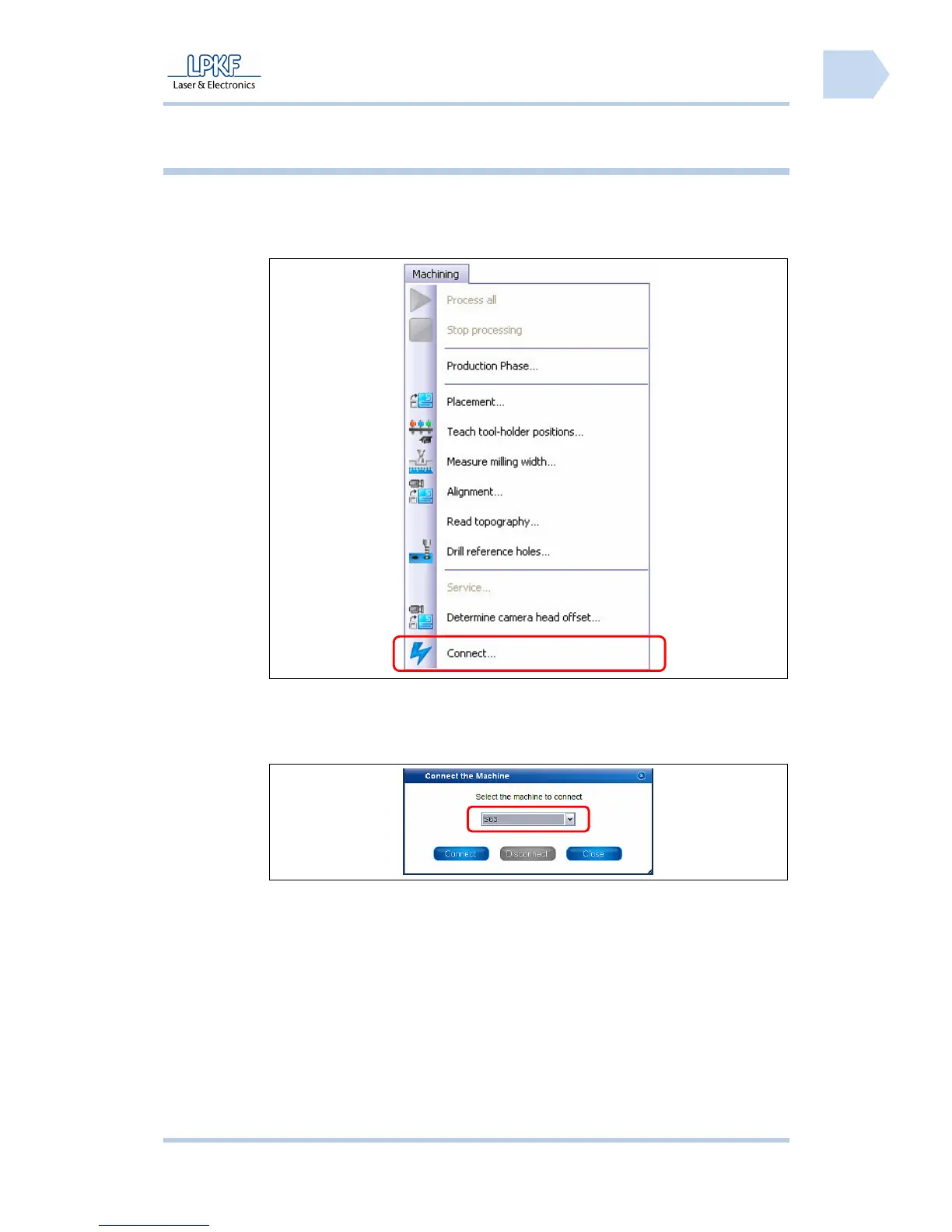
■ Establish a connection
Fig. 28: Select
circuit board
plotter
1. Go to the menu “Machining“ and click “Connect…”.
➨ The following window is shown:
Fig. 29: Connect
2. Click on the selection box \Machine type\ and select the type of the
connected machine.
3. Click [Connect].



 To Next Page