ProtoMat S Operation
© 2011 LPKF AG HB V0.9/Mrz-11 81
6
6.9.1 Mount dispense set
Note
Keep the solder paste stored in a cool place until consumption.
Before starting the dispense process the solder paste must be
warmed up to room temperature.
Note
The installation of the dispense set will be guided by an intuitive
wizard. Start the installation of the dispense set when requested
by the wizard.
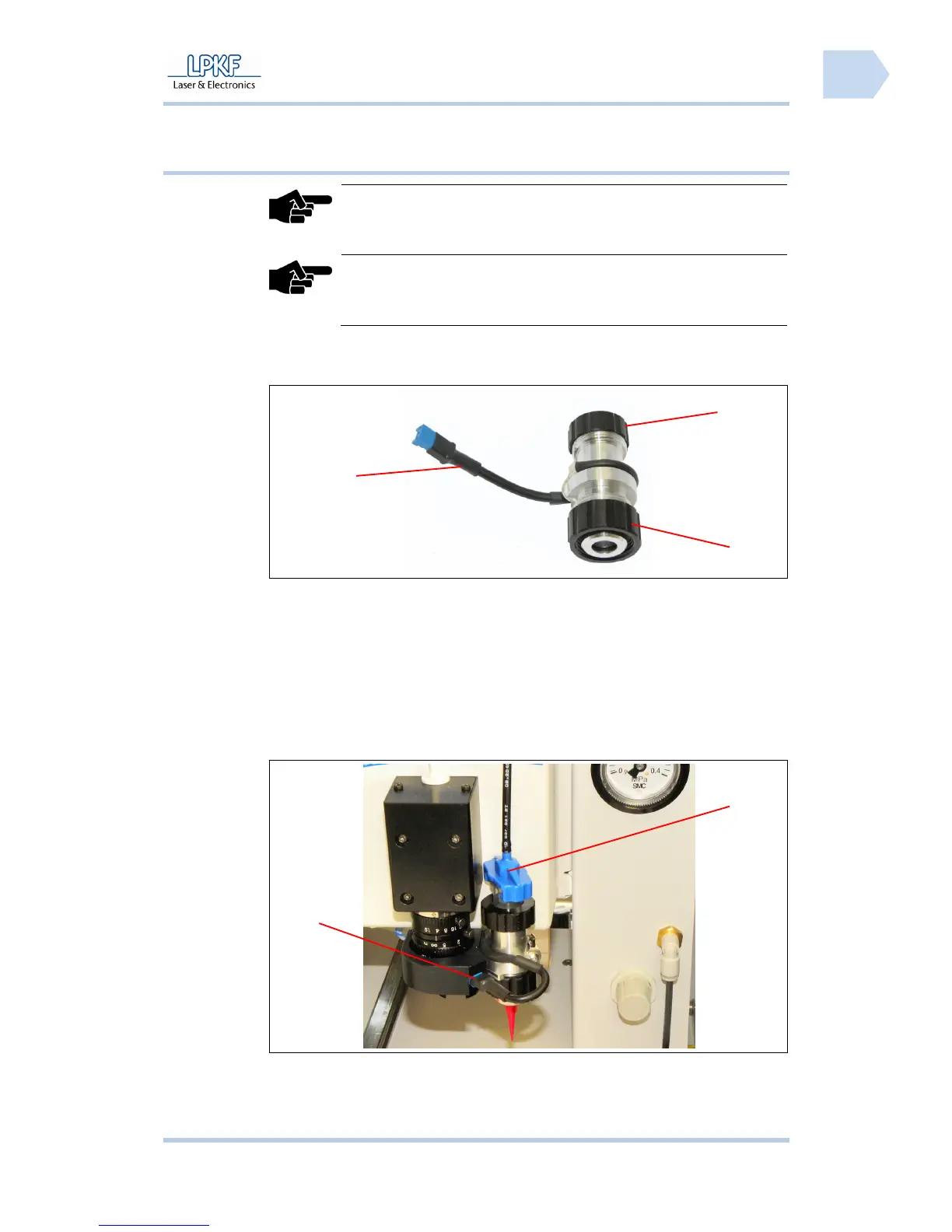
■ Assembling the dispense set
Fig. 54: Dispense
adapter
1. Take the dispense adapter and loosen the upper fastening nut /3/. Pull
out the empty cartridge.
2. Take the empty cartridge and unscrew the dispensing tip.
3. Take the solder paste cartridge and unscrew the lower end cap. Screw
the dispensing tip on the outlet opening of the solder paste cartridge.
4. Insert the solder paste cartridge into the dispense adapter and tighten the
upper fastening nut carefully.
Fig. 55: Installed
dispense set
1
2
3
1
3



 To Next Page