Operation ProtoMat S
60 HB V0.9/Mrz-11 © 2011 LPKF AG
6
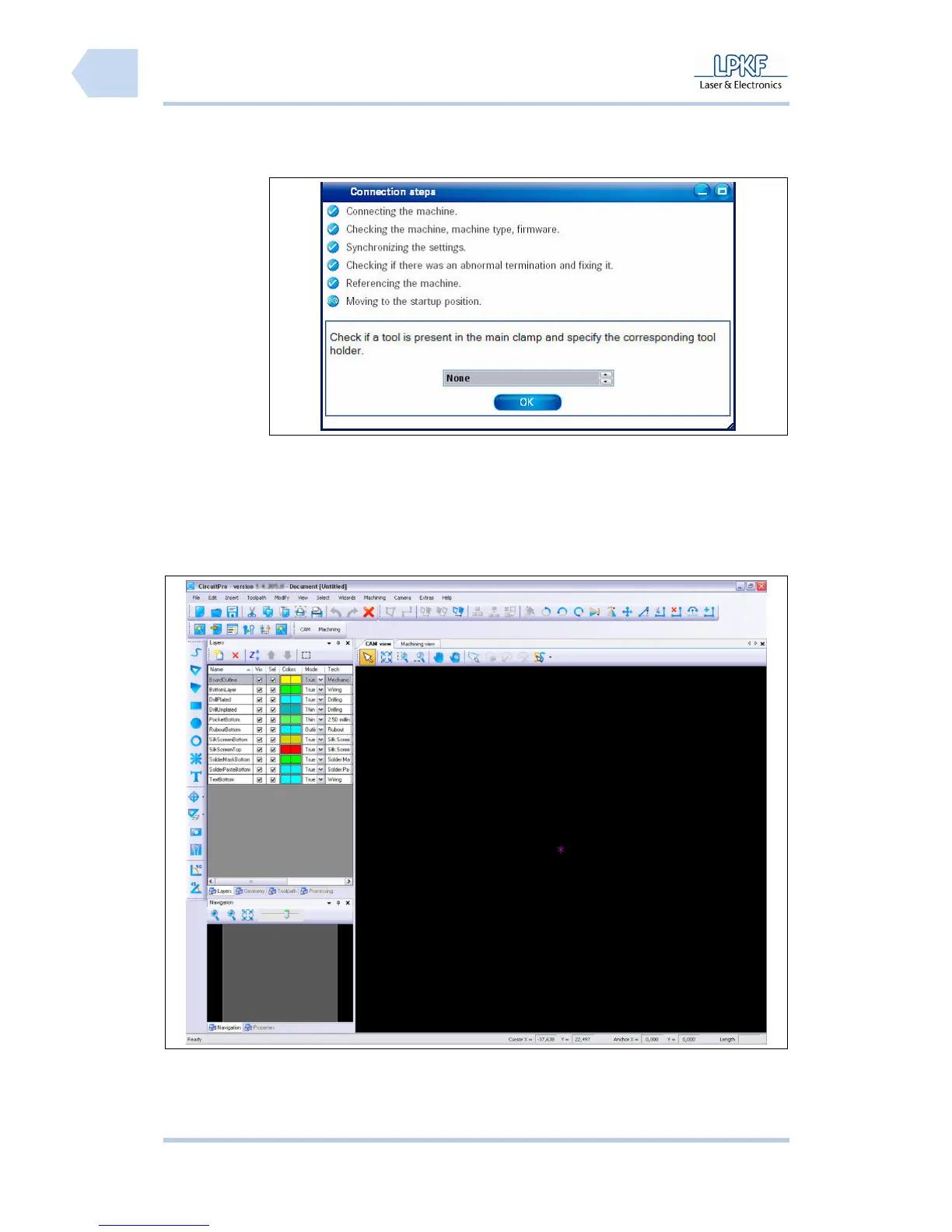
➨ The connection to the circuit board plotter is established and the following
message appears:
Fig. 30:
Connection
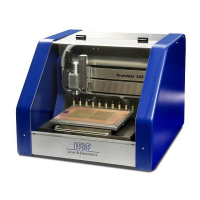
➨ After the circuit board plotter was detected and its data will be transmitted,
the CircuitPro user interface opens:
Fig. 31: User
interface
♦ Now the circuit board plotter is ready for operation.
Pos: 24 /ED_Technisc he_Dokumentation/2_Be dienungsanleitun g/Maschine/RP_Fräsb ohrplotter/Pr otoMat_S_Serie/Pr otoMat_S_Serie_II G/Kapitel_6_Bedien ung/6_04_Material _auflegen @ 0\mod_12556764 13949_2058.doc x @ 3960 @ 2



 To Next Page