UM-1151140EN, Rev. C, May 2016
3.1.3. System
Description –
Front Panel
3.1.4. Laser Emergency
Stop Button
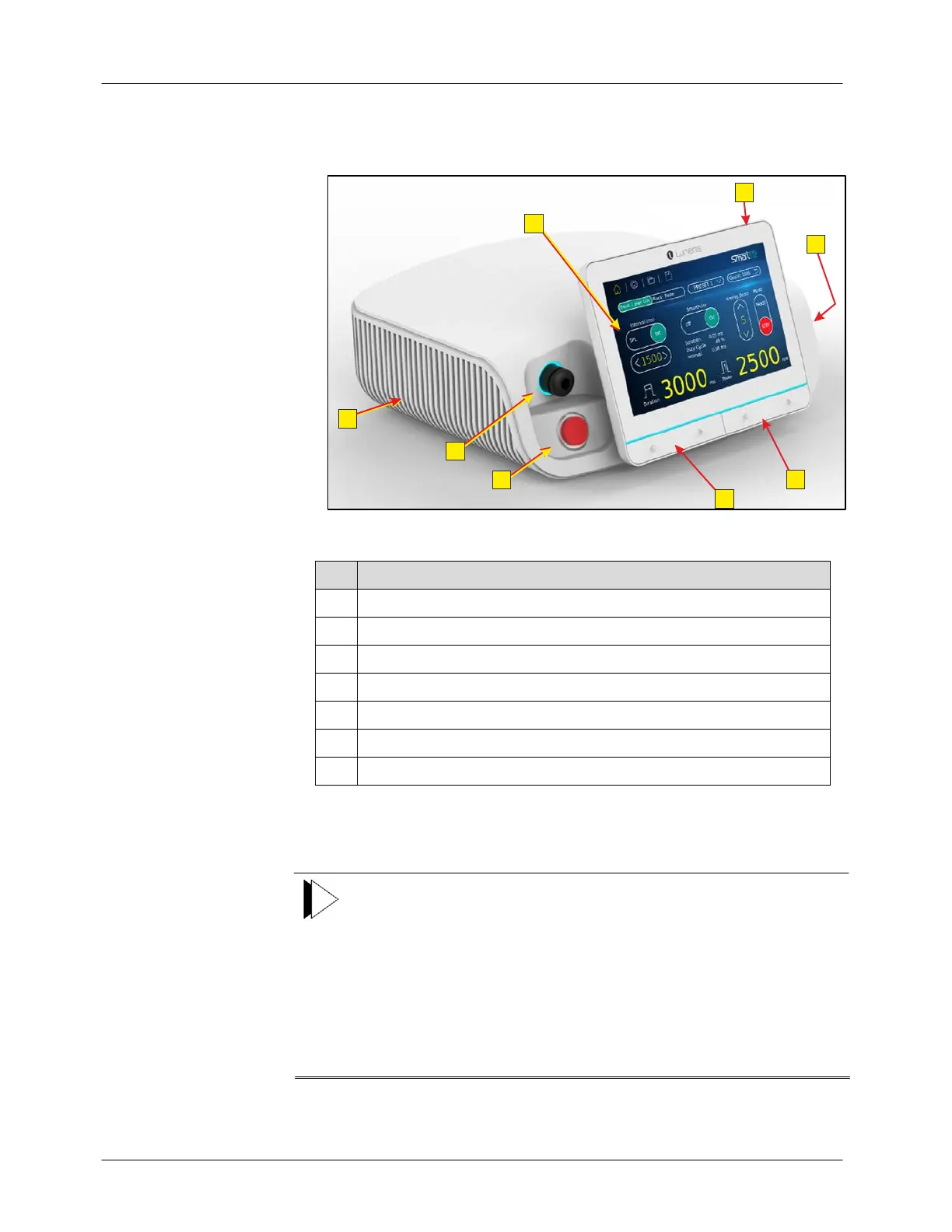
The front panel of the Smart532 laser system is shown in Figure 3-2.
Figure 3-2: Smart532 Laser System – Front Panel
# Description
1 Touch-screen control panel
2 Main on/off button
3 Power setting ▲ and ▼ buttons
4 Pulse duration setting ▲ and ▼ buttons
5 Fiber connection port (SMA-906)
6 Laser emergency stop button
7 Cooling grids
In an emergency, press the laser emergency stop button on the front of the
laser console to immediately turn off the laser.
Note
● When the main power cable is connected to the electrical source,
some internal circuits remain energized. To de-energize all
internal circuits, unplug the main power plug from the wall
socket, or turn off the main electrical service (wall circuit breaker).
● The laser emergency stop button turns all power to the laser off,
but does not turn off the CPU board or the control panel. When
the button is pressed, a message will appear on the control panel,
and the system will be in Standby mode. To clear the error, press
the laser emergency stop button again to disengage it.



 To Next Page