UM-1151140EN, Rev. C, May 2016
System
Installation
and
Initial
Setup
4.5.2. Connect the
Remote Interlock
The remote interlock is a safety feature that disables the laser if the
treatment room doors are opened or the interlock plug is removed.
Use of a remote interlock is optional; however, an interlock plug must be
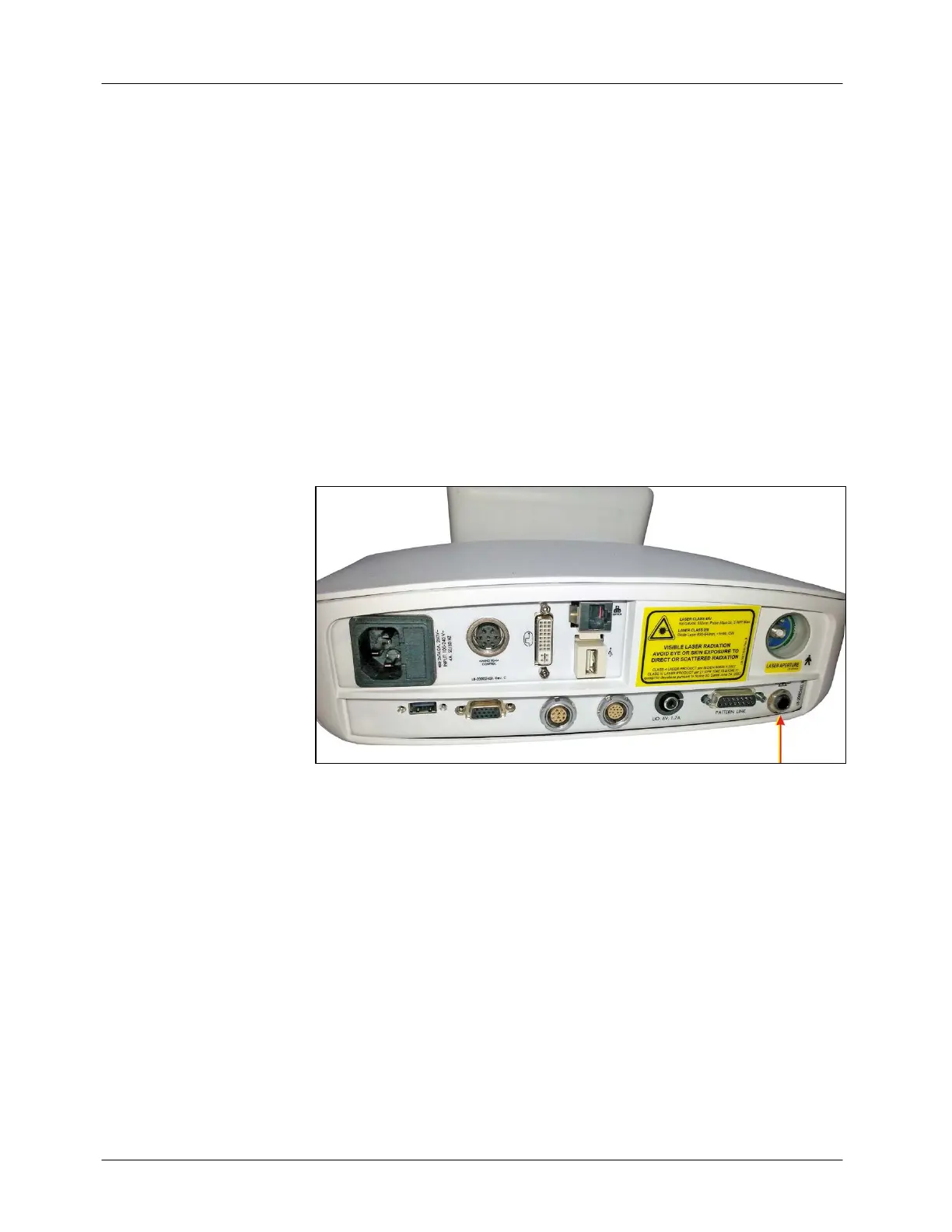
inserted into the remote interlock connection port (see Figure 4-5) whether
or not you are using a remote interlock. The laser will be inoperative
unless the plug is inserted into the receptacle. For your convenience, the
Smart532 laser system is delivered from the factory with an interlock plug
pre-installed.
A remote interlock is required for this system. When using a remote
interlock, the laser automatically disables and returns to Standby mode if
the treatment door is opened or the interlock plug is removed. An
appropriate error message will appear on the control panel. To resume
treatment, close the treatment room door or reinsert the interlock plug, and
transition the system to Ready.
Figure 4-5: Remote Interlock Plug Connection



 To Next Page