UM-1151140EN, Rev. C, May 2016
System
Installation
and
Initial
Setup
4.5.3. Connect the Main
Power Cable
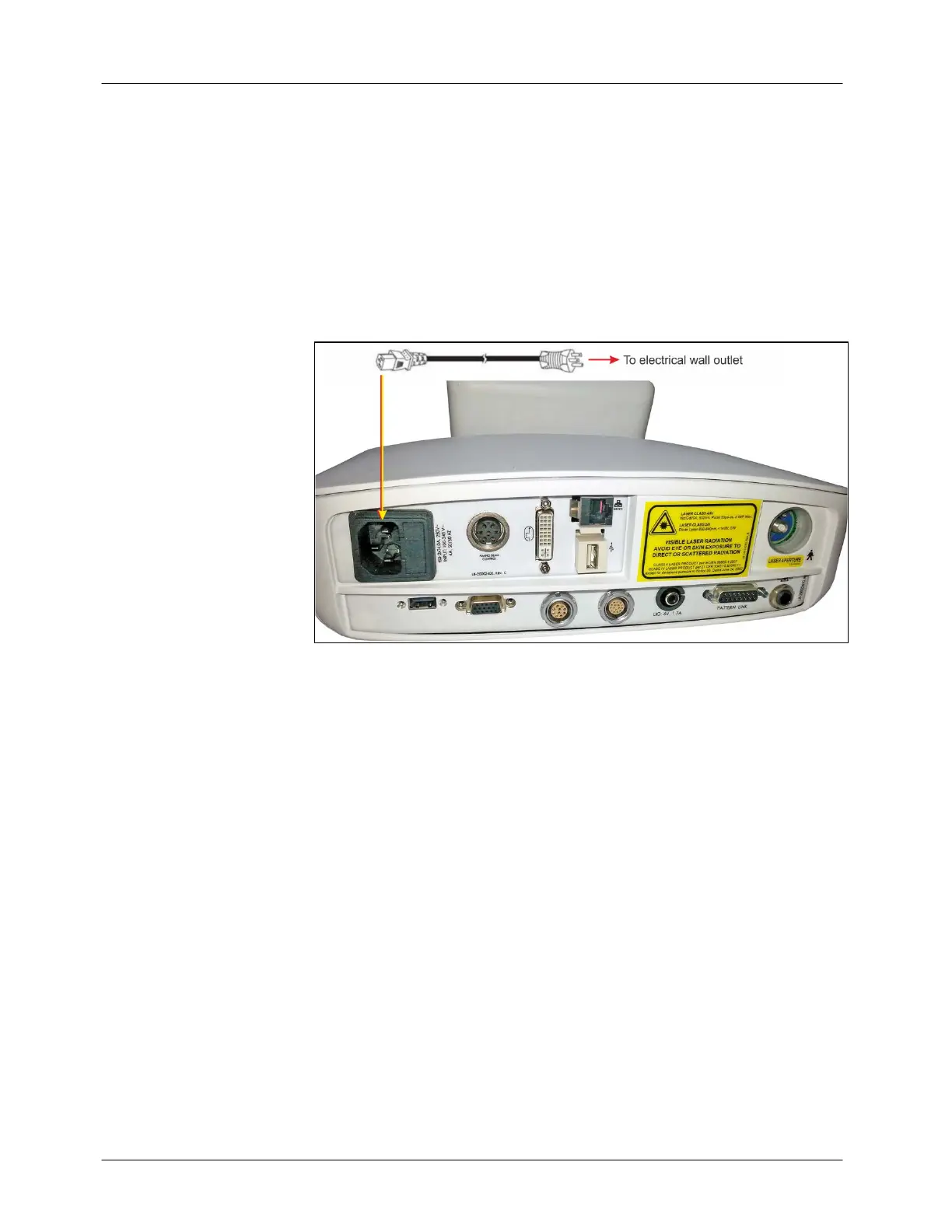
Insert the power cable plug into the Power cable connection port on the
system’s rear panel (see Figure 4-6).
Insert the other end of the power cable into the wall socket and ensure that
the plug is secured.
The supplied hospital-grade power cable should be used with a hospital-
grade wall outlet. The power cable shipped with the system will vary
according to local electrical requirements.
Figure 4-6: Connecting the Main Power Cable



 To Next Page