UM-1151140EN, Rev. C, May 2016
5.3.10. Save a New Preset
5.3.11. Edit, Delete or
Select an Existing
Preset
You may add your own proprietary treatment setting protocols as presets
to the Smart532 laser system.
Adjust the treatment parameters on the touch-screen – power, exposure
time, interval and other parameters – in the manner that you desire, and
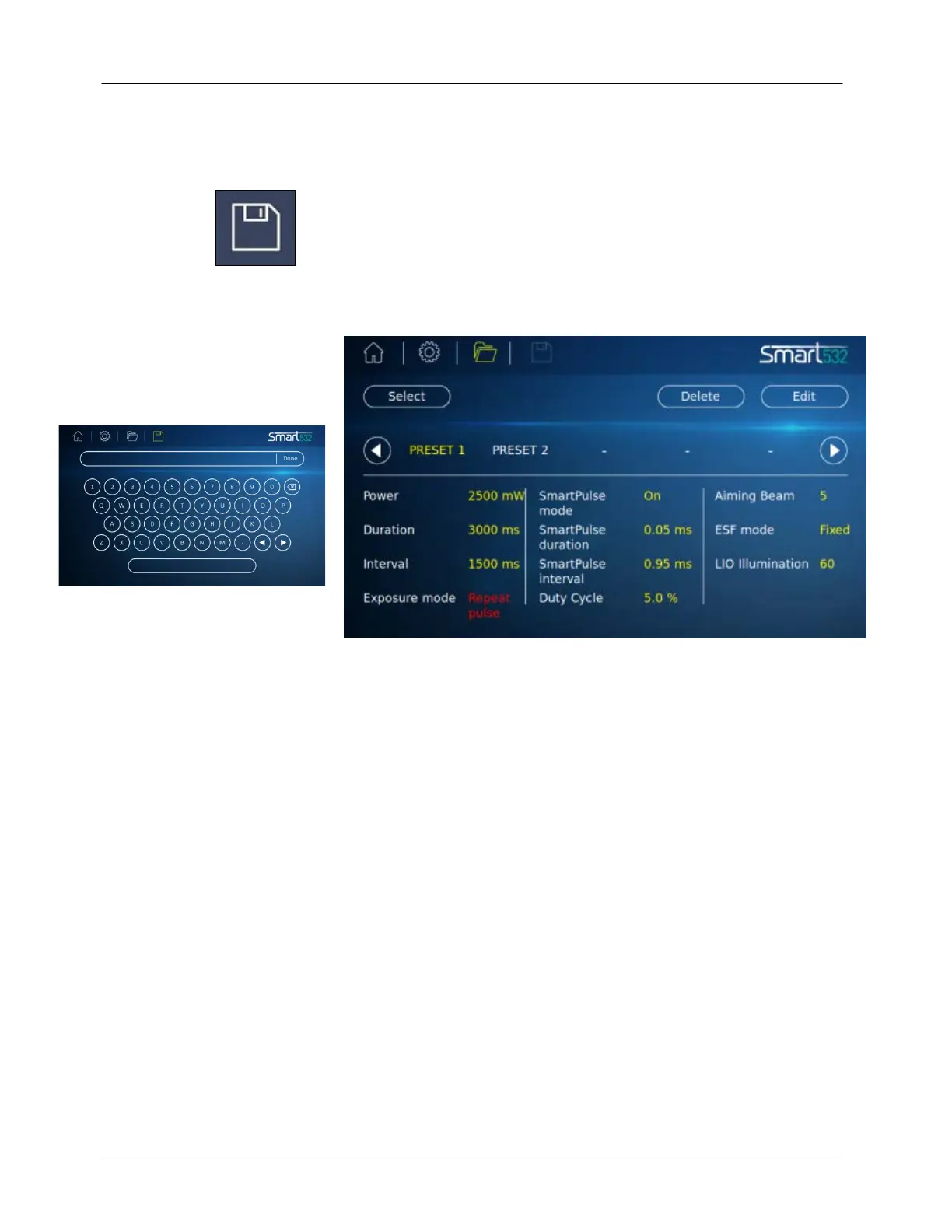
press the Save icon; a virtual keyboard will appear on the screen
where
you may assign a name to the new preset and save it to the system.
Press the
Done button; a new screen will appear and on it all of the
selected
parameters will be displayed (see Figure 5-4).
Figure 5-4: Preset Screen
Press the Preset name button and select the desired preset:
●
Press the Edit button to readjust the names and/or the parameters
of the preset.
●
Press the Delete button to remove the selected preset from the
system's memory.
●
Press the Done button on the virtual keyboard to transition to the
Main Treatment screen for treatment with the selected preset's
parameters.



 To Next Page