UM-1151140EN, Rev. C, May 2016
5.3.6. SmartPulse Mode
SmartPulse
2
mode allows the operator to apply greater fine-tuning to the
system's operating parameters; proceed as follows:
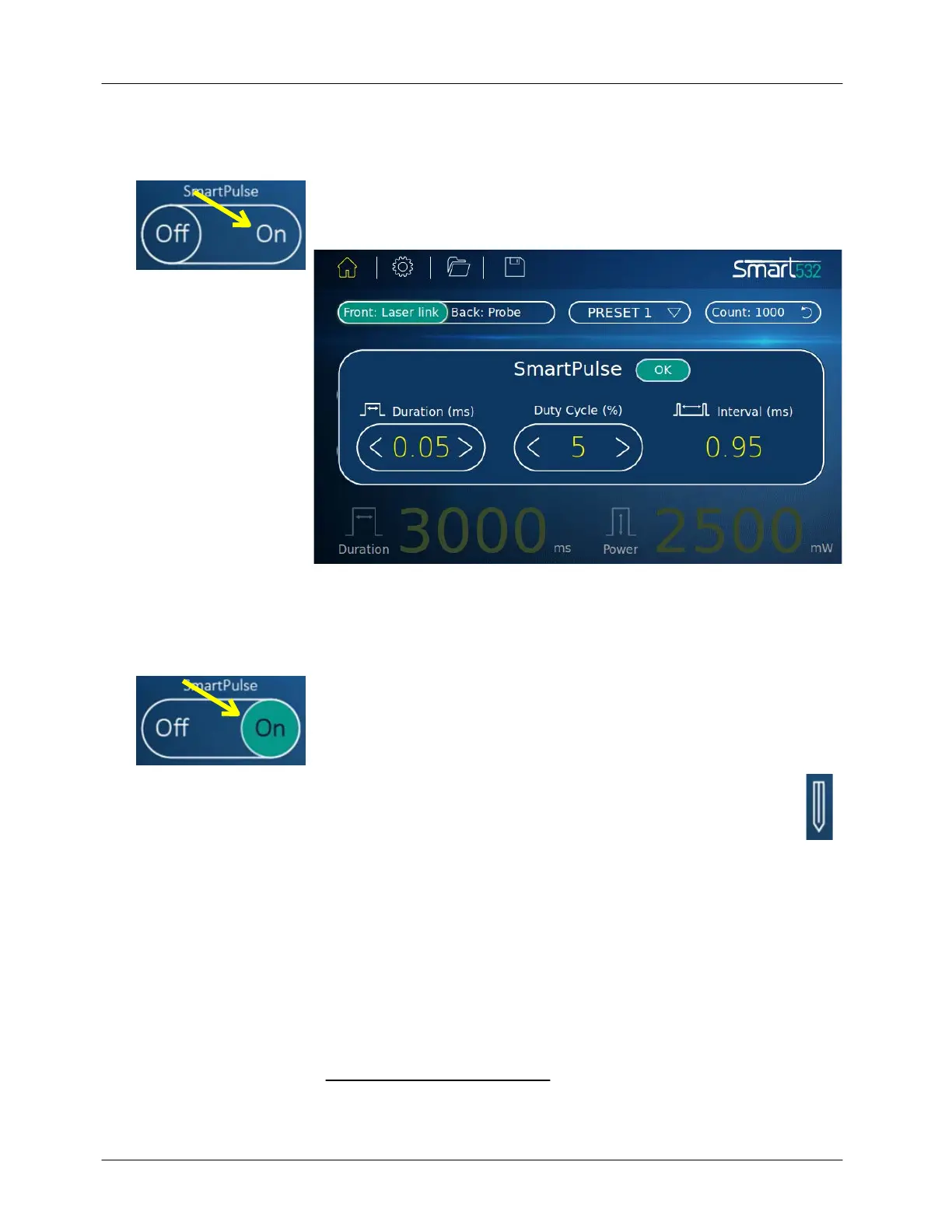
Press the SmartPulse On button; the SmartPulse parameter selection
pop-up appears (see Figure 5-3).
Figure 5-3: SmartPulse Parameter Selection Pop-Up
Reconfigure the parameter levels of the Duration and/or Duty Cycle
and/or Interval by pressing the < or > buttons in each of the
parameters.
Press the OK button; the pop-up will close and return to the Main
Treatment
screen. The SmartPulse Off/On button will be On and the
selected parameters will be displayed on the screen.
At any time during treatment the operator may press the Pencil
button to display the SmartPulse parameter selection pop-up to
further fine-tune the parameters.
2
Optional product configuration



 To Next Page