UM-1151140EN, Rev. C, May 2016
Chapter 5
Operating Instructions
5.1. Safety
Considerations
5.2. Starting the System
Read Chapter 2 before attempting any procedures. Be aware of the hazards
when using lasers and take appropriate protective measures. Some
important reminders:
1.
Restrict access to the laser operating area. Post the laser warning sign
before beginning any procedure.
2.
Make sure that the laser operating area is safe and secure. Any
flammable materials should be moistened, or should be beyond contact
of the laser beam. All assisting staff in the room should wear
protective
goggles or glasses.
3.
Remember that the footswitch is enabled (allowed to operate the
system) when the system is in Ready mode. The footswitch is disabled
(not allowed to operate the system) when the system is in Standby
mode. When not actively lasing, set the system to Standby mode.
1.
Press the On/Off switch on top of the system's control panel; the
system starts its initialization process, during which a splash screen is
displayed on the LCD.
2.
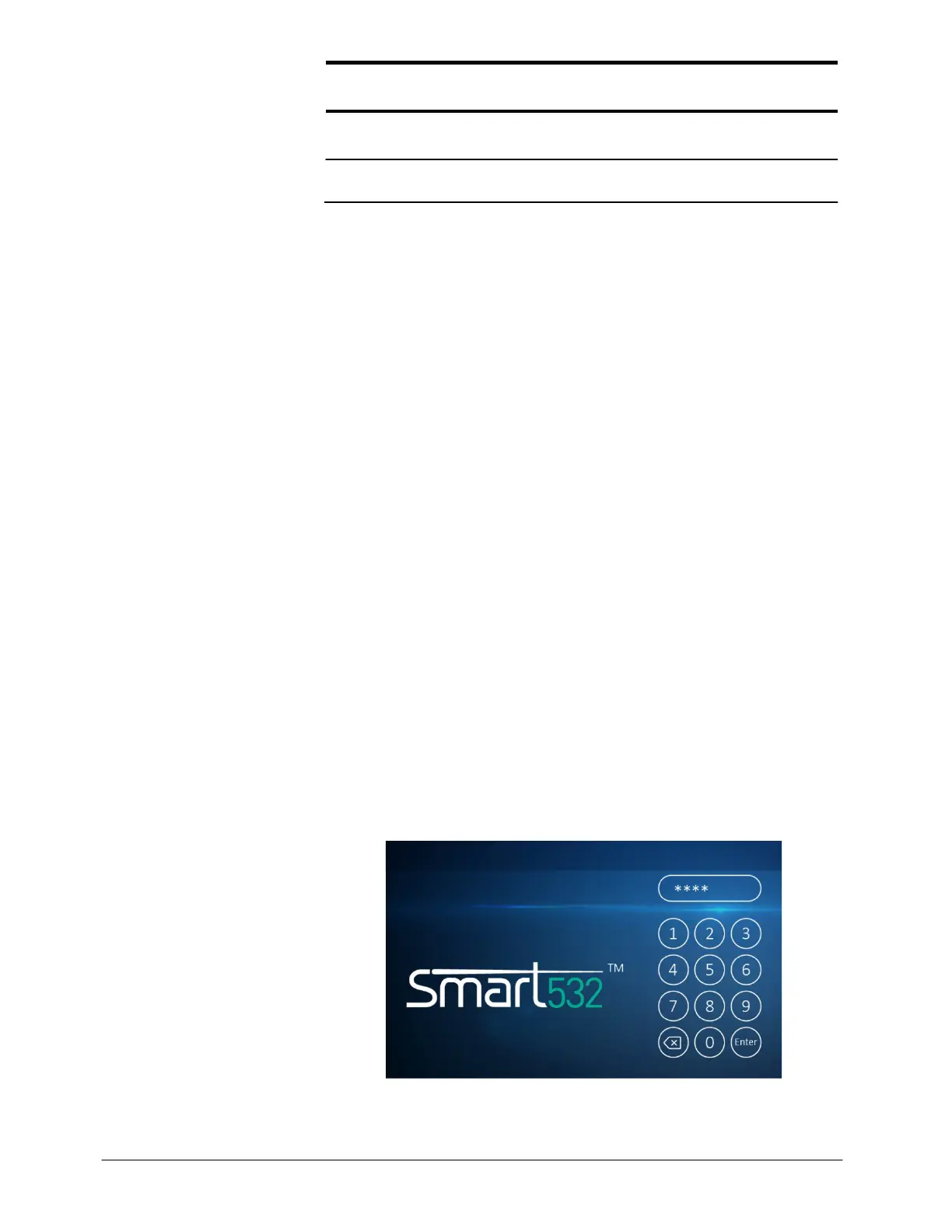
The Login screen will now appear (see Figure 5-1) and a self-test
routine starts that tests the system; insert the password by pressing the
4-digit password (1 2 3 4) on the screen's virtual keypad. If you
pressed a wrong button by mistake, press the button with the icon –
this will clear the last character entered.
3.
Press the Enter key; if a fault is detected, the system issues an
appropriate error message (see Chapter 6). Once the system
satisfactorily completes the self-test routine, it is ready for operation
and displays the Main Treatment screen (see Figure 5-2).
Figure 5-1: Login Screen



 To Next Page