UM-1151140EN, Rev. C, May 2016
Maintenance
and
Troubleshooting
6.1.5. Fuse Replacement
1.
Ensure that the system is turned off.
2.
Unplug the main power cable from both the wall socket and the main
power receptacle on the rear of the laser console.
3.
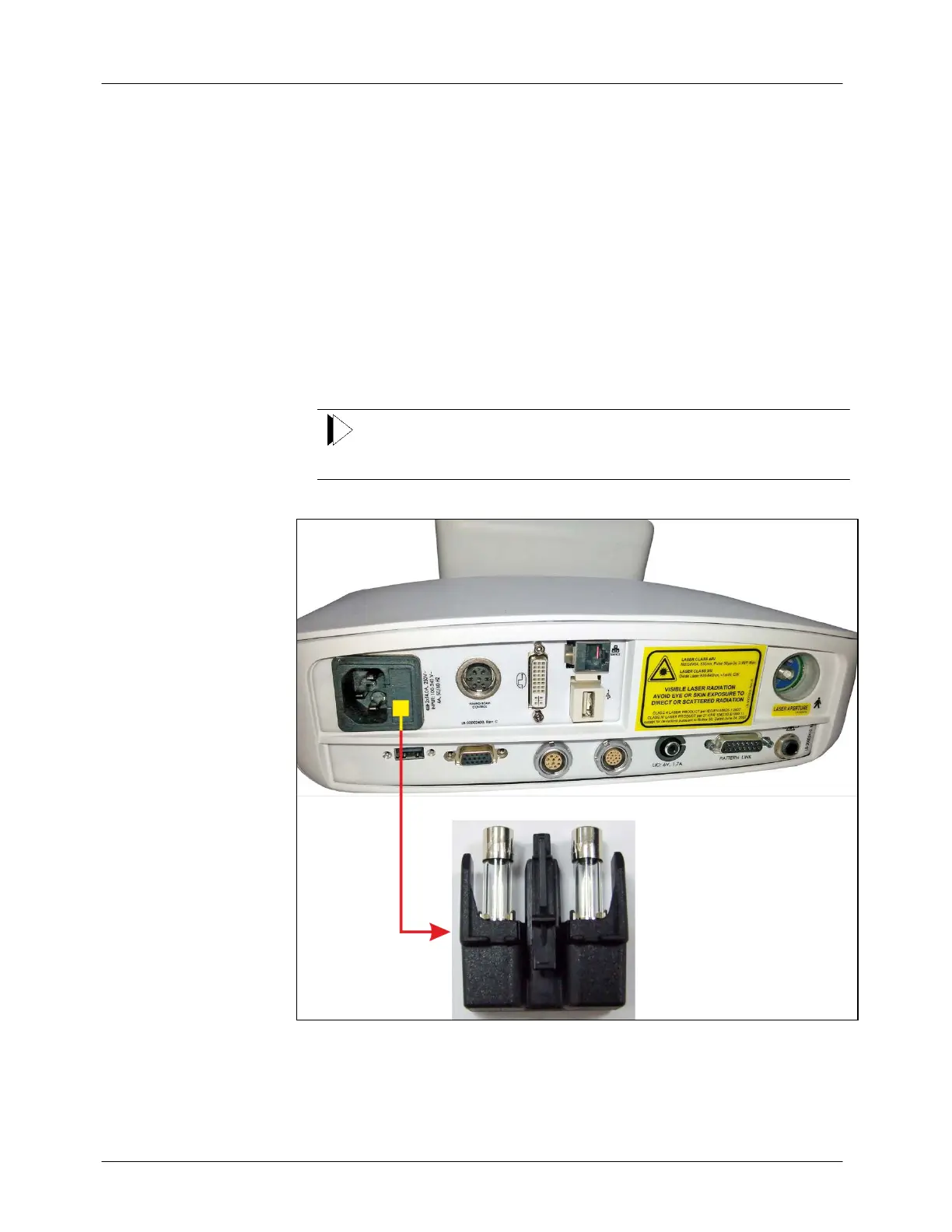
Locate the fuse holder directly to the right of the main power receptacle.
4.
Unlock and pull out the fuse holder by inserting a small, insulated
flathead screwdriver into the slot on the fuse holder cover.
5.
Replace the fuses as follows: two fuses rated 250V, 4A, Type T,
Slo-Blo (5 x 20 mm)
6.
Reinsert the fuse holder.
Always replace both fuses.
Figure 6-1: Login Screen



 To Next Page