UM-1151140EN, Rev. C, May 2016
5.3.12.6.
Eye Safety Filter
(ESF) Mode
Selection Screen
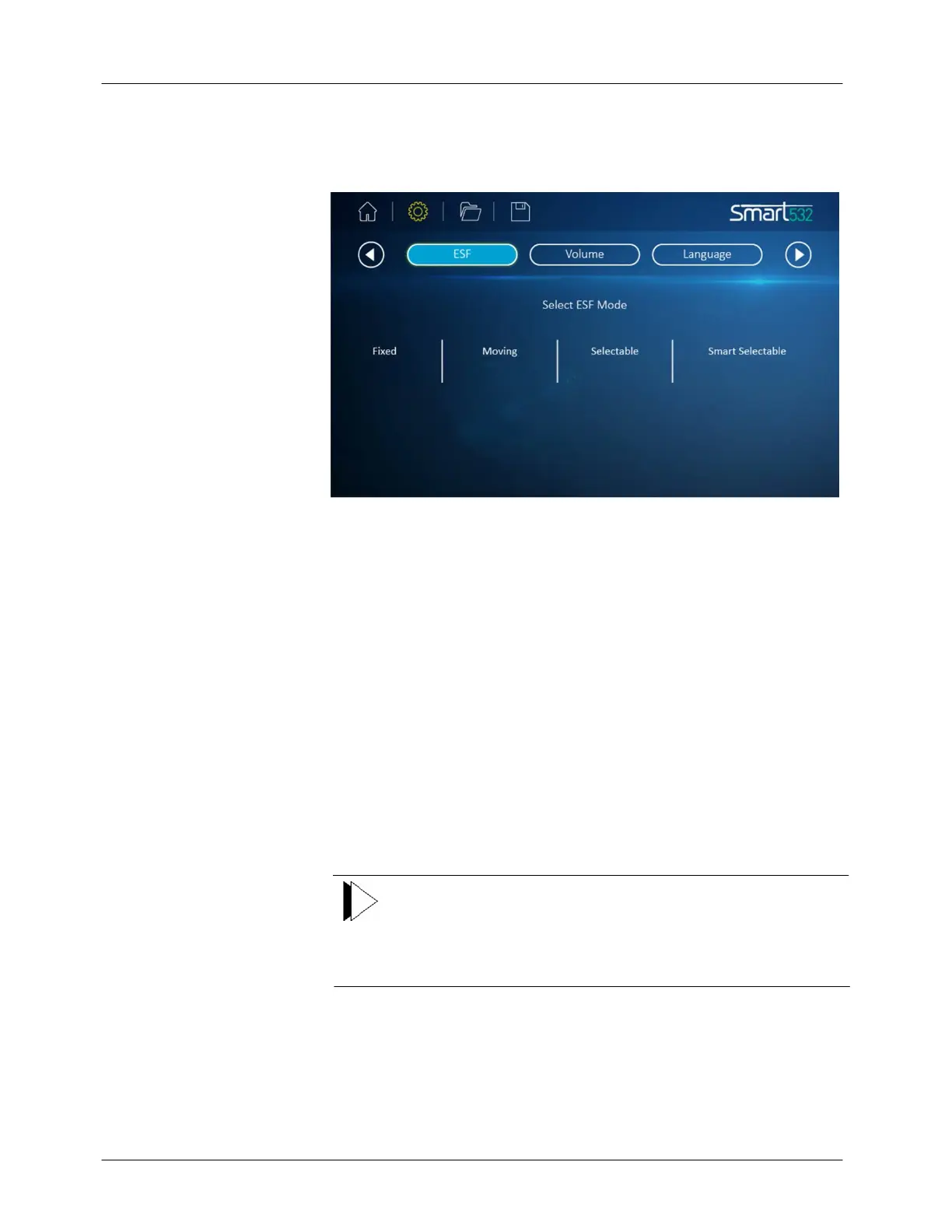
In this screen (see Figure 5-11) you may select the operational mode of the
connected ESF by pressing the desired mode on the screen.
Figure 5-11: Option Screen: Eye Safety Filter (ESF) Selection
One or more of the following eye safety filter modes are available,
depending upon the type of footswitch, delivery system(s), and eye safety
filter(s) that you have connected to the laser:
●
Fixed: the eye safety filter is always in position.
●
Moving: the eye safety filter moves into position when you press the
footswitch while the laser is in ready mode (available only with
automatic eye safety filters).
●
Selectable: the eye safety filter moves into position when you place
the laser in Ready mode (available only with automatic eye safety
filters).
●
Smart Selectable: the eye safety filter moves into position when you
place your foot inside the Smart footswitch housing while the laser is
in Ready mode (available only with automatic eye safety filters and
the Smart footswitch).
Note
If you are using a fixed eye safety filter, or if you are using a
delivery system with an integrated fixed filter, such as the LIO,
the eye safety filter mode is automatically set to Fixed; no other
modes are available.



 To Next Page