14 Chapter 2
Assembly and Startup
9 Select the “Install from a list or specific location (Advanced)” option
and click the “Next” button.
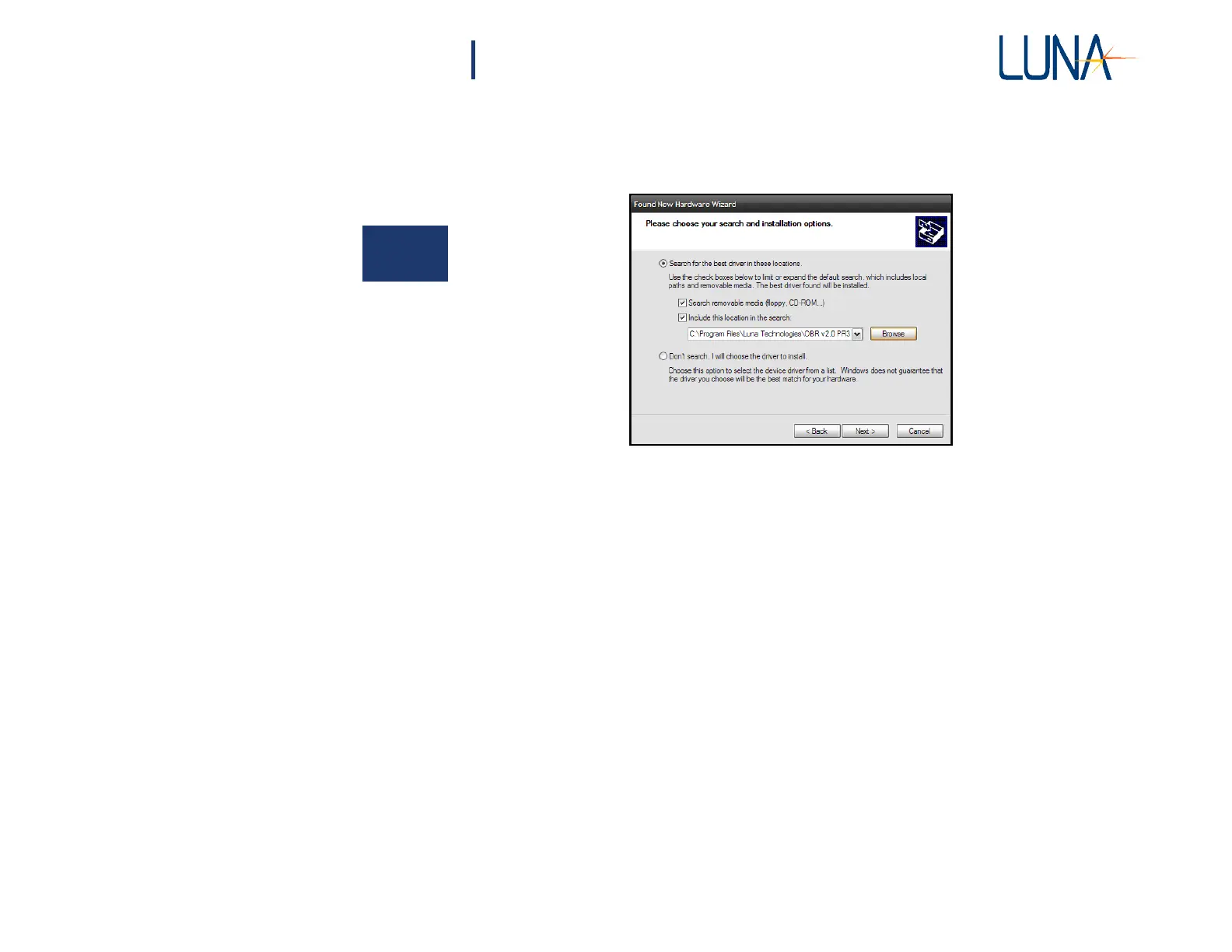
10 A new window, similar to the one below, is displayed:
2
11 Select the “Search for the best driver in these locations” option and
check the “Include this location in the search” checkbox. Click the
“Browse” button to select the location of the driver.
12 Browse to the location where the instrument software was installed
(e.g.
C:\Documents and Settings\All Users\Application Data\Luna
Technologies\OBR v#.#) and then into the “USB_Drivers” sub-
directory. Click “OK”.
13 Another dialog box will alert the user to wait while the Wizard
searches.
When it becomes available, click the “Next” button to continue.



 To Next Page