Optical Backscatter Reflectometer 4600 15
User Guide
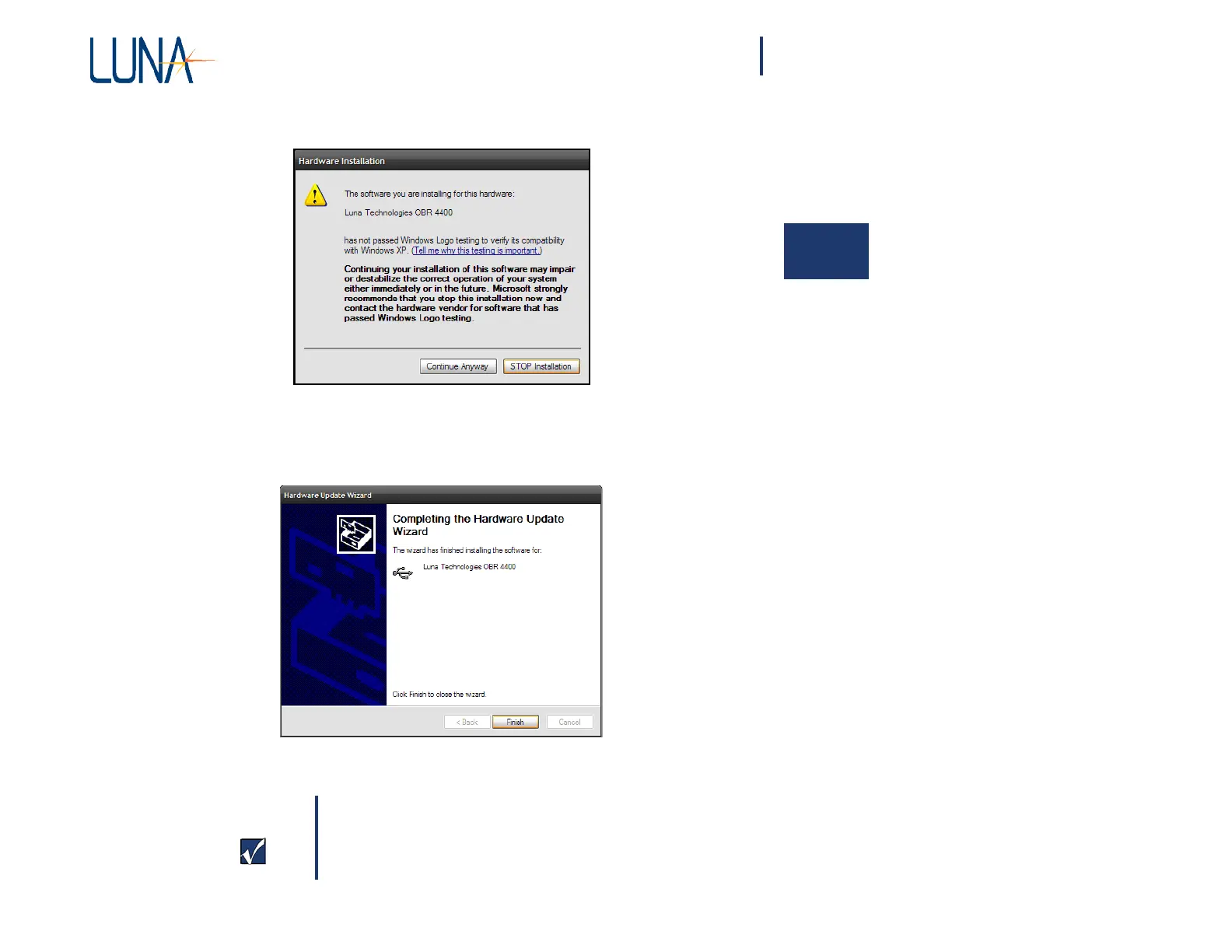
14 An alert dialog will be displayed:
2
15 Click the “Continue Anyway” button to proceed. A new window will
be displayed:
16 Click the “Finish” button to complete installation of the driver.
Important
It is helpful to make a note of which USB port you used
for the OBR instrument. If the instrument is ever connected
to a different USB port, it may require that this driver
in
st
allation procedure be completed again.



 To Next Page