SECTION 7.3 CLEANING THE PRINTER ROLLERS
Step 1: Using the Cleaning Card.
We recommend that you clean your Printer using a cleaning Card after every 300 prints or each time you replace the
Dye-Film. You should do this more often if you print only a few Cards a day.
Please note: the Cleaning Card is soaked in Alcohol. Do not open the packet containing the Cleaning Card until ready to
use.
1. Select Menu option [1. Clean rollers], press [Ok] and follow the on-screen instructions:-
2. [Remove the Cards !] – lift out the (rear) feed Hopper and then press [Next].
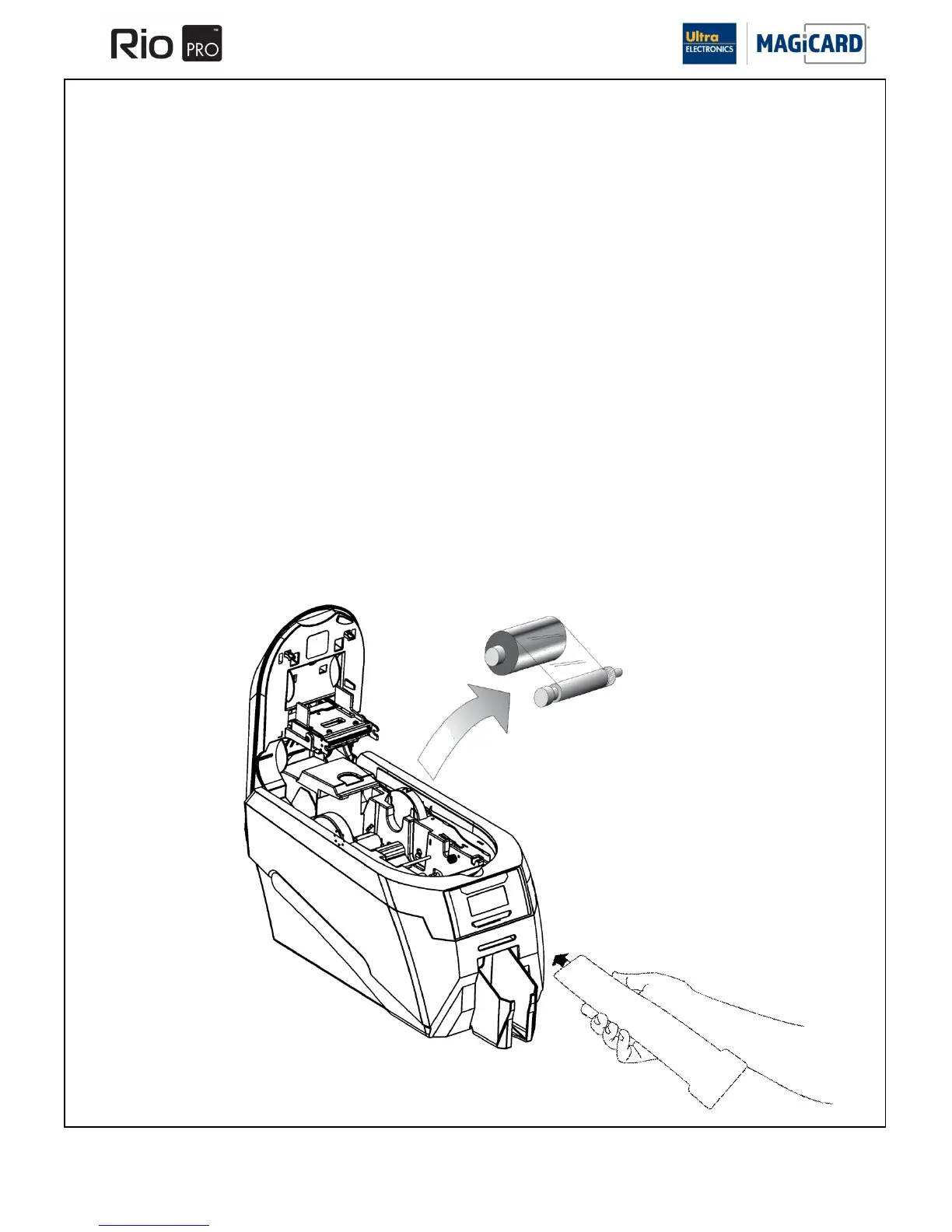
And …… [Remove film] – open the lid and lift out the Dye-Film.
Leave the Lid open and press [Next].
3. [Ready to clean ?] - Take a new Cleaning Card from its packaging and then press [Yes].
4. [Insert Cleaning Card into slot] – when prompted, place the narrow end of the Cleaning Card into the front Card
feeder slot.
The Card will automatically enter the Printer and the rollers will be cleaned.
When the cleaning cycle is finished, the Cleaning Card will be ejected.
[Clean again ?] – for maximum cleaning effect it is recommended that you turn the Cleaning Card over and select [yes],
then repeat Step 4.















 To Next Page