Ultra Electronics Card Systems
Rio Pro Maintenance Manual
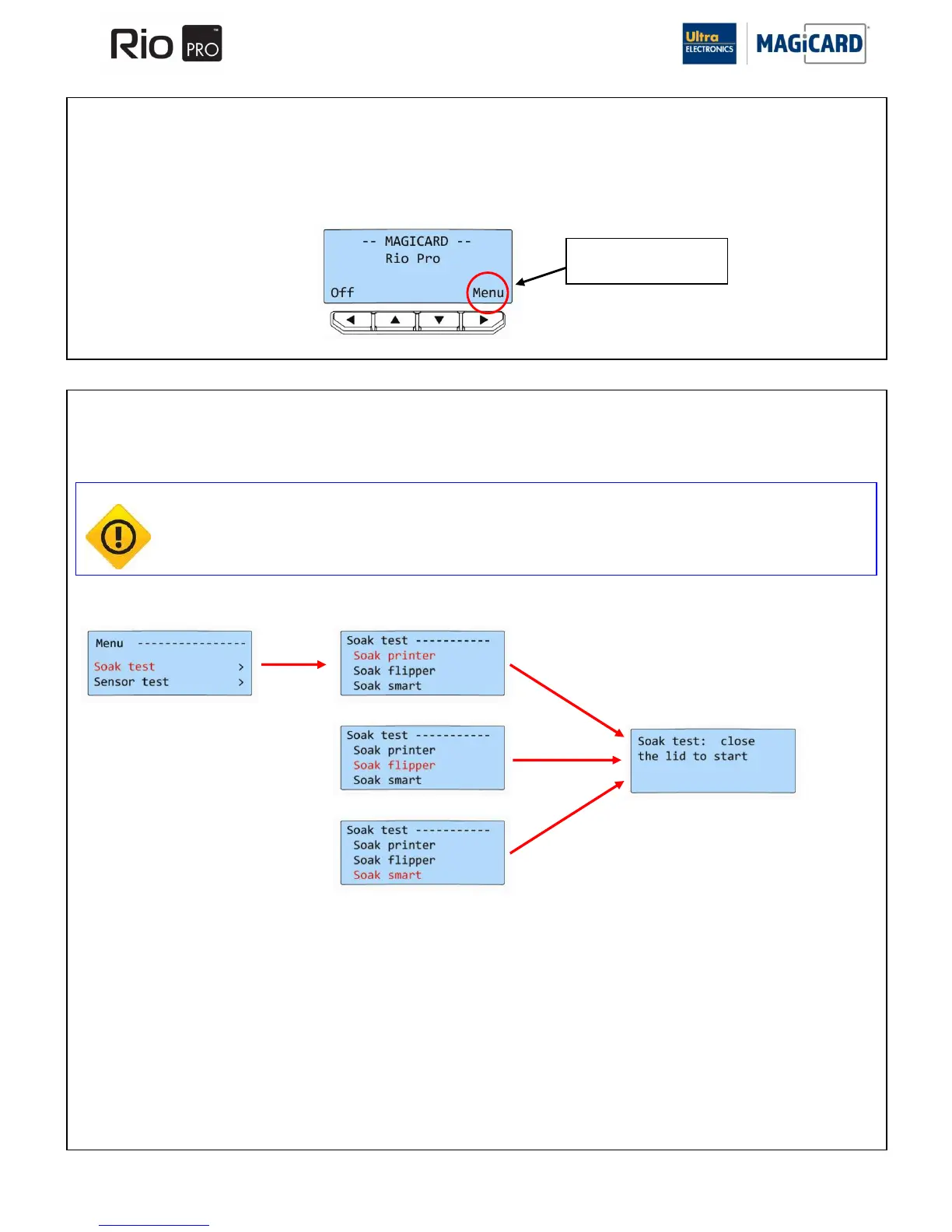
The “Soak Test” mode moves every mechanical part of the machine, including the Print Head cooling Fan. A blank Card
will be needed and inserted from the back. Remove the front and rear Card Hoppers.
SECTION 9.2 MAINTENANCE MODE
The Maintenance Mode allows the User to check the functionality of the Printer. Each electronic Sensor can be checked
individually. Image Start/End positions and the Dye-Film sensing system can be calibrated.
It is accessed by opening the Lid and holding down the Menu Button for 3 seconds.
SECTION 9.2.1 SOAK TEST MODE
CAUTION Do not fit Dye-Film into the Printer during the “Soak Test” mode. The Dye-Film motor is advanced
during the cycle. The Dye-Film drive Gear will be damaged when the Dye-Film has been fully used
and Dye-Film will be wasted.
Press and hold for
three seconds















 To Next Page