Please Note: Windows 3.11, 95, 98, ME, and NT are not supported.
SECTION 8 MAGICARD RIO PRO DRIVER.
Rio Pro and Rio Pro Duo use the new “UltraDriver+”. This Driver is for use on the following Operating Systems only:
Windows 2000 & Windows XP
Windows 2003 Server.
Windows Vista (32 and 64 bit).
Windows 7 (32 and 64 bit).
SECTION 8.1 INSTALLATION INSTRUCTIONS FOR WINDOWS 2000/XP/2003 SERVER & VISTA
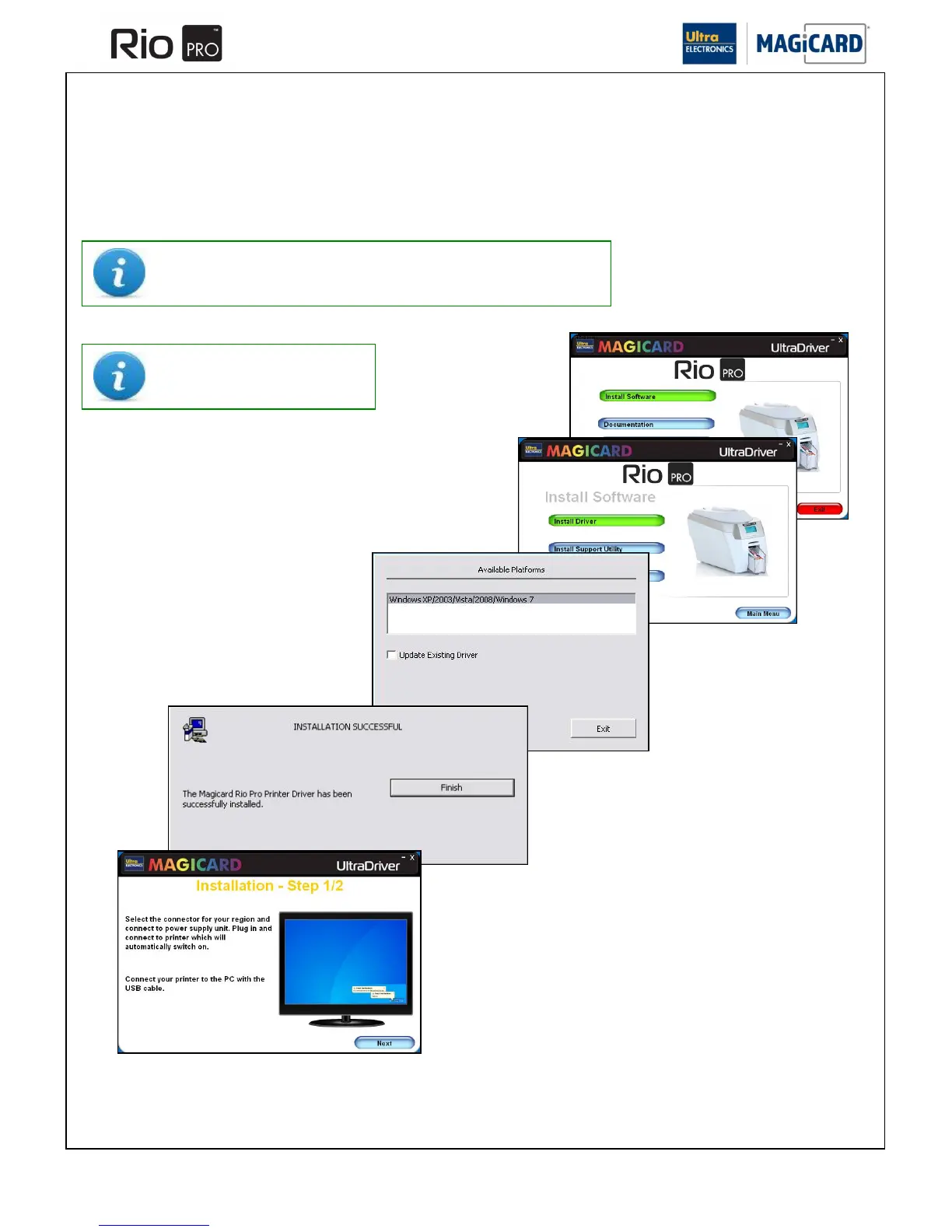
Load the Driver CD ROM into the PC you have connected to the
Printer.
If the CD does not run automatically, click the “Start” Button, then
click on “run”. Type “D:\autorun” (where D is the drive letter for
your CD drive), then press the “Return” key.
Choose the language you wish to use.















 To Next Page