Ultra Electronics Card Systems
Rio Pro Maintenance Manual
Ensure the Printer is disconnected.
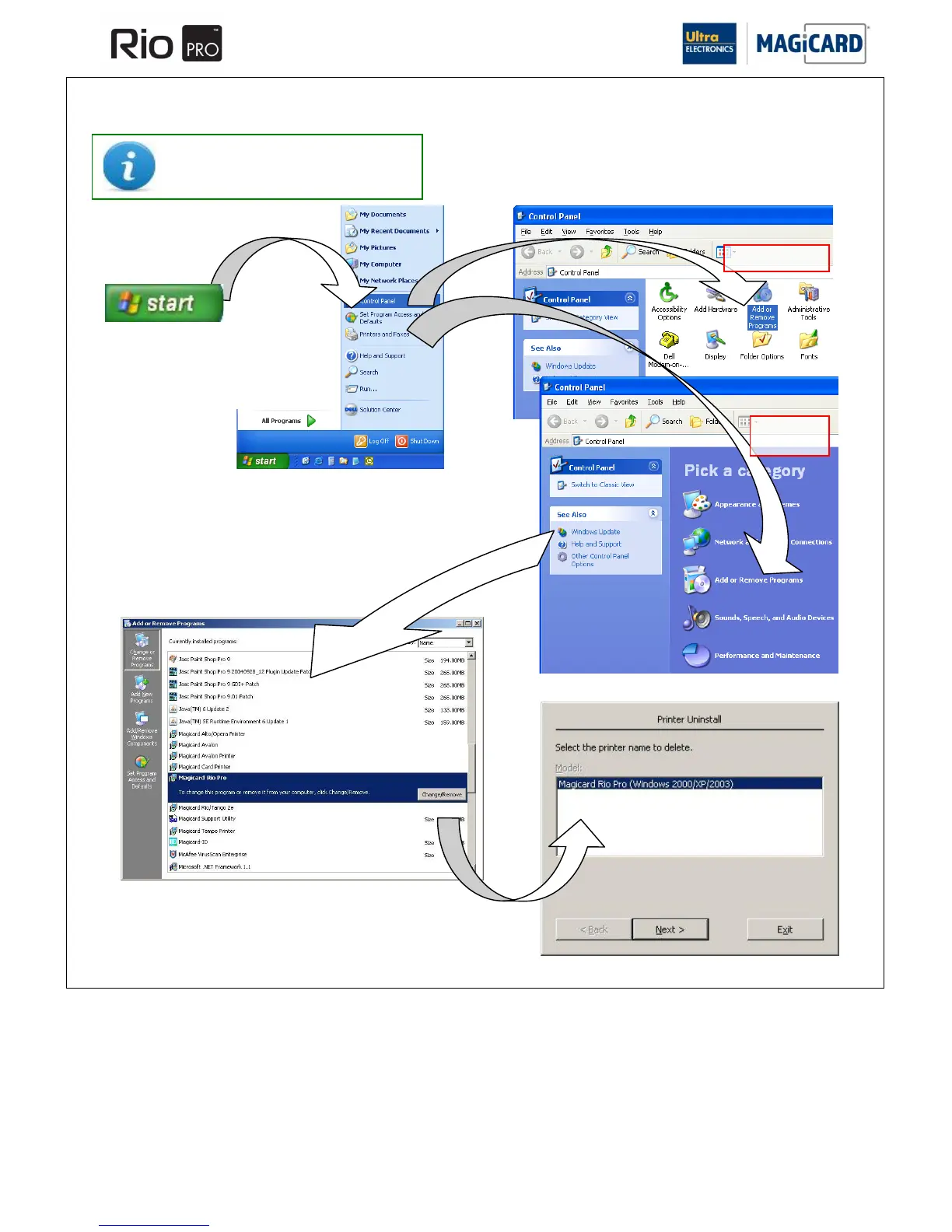
SECTION 8.2 UN-INSTALLING THE DRIVER FOR WINDOWS 2000 / XP / 2003 SERVER.
On the PC, go to “Start” >>
“Control Panel”
Then select “Add or Remove
Programs”
Select the “Magicard RIO Pro” entry,
and click on “Change/Remove”
Choose the “Magicard RIO Pro” you wish
to remove (there may be more than one),
and click “Next”
Lastly - follow the on-screen prompts !















 To Next Page