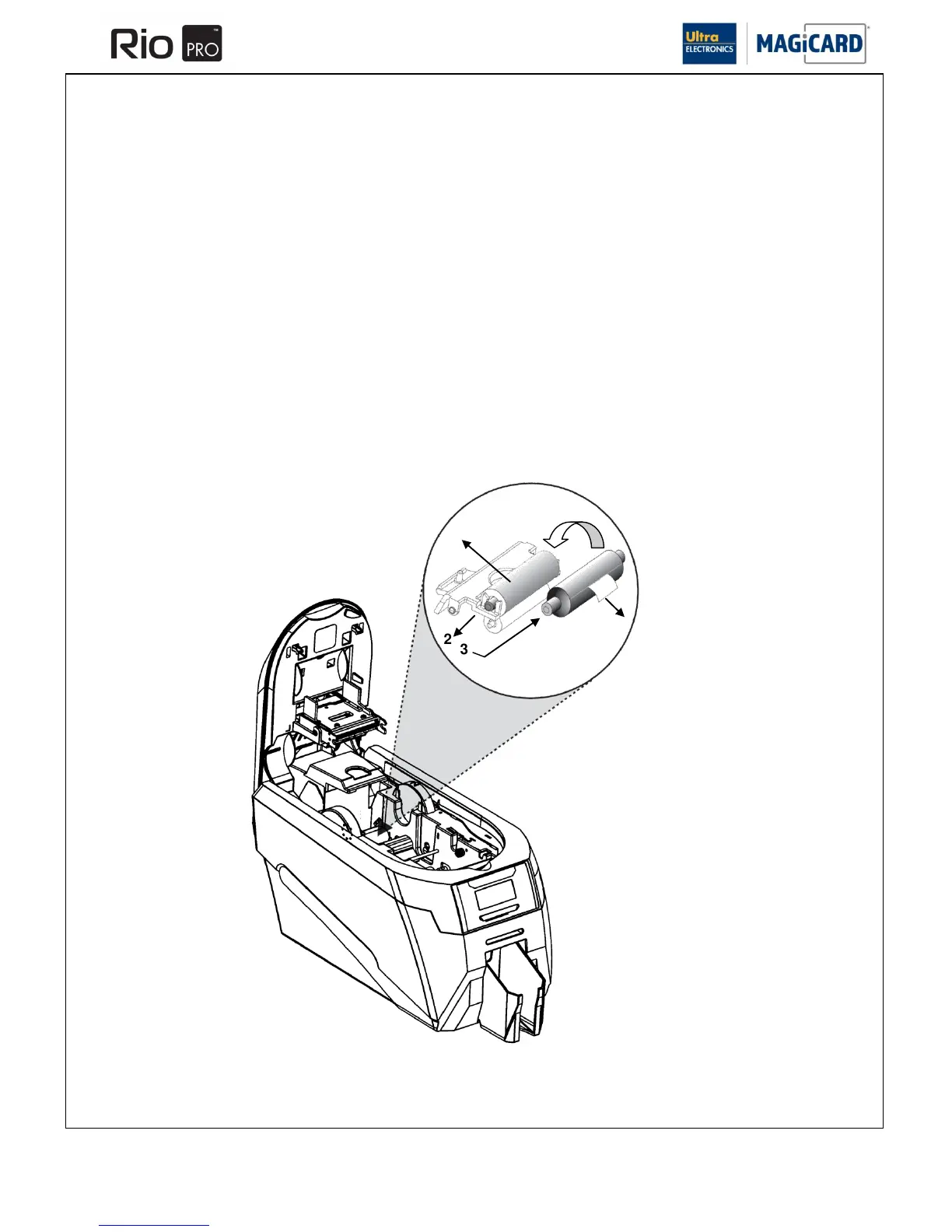
SECTION 7.4 REPLACING THE CLEANING ROLLER
Step 2 Fitting a new Cleaning Roller.
The Cleaning Roller is integral to the Media Preventer We recommend that this Cleaning Roller is replaced at least every
700 prints or sooner when a new Film is fitted.
1. Open the Printer lid and remove the used Dye-Film. Pull out the used cleaning spool.
2. Remove the central roller bar
3. Slide the central roller bar through the middle of the new cleaning roller.
4. Carefully remove the protective layer to reveal the sticky surface.
5. Place the new cleaning roller into the Printer.
Please Note: If the steel shaft from the cleaning Roller becomes lost, a replacement can be obtained by ordering a
Cleaning Roller Kit (Pt. 3633-0054) – See Section 7.2















 To Next Page