EasyManua.ls Logo

Magicard Rio Pro - Removal of the Chassis Cover; Section 11.11 Removal of the Chassis Cover

Magicard Rio Pro
108 pages
Print Icon
To Next Page IconTo Next Page
To Previous Page IconTo Previous Page
Loading...
Ultra Electronics Card Systems
Rio Pro Maintenance Manual
- 51 -
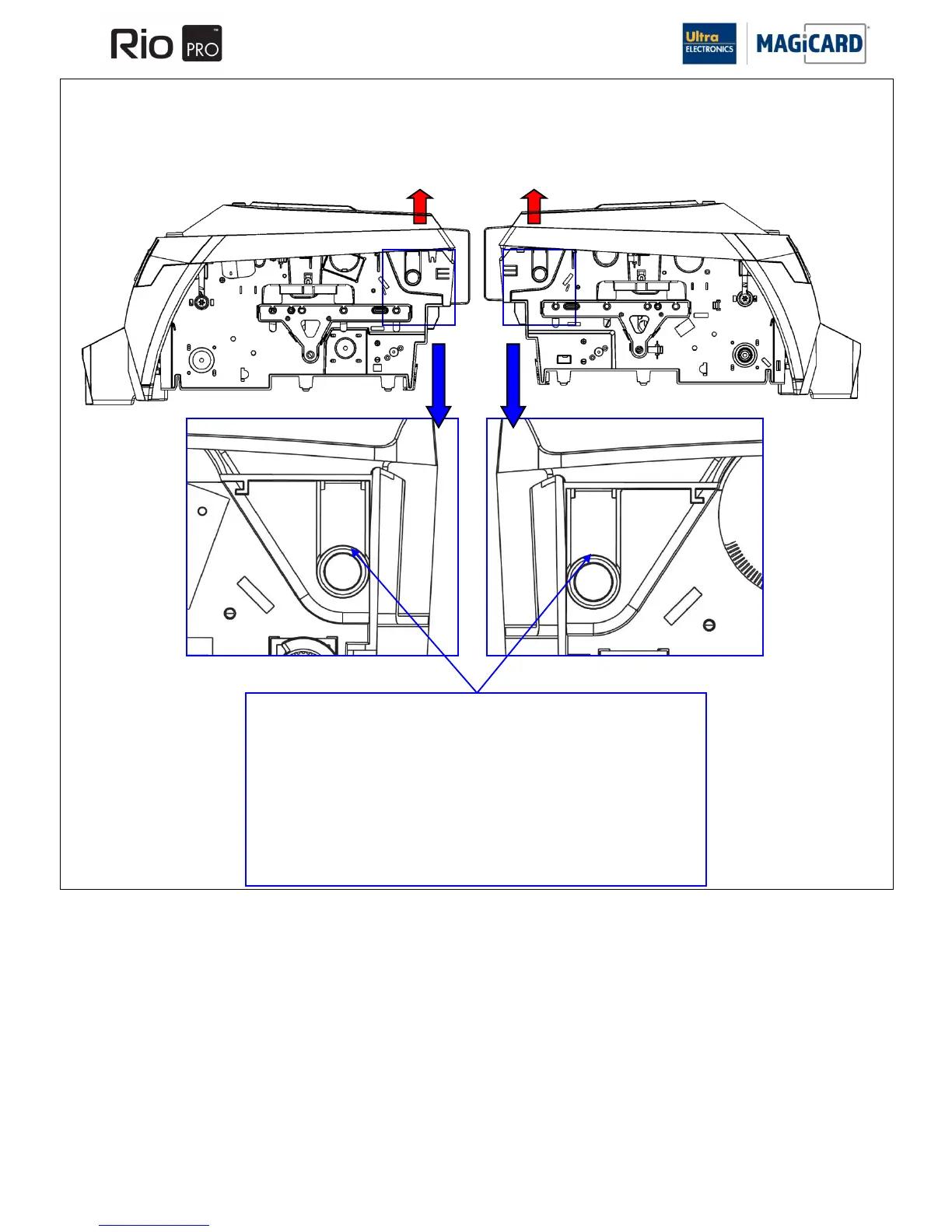
Chassis Cover Removal
1. Release the front lid catch so the lid is partially open.
2. Release the plastic locking Tabs arrowed directly above.
3. Lift the complete chassis cover upwards away from the print engine.
4. Remove the wire loom from the left hand side of the Printer (note it‟s route
through the chassis).
Refitting is the reverse procedure ensuring no wires are trapped and the Lid opens
and closes freely.
SECTION 11.11 REMOVAL OF THE CHASSIS COVER
The Chassis cover can be removed from the main print engine however there are no user replaceable parts inside.

Table of Contents

Other manuals for Magicard Rio Pro

Related product manuals