It is recommended that the user does not change the settings within the Magicard Support Utility
unless requested by Magicard Technical Support or trained Magicard Dealerships. Serious damage
can occur if the configuration settings are changed by inexperienced users.
SECTION 14 MAGICARD PRINTER SUPPORT UTILITY
This Utility provides advanced diagnostic and configuration tools for use when setting up and testing Magicard Printers.
Install the Magicard Support Utility from the Driver CD. Alternatively it can be found in “Program Files” in a folder called
“Ultra Electronics Ltd”. It is also available from our website using the following link:
http://www.Magicard.com/support/technical-support/?R=&L=&id=&lang=1&printerID=39&supportOption=3
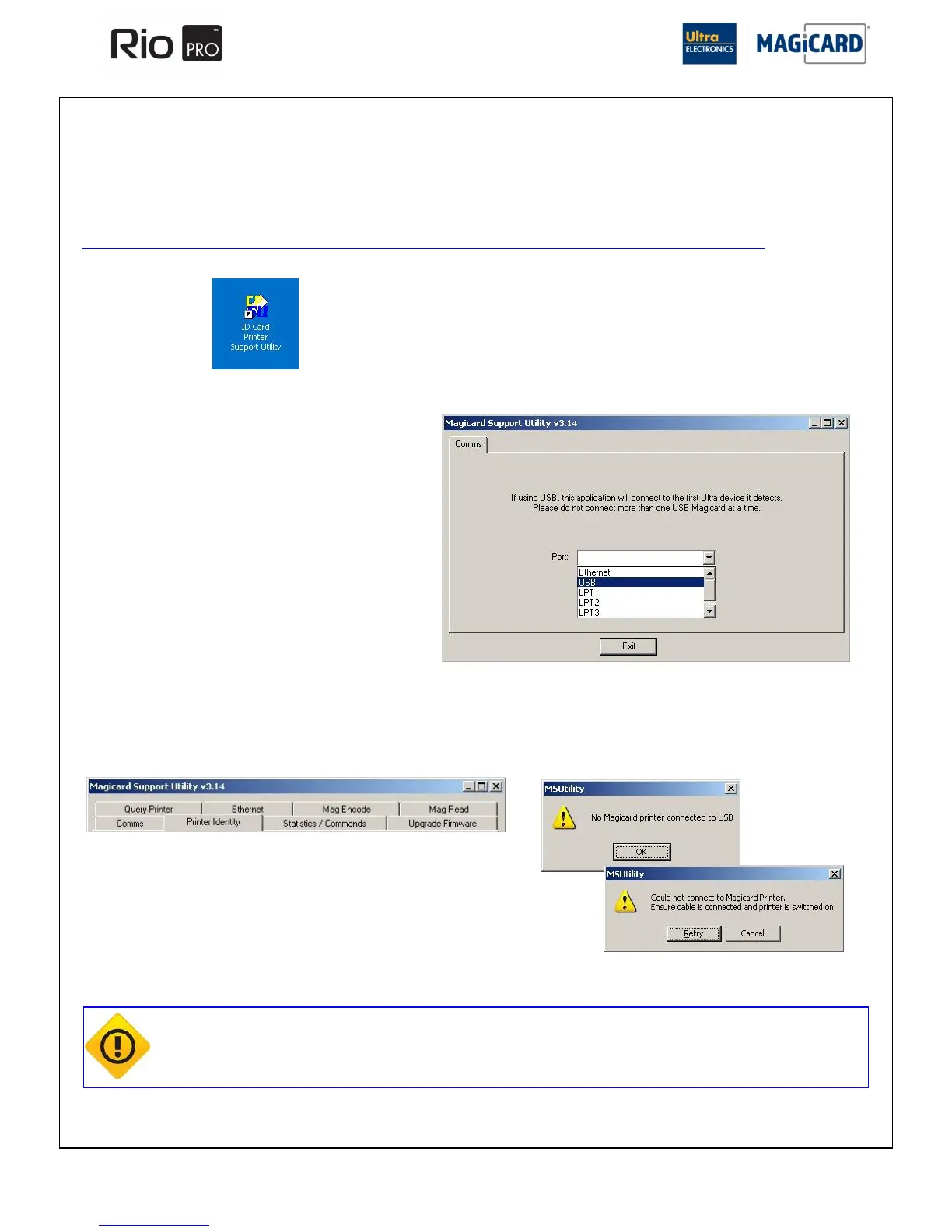
Once installed, a short cut will appear on your Desktop.
Open the Support Utility and choose the USB Port:
When it has connected to the first Magicard Printer a number of extra Tabs will appear. If the connection fails, an error
will be shown.















 To Next Page