3-39
RT9150E OPERATOR MANUAL OPERATING CONTROLS AND PROCEDURES
Published 2-23-2017, Control # 644-00
Item Description Graphic Explanation
1
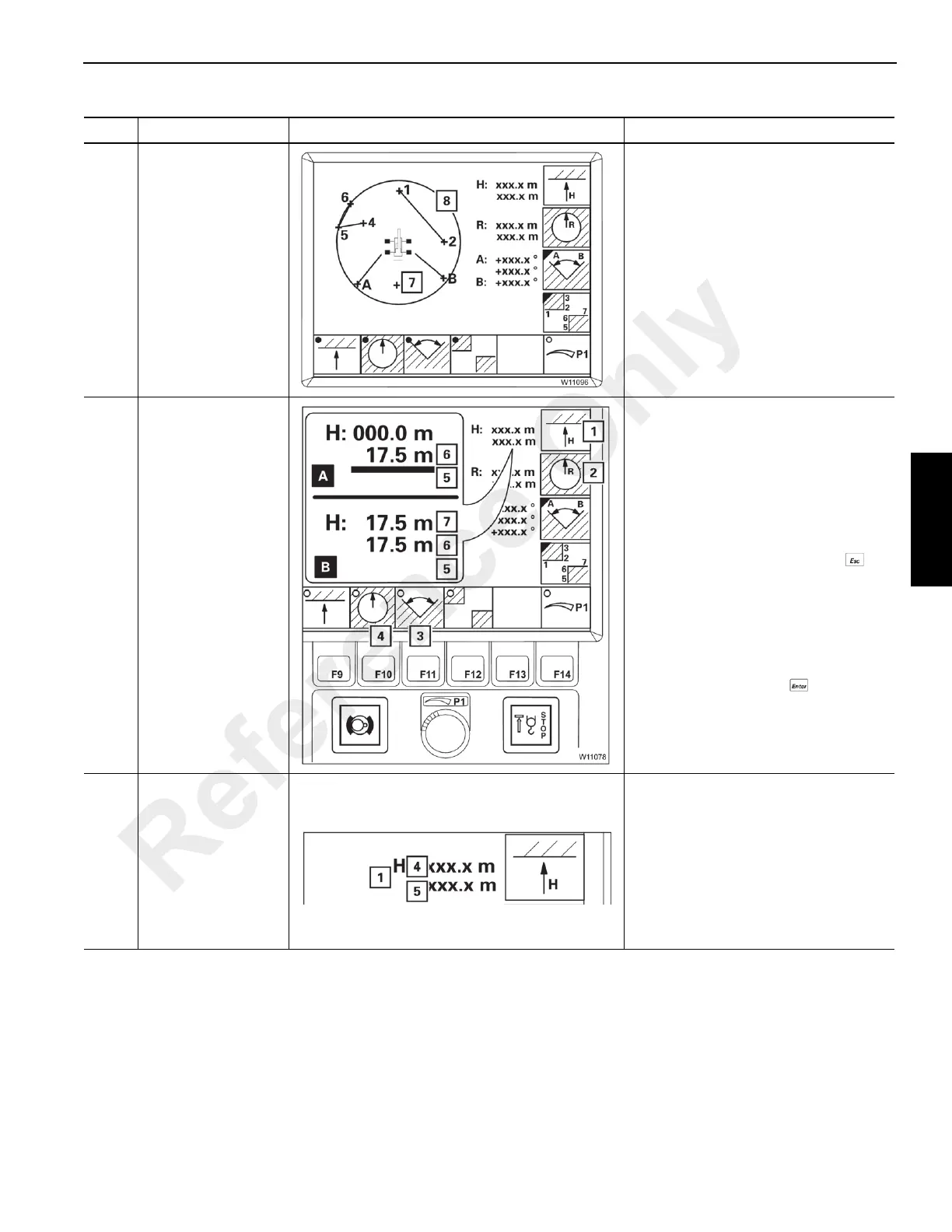
Working range
limiter display
With monitoring functions turned on
the monitored area is displayed:
• Working radius: Circle (8), red.
• Permissible swing angle: Circle
sector, clockwise from A to B
• Objects: Points and lines, e.g. 1 to 2
and 4 to 6.
• Overall height: No display.
The current main boom position (7) is
always displayed.
2
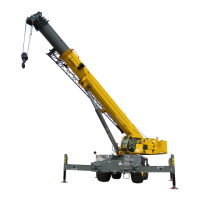
Enter maximum
overall height
The limit values for the overall height
and the working radius are entered in
the same way.
The relevant monitoring function (3) or
(4) must be switched off, dot black.
• Press the (1) button, the bar (5)
turns red, the input mode is turned
on. To cancel input, press the
button.
• (A): Move the main boom head to
just before the shutdown point
without a load, e.g. at 17.5 m, value
(6).
• (B): Press the button . The
current value (6) is accepted as the
limit value (7). The bar (5) goes out.
Switch on monitoring, see Items 9-12.
3
Maximum overall
height display
The display indicates values for (1)
overall height
The display shows the following
values:
(4) Limit value, red
(5) Current value, blue
In case of manual input mode switched
on, the display (5) changes.
Reference Only




 To Next Page