Root NIBPT Chapter 6: Admit and Discharge to Patient SafetyNet
www.masimo.com 104 Masimo
Admitting a Patient
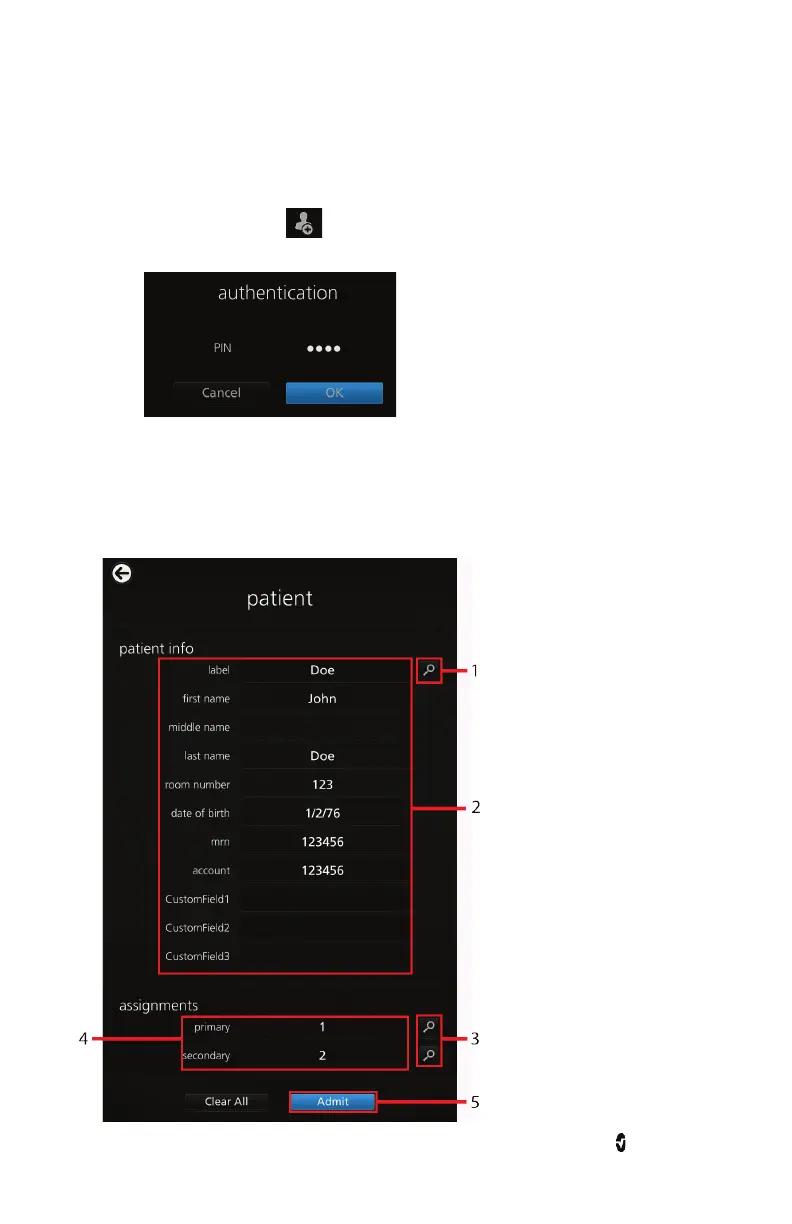
To admit a patient:
1. Press the admit icon on the bottom-left of the main screen.
2. Enter the authentication PIN.
3. Either press the patient info search button (1) to select existing patient
information, or enter new patient information in the data fields (2).
4. Press the assignments search button (3) and select the primary and secondary
pagers (4).
5. Press the Admit button (5).



 To Next Page