96 2011
User notice
M24D Hellios
V 1.0
15.2. Instruction manual
15.2.1. Adjusting brightness and contrast
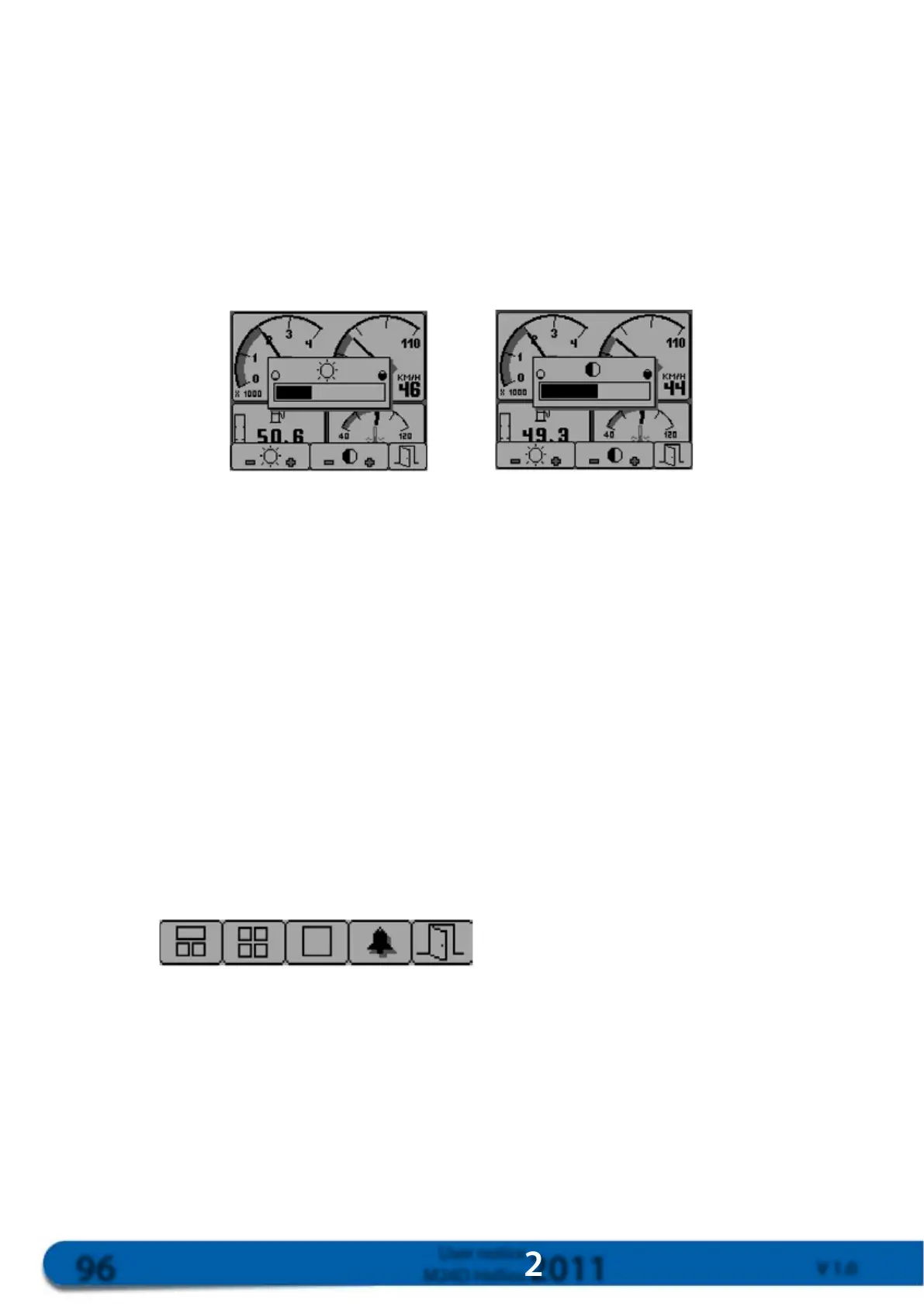
Presstherightkeywhenthemenubarisnotdisplayedtoadjustbrightnessandcontrast.
Adjustbrightnessbypressingkeys1and2.Key1canbeusedtoreducebrightnessandkey2toincrease
brightness.
Adjustcontrastusingkeys3and4.Key3canbeusedtoreducecontrastandkey4toincreasecontrast.
Brightness Contrast
Youcanquitthecontrastandbrightnessmenubypressingkey5.
Thesettingsprogrammedwillbesavedinanon-volatilememoryandwillbeautomaticallyre-activatedwhen
thedisplayisturnedon.
RE-ACTIVATINGCONTRAST
Ifthecontrasthasbeensetinamannerleaving
thescreenunreadableandimpossibletoadjust
youmustresetthescreenbypressingthe4keys
simultaneously,whichwillre-activatethescreen
andthedisplaywillreturntobasicmode
15.2.2. Using keys.
Usingkeysisverysimplethankstothedisplayofthemenubaratthebottomofthescreen
Thisbarcanbeusedtoselectthepreferreddisplaymode.
Pressingthekeyundertheiconwillimmediatelyactivatethedisplayfortheicon.
Menu bar
15.2.3. Main mode display
Thescreendisplays3independentviewsshowingkeyengineparameters.
Toselectthemaindisplaymode,pressononeofthe4keystodisplaythemenubarandthenpresskey1.



 To Next Page