98 2011
User notice
M24D Hellios
V 1.0
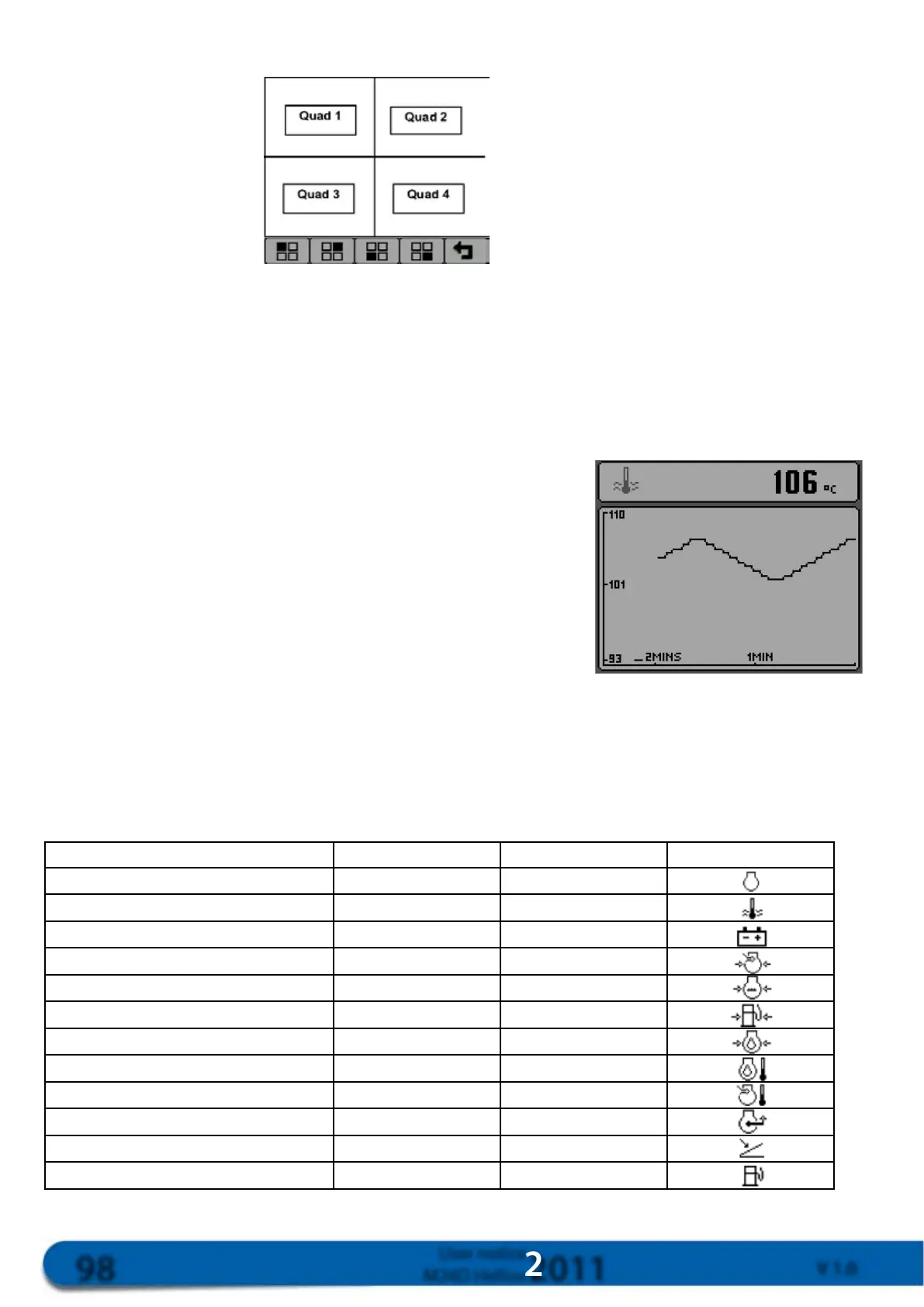
Insettingsmode,thescreenwillappearasshownbelow:
Presskey1tochangetheparametersinthetoplefteld,andpresskey2tochangetheparametersinthetop
righteld.Toquitsettingsmode,presskey5.
15.2.5. Graphic mode display
Thegraphicmodeshowsvariationintheselectedparameterinthelowerwindow,andtheinstantaneousvalue
indigitalformatintheupperwindow.Thisscreencanbeobtainedbypressinganykeytodisplaythemenubar
andthenpressingkey3.
Valuesaredisplayedintheformofagraphicwiththemostrecent
valueshownontherightofthegraphic.Thetimescalecanbe
conguredbetween2pointsdisplayed,andmayrangefrom2,10or
30min.upto1,2,4or8hours(seenextchapterformoredetails).
Mix.andmax.valuesforthey-axiswillbeadjustedautomatically.
Modifytheparametersdisplayedbypressingkey3severaltimes
whenthescreenisingraphicmode.
15.2.6. Parameters which can be selected in graphic mode and Display of engine
failures and failure codes
List:4=4-screenmode/Graph=graphicmodeTheDeutzdisplayrecognisesthefailuremessagessentby
theengineviatheCAN.IfafailureisreportedbytheEMR,thedisplaywillbeepandshowadetailedashing
warningmessage.
Parameters 4 Graph Icon
Enginespeed
Enginecoolanttemperature
Batteryvoltage
Turbopressure
Watercircuitpressure
Fuelcircuitpressure
Engineoilpressure
Engineoiltemperature
Superchargingtemperature
Instantaneousenginetorque
Acceleratorposition
Instantaneousconsumption



 To Next Page