2011 97
User notice
M24D Hellios
V 1.0
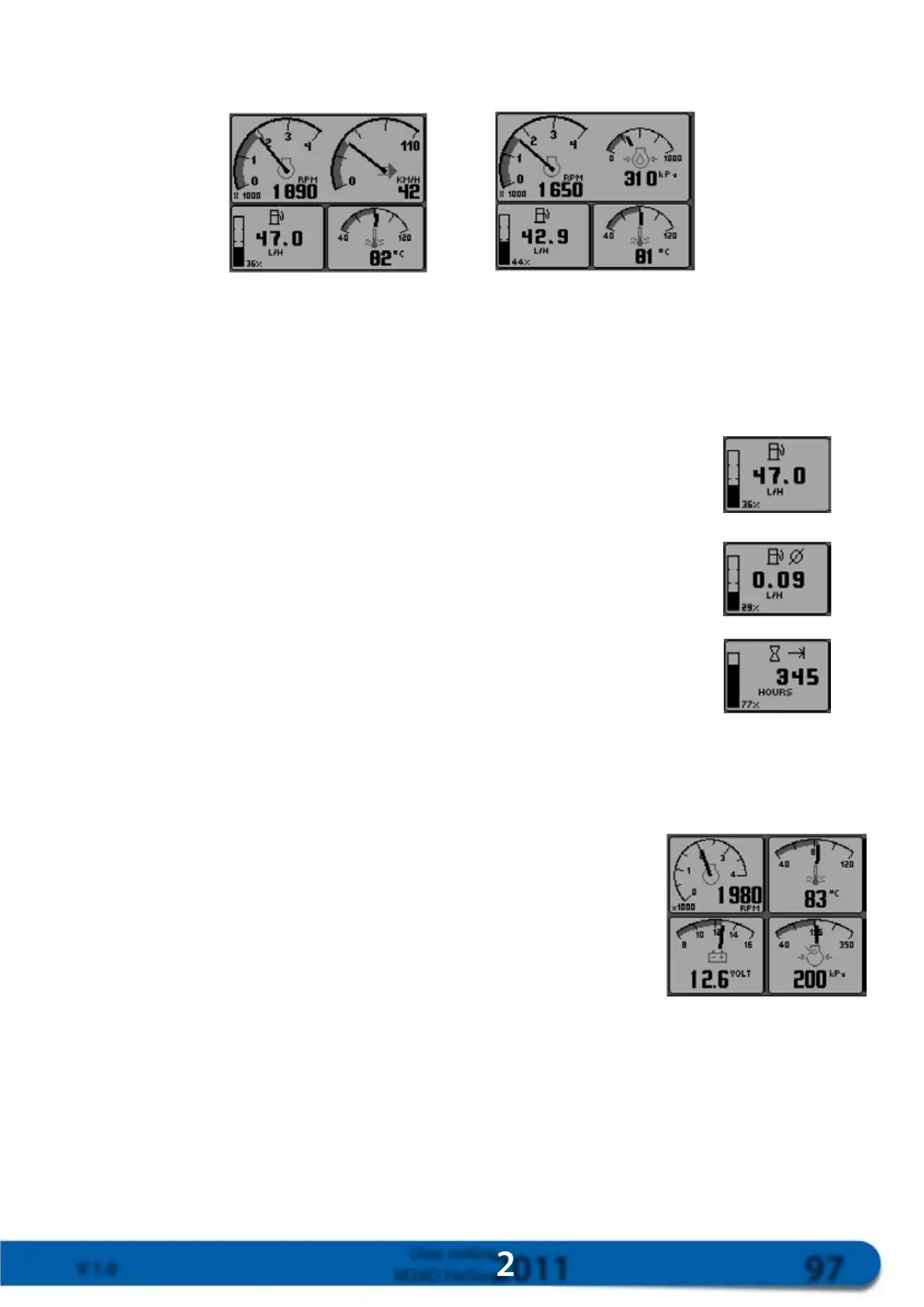
Themainscreendisplays2parametersatthetop:enginepowerontheleftandengineoilpressureontheright.
Thescreendisplayscoolanttemperaturebottomright.
Withspeed Withoutspeed
Thewindowbottomleftshowsthedifferentfuelparameters,andvariousfunctionscanbedisplayedbypres-
singkey1.
Note:FuelparameterscanonlybeaccessedifthefunctionisactivatedintheEMR.Ifthisfunctionisnotacti-
vated,onlyoperatinghourswillappear.
Instantaneousconsumption
Instantaneousconsumptionisgiveninl/h
Meanconsumptionperhour
Meanconsumptioniscalculatedfromthelastresetofthefueldisplay,andisgiven
inl/h
Totalnumberofhours
Displaysthetotalnumberofoperatinghours
15.2.4. 4-screen mode display
Toobtainthe4-screendisplaymode,pressakeytodisplaythemenubarandthenpresskey2.
Theparametersdisplayedoneachscreenwillbemodiedwheneverkey2is
pressed.
Eachwindowcanbeadjustedseparatelyusingthesettingsmode.Inthis
case,theparametersselectedbytheuserfromthelistwillbedisplayed.Use
key5toadjustparameterswhenthedisplayisin4-screenmodeandthe
menubarisshownonthescreen(ifthemenubarisnotvisible,pressanykey
todisplayit).



 To Next Page