Chapter 6 Communication function
94
PROFINET all diagnostic and configuration in the data transmitted through non real-time
(NRT) channels, using TCP/IP protocol, no sure cycle.
6.1.2
PROFIDrive
PROFIDrive is a protocol framework of PROFINET for driving technology applications.
It is called application industry rules. Application industry rules help openness, interoperability,
and interchangeability of devices. End users can determine whether similar devices provided
by different manufacturers will have standardized functions and usage modes.
PROFIDrive defines six application classes (AC) based on typical examples in the field
of electrical drive engineering:
AC1: standard driver.
AC2: Standard driver with distributed process controller.
AC3: Single axis positioning drive with local motion control.
AC4: Motion control with central interpolation and speed setting interface.
AC5: Motion control with centralized interpolation and position setting interface.
AC6: Motion control with clock handling or distributed angular synchronization.
PROFIDrive AC4 is temporarily supported in the current version of the servo drive.
6.1.3
Status LED
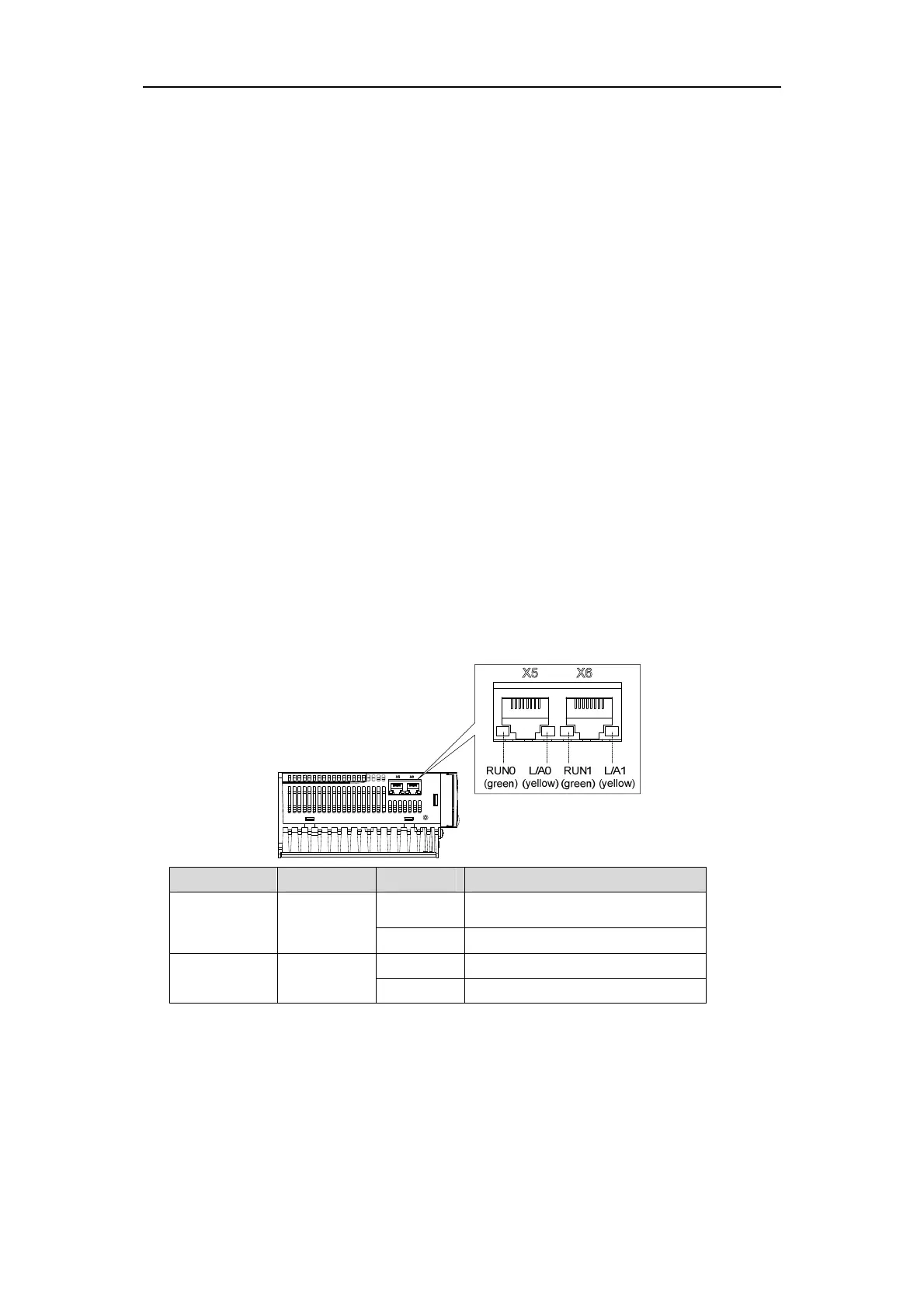
As shown IN the following figure, the Status LEDS of the EP3E drive are located IN the
X5 (IN) and X6 (OUT) sockets, and the status information of the PROFINET port can be
displayed through the indicators.
Name Color State Meaning
Link green
Light up The transfer rate is 100Mbit/s
Put out No connection or connection error
Activity yellow
Light up Data interchange
Put out No data exchange



 To Next Page