34
Chapter 3
Front panel operation
3.1
Driver panel description
3.1.1
Front panel compositions
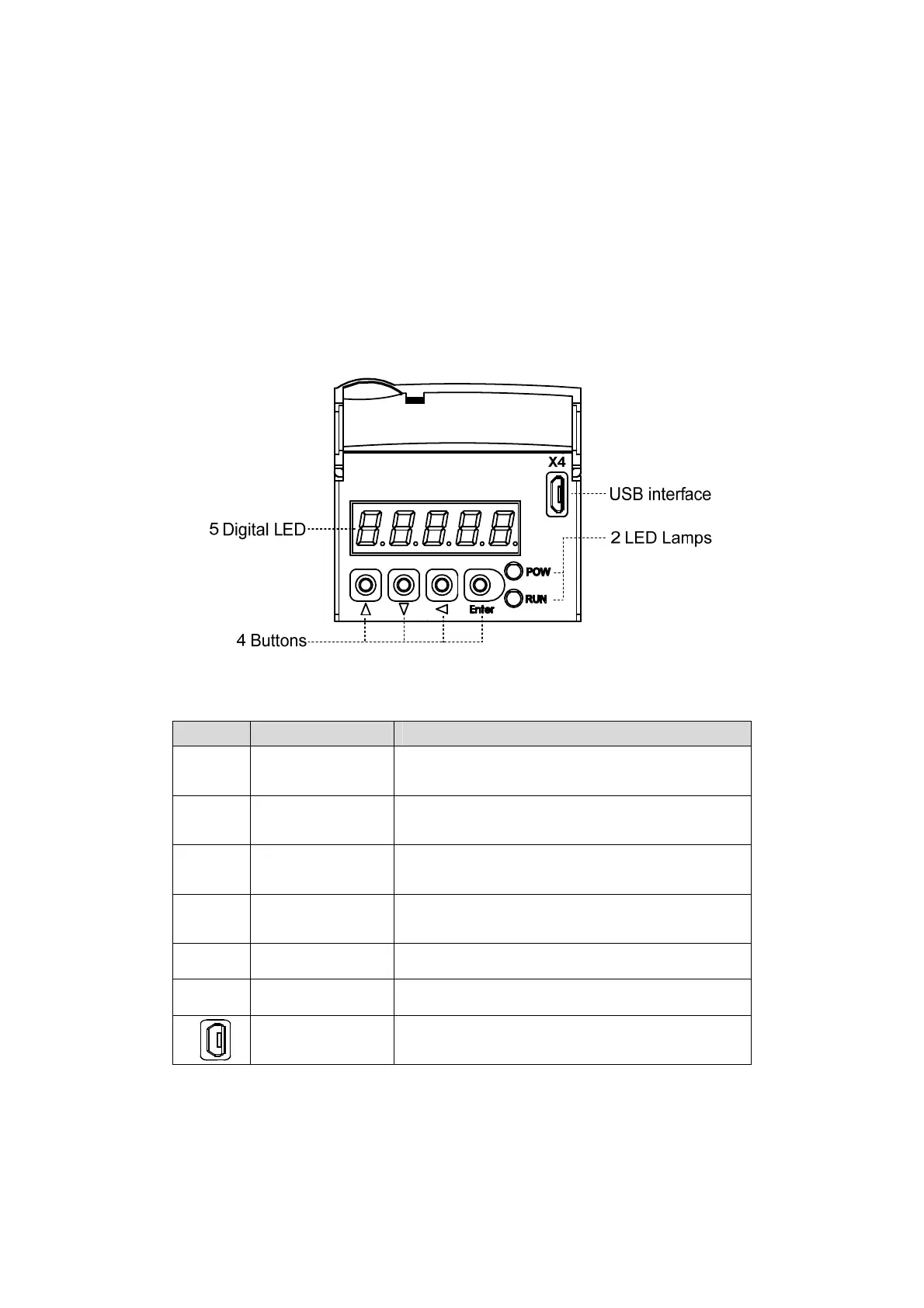
The panel is composed of 5 LED digital tube displays and 4 keys 8、2、4、5 and 1 USB
interface to display various states of the system and set parameters. Operations are layered
operations, which are expanded by the main menu layer by layer.
3.1.2
Front panel explanations
Symbol Name Functions
POW Main power lamp
Lit: Main power supply already turn on;
Go out: Main power supply did not turn on.
RUN Running lamp
Lit: Servomotor is active;
Go out: Servomotor is not active.
8
Increasing button
Increase sequence number or value;
Long press has repetitive effect.
2
Decreasing button
Decrease sequence number or value;
Long press has repetitive effect.
4
Exit button Menu exit; cancel the operation.
5
Confirm button Menu entered; the operation confirmed.
USB interface Equipment connected to the computer interface.



 To Next Page