Chapter 4 Running
56
4.7
Absolute value encoder setting
4.7.1
Absolute value encoder multi-turn information saving
Absolute value encoder defaults to single turn absolute value. If the user needs multiple
position values, set the parameter P090 to 1, save and restart the drive.
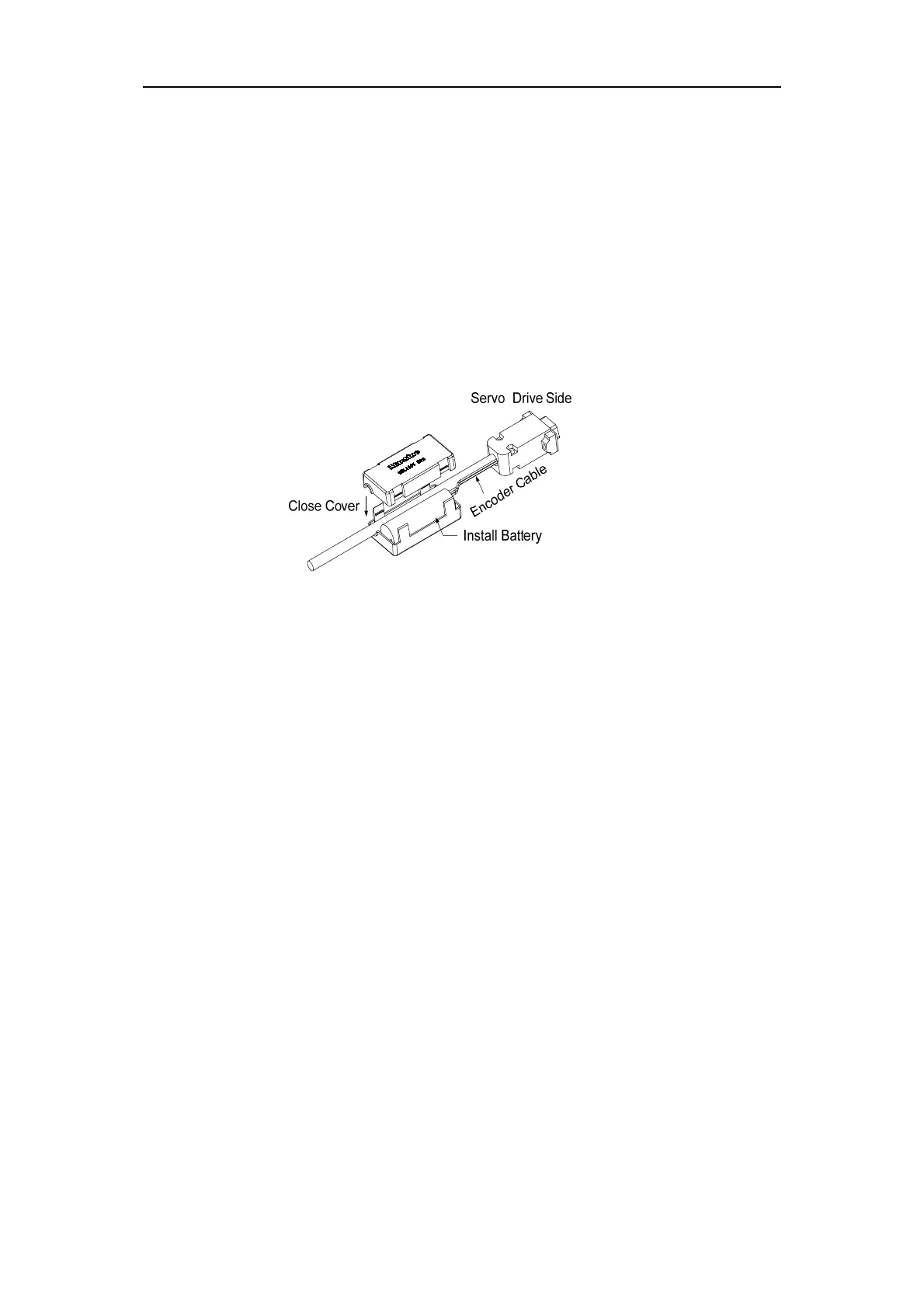
In order to preserve the multi-turn position data of the absolute value encoder, the battery
unit needs to be installed.
Signal input SD+、SD- (the color of the wire is brown、brown and white respectively),
encoder power 0V、5V (the color of the wire is black+black and white, red+red and white
respectively) are connected to the DB head, external battery pins E+ and E- (the color of the
wire is yellow、 yellow and white respectively) are connected to the battery box.
Note: Do not install battery units on both sides of the servo drive. Please set the battery
unit on either side of the servo drive.
Battery voltage requirement: 3.2VDC ~ 4.8VDC
When the battery voltage is out of range, the servo driver will alarm (Err48) when the
power is on. Please replace the battery at this time. After replacing the battery, in order to
remove the display of "Encoder battery alarm (Err48)", please ensure that the servo drive is in
the unenabled state. Connect the power supply of the servo drive control part, and initialize the
absolute value encoder. After initializing, the multi-turn value is 0. Confirm error display
disappears, servo drive can work normally.
4.7.2
Initialization of the absolute value encoder
In the following cases, the absolute value encoder must be initialized through Fn36, refer
to Section 3.6.1 for details.
When the machine is initially started;
To set the absolute value of the encoder's rotation data to 0.
In the following situations, the encoder alarm must be cleared by Fn37, please refer to
Section 3.6.1 for details.
When "Encoder Battery Alarm (Err48)" occurs;
When "Encoder Internal Fault Alert (Err41)" occurs.



 To Next Page