3.4 Parameters setting
41
3.4
Parameters setting
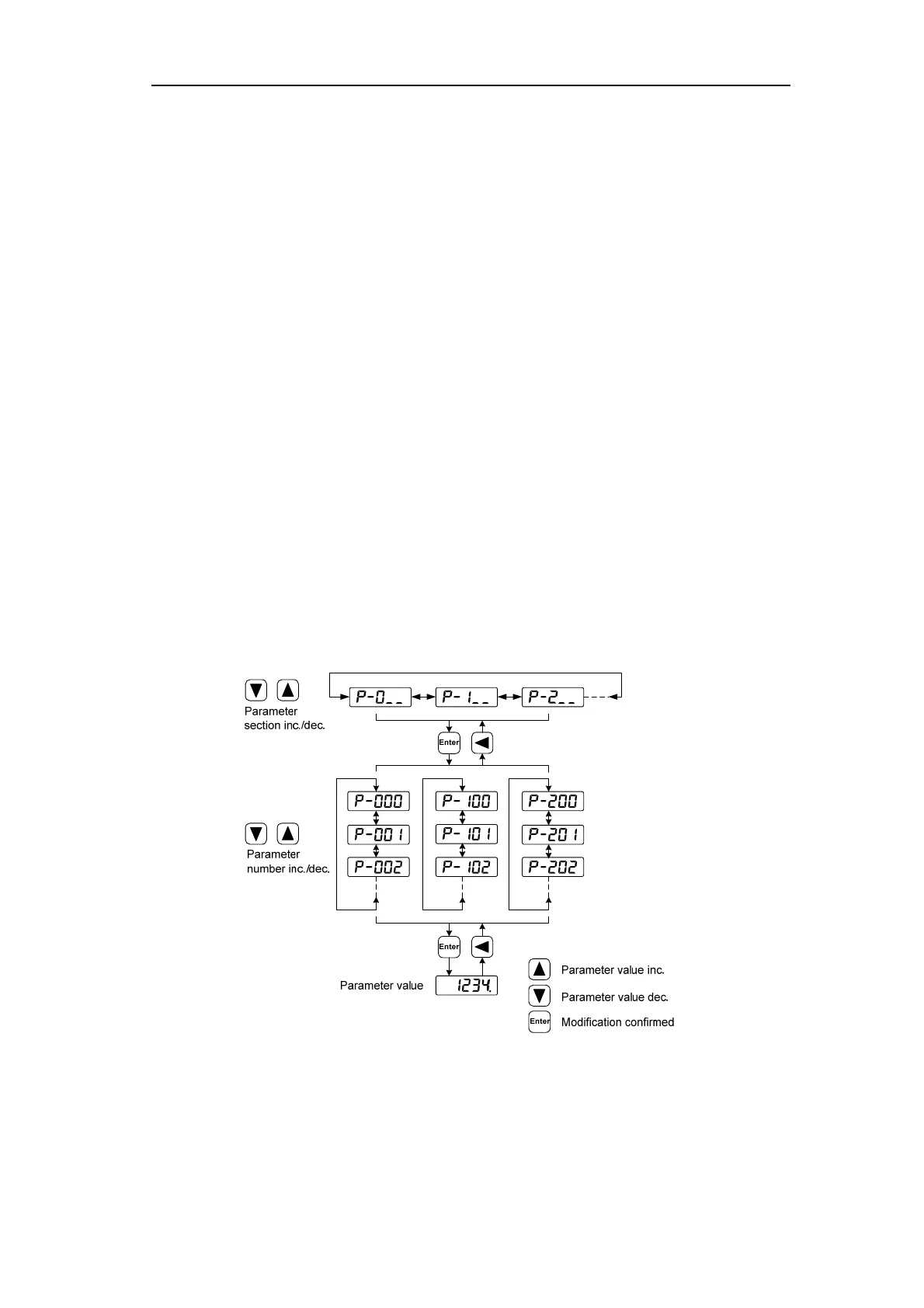
Parameters are represented by parameter segment + parameter number. The hundreds digit
is the segment number, and the tens digit and the ones digit are the parameter number. For
example, parameter P102, segment number is "1", parameter number is "02", display is
"P-102".
Choose the parameter mode under the main menu "P- ". Pressing the 5 button enters the
parameter-setting mode. First use 8、2 button to select the parameter section name and then
pressing 5 button enters the parameter name selection. Again, use 8、2 button to select the
parameter name and then pressing 5 button shows the parameter value.
Use 8、2 button to alter a parameter value. Pressing 8、2 button once to increase or
decrease the parameter value by one. Pressing down and hold the 8、2 button, the parameter
value can increase or decrease continuously. When the parameter value is modified, the decimal
point on the most right sides LED is lit. Press 5 button to confirm the parameter value to be
effective, meanwhile the decimal point turns off. The modified parameter value is immediately
active to influence on the control action (but some parameters needs to preserve firstly and then
turn off and on the power supply). Hereafter pressing 4 button returns to the parameter number
selection and can continue to modify a parameter. If the value is not satisfied, do not press the 5
button and can press 4 button to cancel it for resuming the original parameter value.
The modified parameter is not saved to EEPROM. If it needs to be saved permanently,
please use the parameter write operation in parameter management. Parameter segments and
Numbers are not necessarily contiguous, and unused segments and Numbers are skipped and
cannot be selected.



 To Next Page