Chapter 6 Communication function
112
6.2
Drive mode
6.2.1
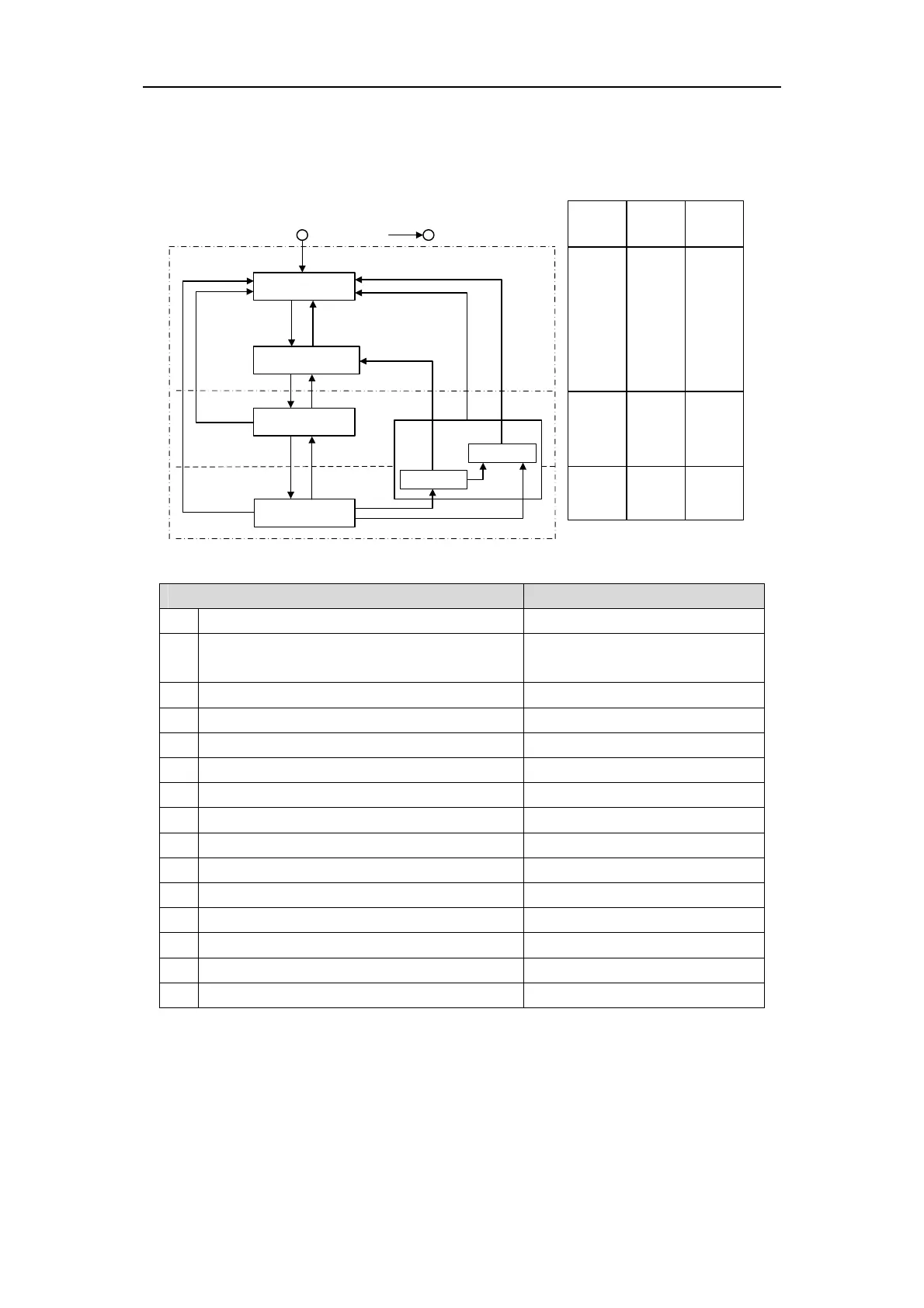
Servo state machine
S1:Switching On Inhibited
(初始化 完成状态)
S2:Ready For Switching On
(主电源OFF)
S3:Switched On
(伺服准备或者伺服OFF)
S4:Operation
(伺服ON)
Power off or reset
1:初始化完成后(Auto skip 1)
2:OFF
AND No Coast Stop
AND No Quick Stop
7:Coast Stop
OR Quick Stop
3:ON
6:OFF
8:Coast Stop OR
Quick Stop
4:Enable
operation
5:Disable
opration
10:OFF
11:Quick Stop
Low-level power:控制电源
High-level power:主电源
Drive Function:伺服 ON
Start
Yes No
No
Low level
power
High level
power
Drive
Function
Yes Yes
No
Yes Yes Yes
ramp stop
(斜坡减速中)
quick stop
(快速减速中)
S5:Switching Off
9:Coast Stop
13:Quick Stop
14:Standstill OR
Disable Operation
12:Coast Stop
15:Standstill OR Disable Operation
Control command and status switchover
PROFIDrive state switch STW1
1 Default →SwitchingOn Inhibited Natural transition, no instructions
2 SwitchingOn Inhibited →Ready ForSwitchingOn
STW1.0 = 0 And STW1.1 = 1 And
STW1.2 = 1
3 Ready ForSwitchingOn →Switched On STW1.0 = 1
4 Switched On →Operation STW1.3 = 1
5 Operation →Switched On STW1.3 = 0
6 Switched On →Ready ForSwitchingOn STW1.0 = 0
7 Ready ForSwitch On →SwitchingOn Inhibited STW1.1 = 0 Or STW1.2 = 0
8 Switched On →SwitchingOn Inhibited STW1.1 = 0 Or STW1.2 = 0
9 Operation →SwitchingOn Inhibited STW1.1 = 0
10 Operation →Ramp Stop Switching Off STW1.0 = 0
11 Operation →Quick stop Switching Off STW1.2 = 0
12 Switching Off→SwitchingOn Inhibited STW1.1 = 0
13 Ramp Stop Switching Off→Quick stop Switching Off STW1.2 = 0
14 Ramp Stop Switching Off→Ready ForSwitch On STW1.3 = 0 Or Deceleration completed
15 Quick stop Switching Off→SwitchingOn Inhibited STW1.3 = 0 Or Deceleration completed



 To Next Page