3.2 Main menu
35
3.1.3
Data display
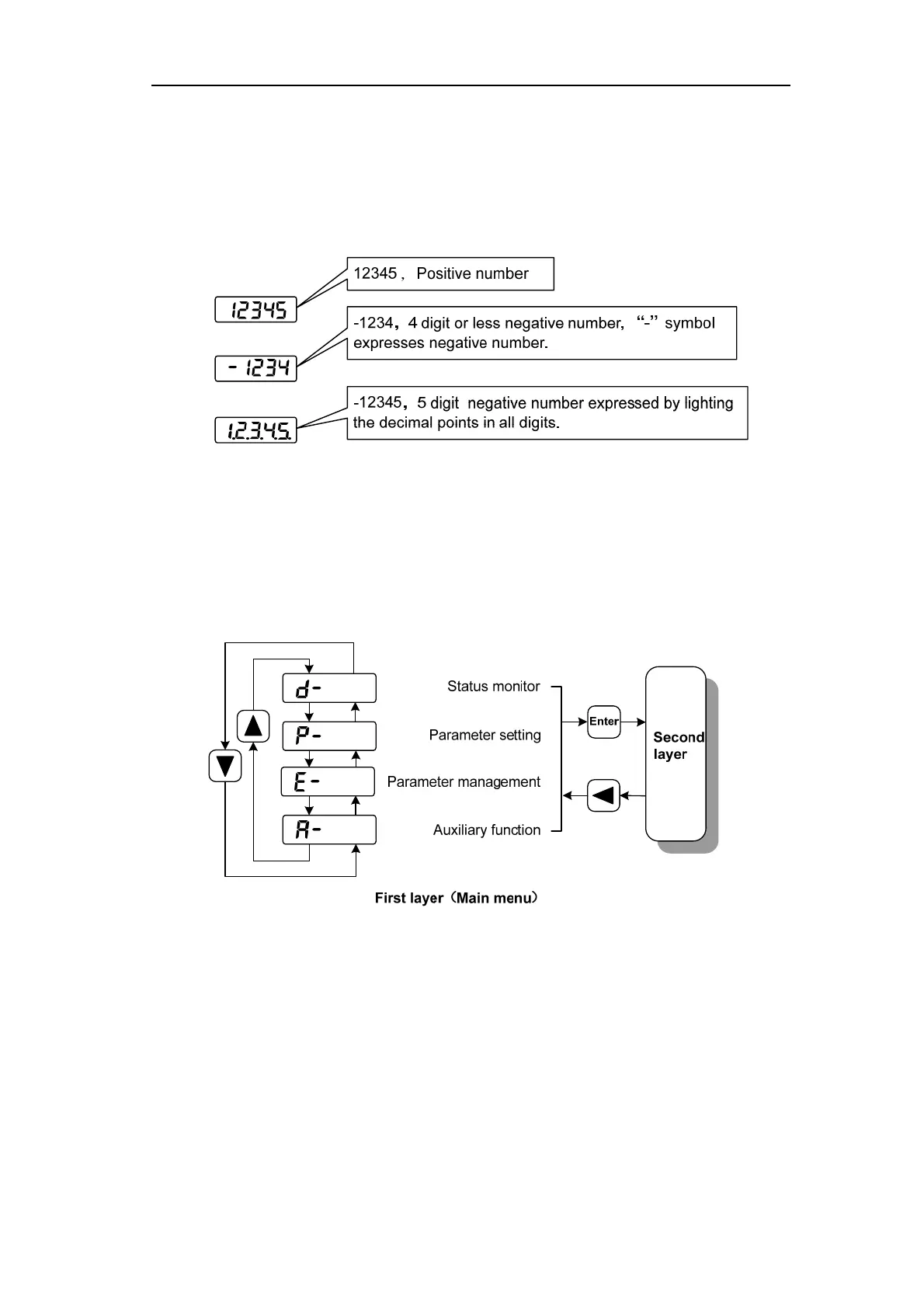
A number is shown by five digital displays; a minus symbol in front of the value
represents a negative value; the lit decimal points in all the digits indicate a negative 5-digit
value. Some displays have a prefix character. If the value is full-scale, then the prefix character
can be omitted.
3.2
Main menu
The first layer is the main menu and has four operating modes. Pressing 8、2 button
changes the operation mode. Pressing the 5 button enters the second layer and then executes a
concrete operation. Pressing 4 button returns to the main menu from the second layer.



 To Next Page