10 (93) TX3 Touch Screen Installation Manual Version 3.4
Copyright 2015 LT-996
Introduction
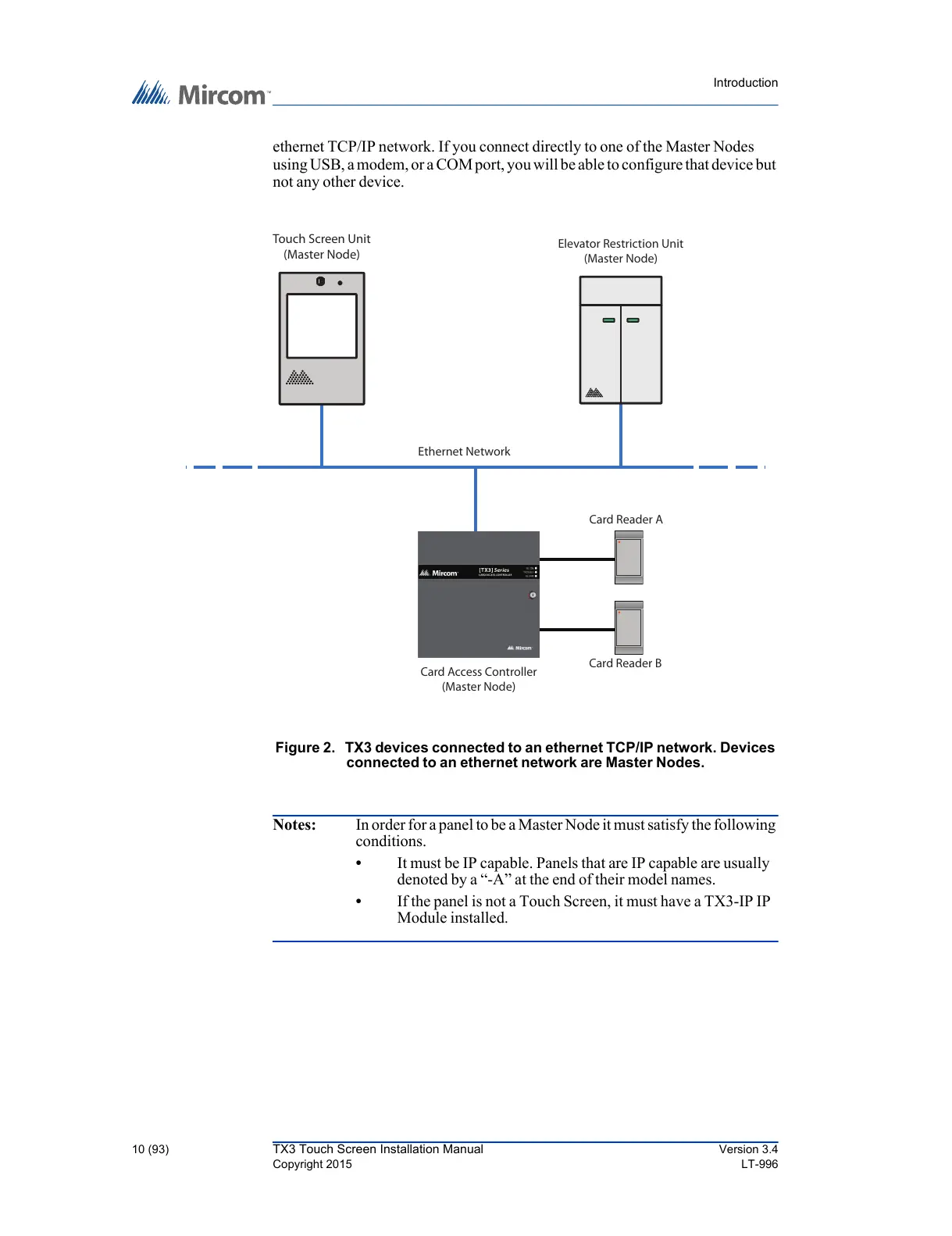
ethernet TCP/IP network. If you connect directly to one of the Master Nodes
using USB, a modem, or a COM port, you will be able to configure that device but
not any other device.
Figure 2. TX3 devices connected to an ethernet TCP/IP network. Devices
connected to an ethernet network are Master Nodes.
Notes: In order for a panel to be a Master Node it must satisfy the following
conditions.
• It must be IP capable. Panels that are IP capable are usually
denoted by a “-A” at the end of their model names.
• If the panel is not a Touch Screen, it must have a TX3-IP IP
Module installed.



 To Next Page