Touch Screen System and Setup
Version 3.4 TX3 Touch Screen Installation Manual 75 (93)
LT-996 Copyright 2015
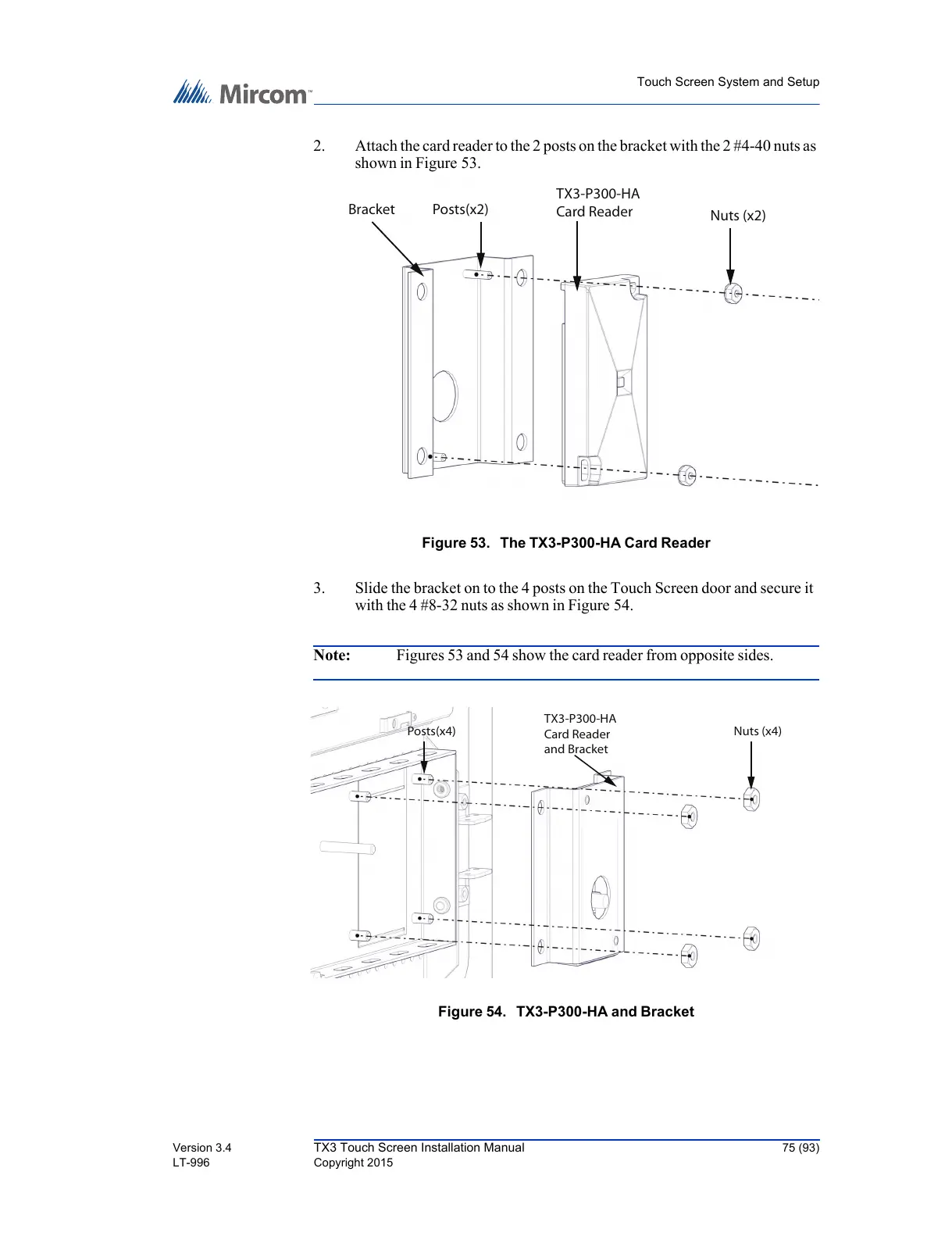
2. Attach the card reader to the 2 posts on the bracket with the 2 #4-40 nuts as
shown in Figure 53.
Figure 53. The TX3-P300-HA Card Reader
3. Slide the bracket on to the 4 posts on the Touch Screen door and secure it
with the 4 #8-32 nuts as shown in Figure 54.
Note: Figures 53 and 54 show the card reader from opposite sides.
Figure 54. TX3-P300-HA and Bracket



 To Next Page