Enclosure Installation
Version 3.4 TX3 Touch Screen Installation Manual 27 (93)
LT-996 Copyright 2015
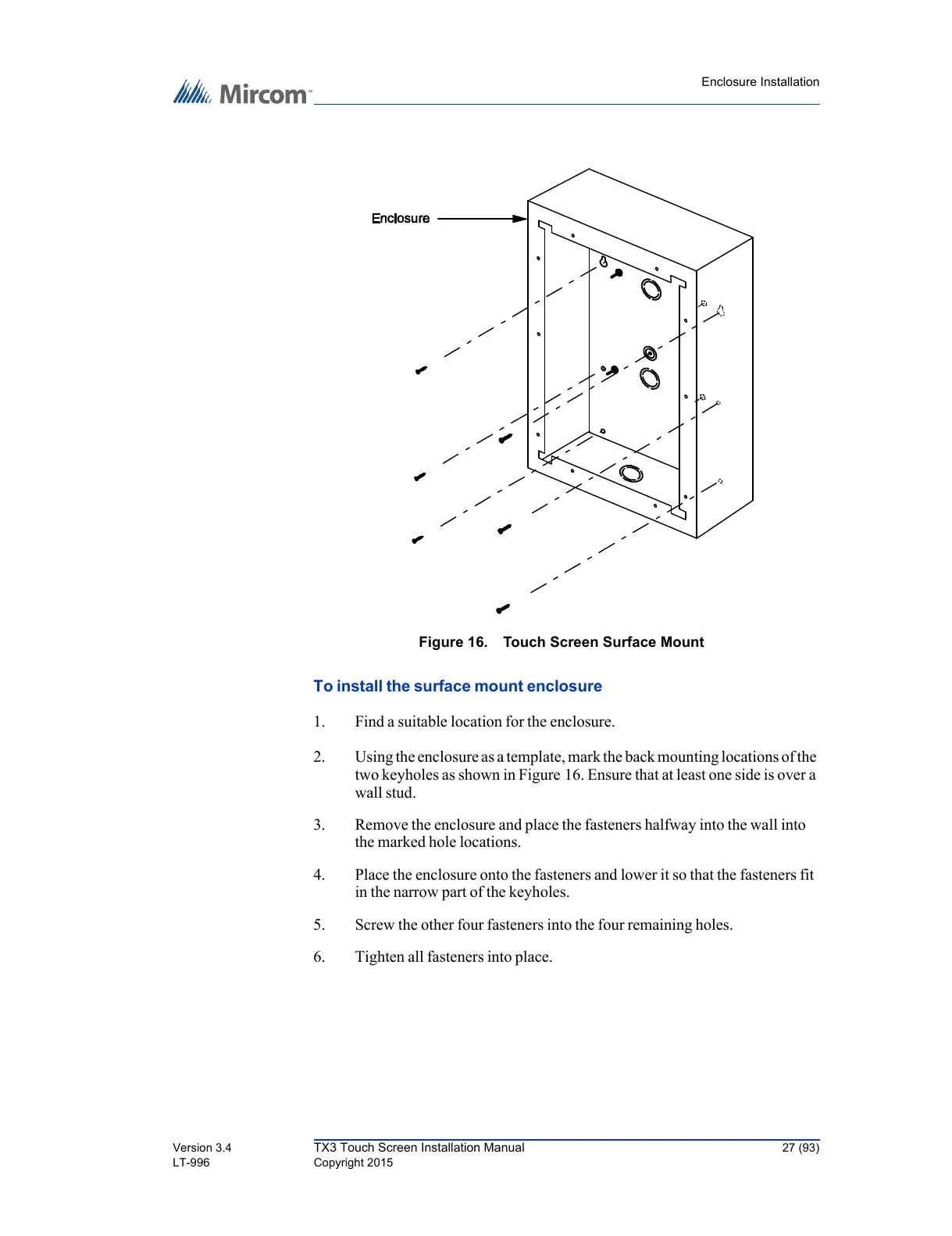
Figure 16. Touch Screen Surface Mount
To install the surface mount enclosure
1. Find a suitable location for the enclosure.
2. Using the enclosure as a template, mark the back mounting locations of the
two keyholes as shown in Figure 16. Ensure that at least one side is over a
wall stud.
3. Remove the enclosure and place the fasteners halfway into the wall into
the marked hole locations.
4. Place the enclosure onto the fasteners and lower it so that the fasteners fit
in the narrow part of the keyholes.
5. Screw the other four fasteners into the four remaining holes.
6. Tighten all fasteners into place.



 To Next Page