Touch Screen System and Setup
Version 3.4 TX3 Touch Screen Installation Manual 61 (93)
LT-996 Copyright 2015
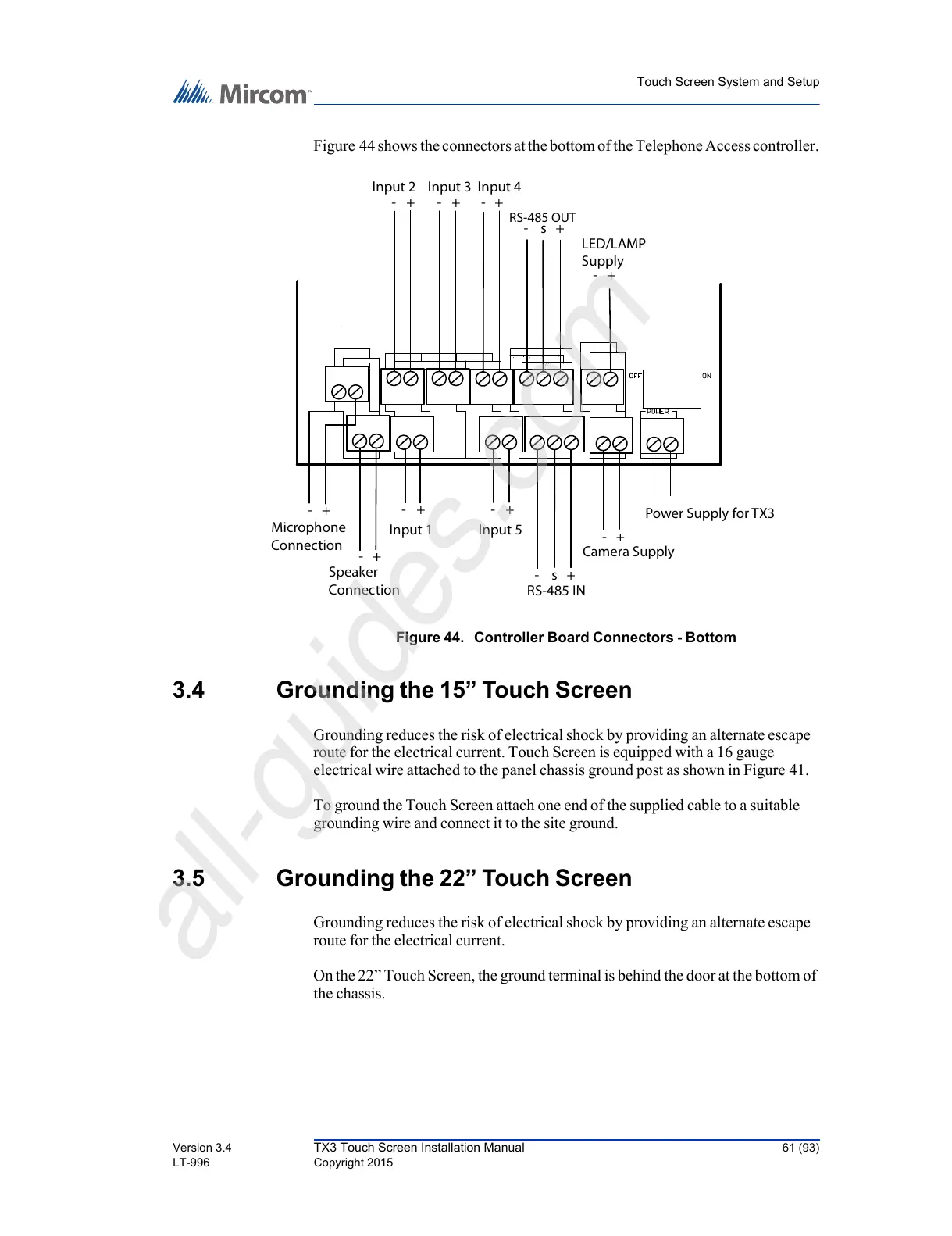
Figure 44 shows the connectors at the bottom of the Telephone Access controller.
Figure 44. Controller Board Connectors - Bottom
3.4 Grounding the 15” Touch Screen
Grounding reduces the risk of electrical shock by providing an alternate escape
route for the electrical current. Touch Screen is equipped with a 16 gauge
electrical wire attached to the panel chassis ground post as shown in Figure 41.
To ground the Touch Screen attach one end of the supplied cable to a suitable
grounding wire and connect it to the site ground.
3.5 Grounding the 22” Touch Screen
Grounding reduces the risk of electrical shock by providing an alternate escape
route for the electrical current.
On the 22” Touch Screen, the ground terminal is behind the door at the bottom of
the chassis.



 To Next Page