72 (93) TX3 Touch Screen Installation Manual Version 3.4
Copyright 2015 LT-996
Touch Screen System and Setup
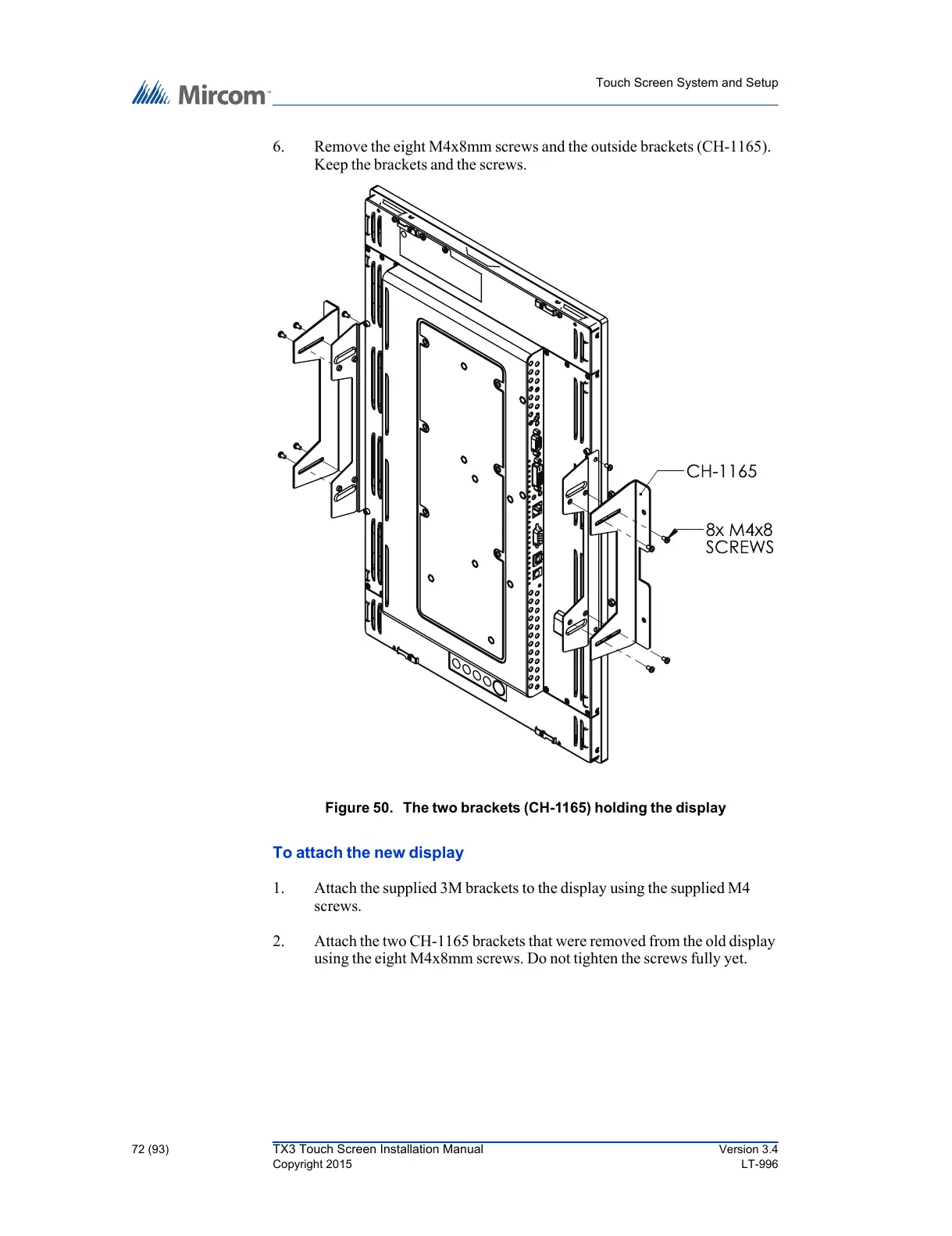
6. Remove the eight M4x8mm screws and the outside brackets (CH-1165).
Keep the brackets and the screws.
Figure 50. The two brackets (CH-1165) holding the display
To attach the new display
1. Attach the supplied 3M brackets to the display using the supplied M4
screws.
2. Attach the two CH-1165 brackets that were removed from the old display
using the eight M4x8mm screws. Do not tighten the screws fully yet.



 To Next Page