Enclosure Installation
Version 3.4 TX3 Touch Screen Installation Manual 43 (93)
LT-996 Copyright 2015
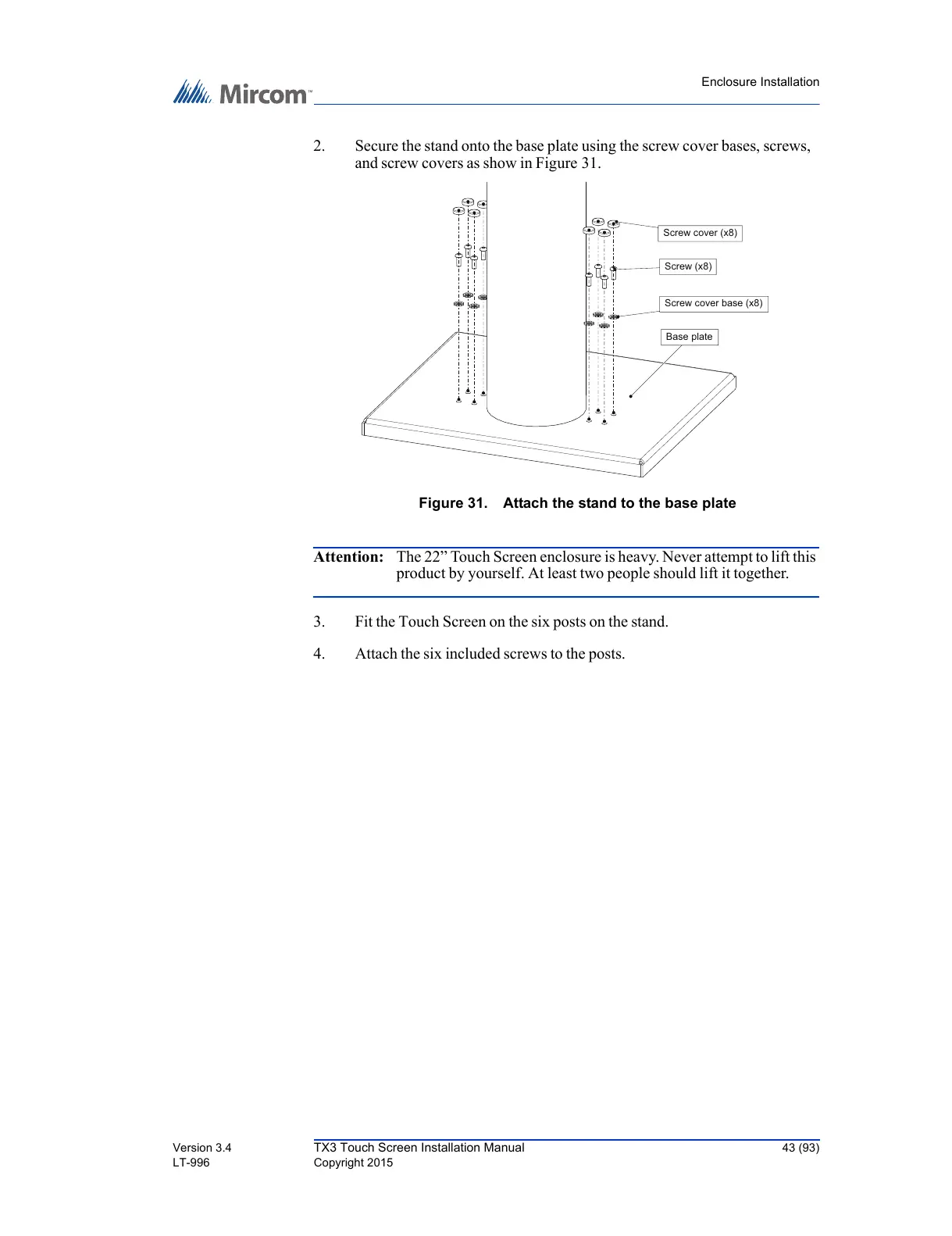
2. Secure the stand onto the base plate using the screw cover bases, screws,
and screw covers as show in Figure 31.
Figure 31. Attach the stand to the base plate
Attention: The 22” Touch Screen enclosure is heavy. Never attempt to lift this
product by yourself. At least two people should lift it together.
3. Fit the Touch Screen on the six posts on the stand.
4. Attach the six included screws to the posts.
Base plate
Screw cover base (x8)
Screw (x8)
Screw cover (x8)



 To Next Page