EasyManua.ls Logo

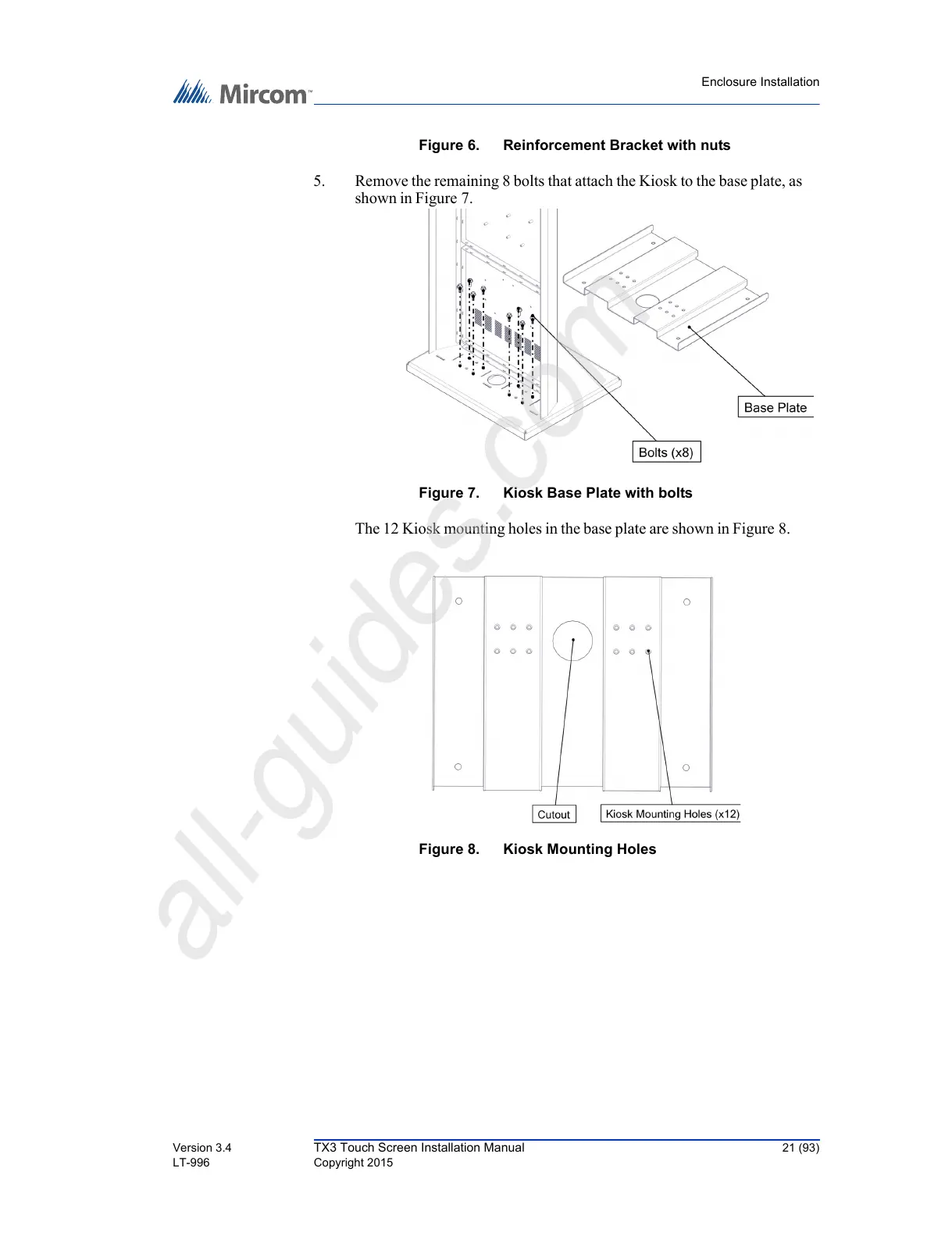
Microm TX3 Series - Figure 6 Reinforcement Bracket with Nuts; Figure 7 Kiosk Base Plate with Bolts; Figure 8 Kiosk Mounting Holes

Default Icon
93 pages
Print Icon
To Next Page IconTo Next Page
To Previous Page IconTo Previous Page
Loading...
Enclosure Installation
Version 3.4 TX3 Touch Screen Installation Manual 21 (93)
LT-996 Copyright 2015
Figure 6. Reinforcement Bracket with nuts
5. Remove the remaining 8 bolts that attach the Kiosk to the base plate, as
shown in Figure 7.
Figure 7. Kiosk Base Plate with bolts
The 12 Kiosk mounting holes in the base plate are shown in Figure 8.
Figure 8. Kiosk Mounting Holes
All manuals and user guides at all-guides.com
all-guides.com

Table of Contents

Related product manuals