22 (93) TX3 Touch Screen Installation Manual Version 3.4
Copyright 2015 LT-996
Enclosure Installation
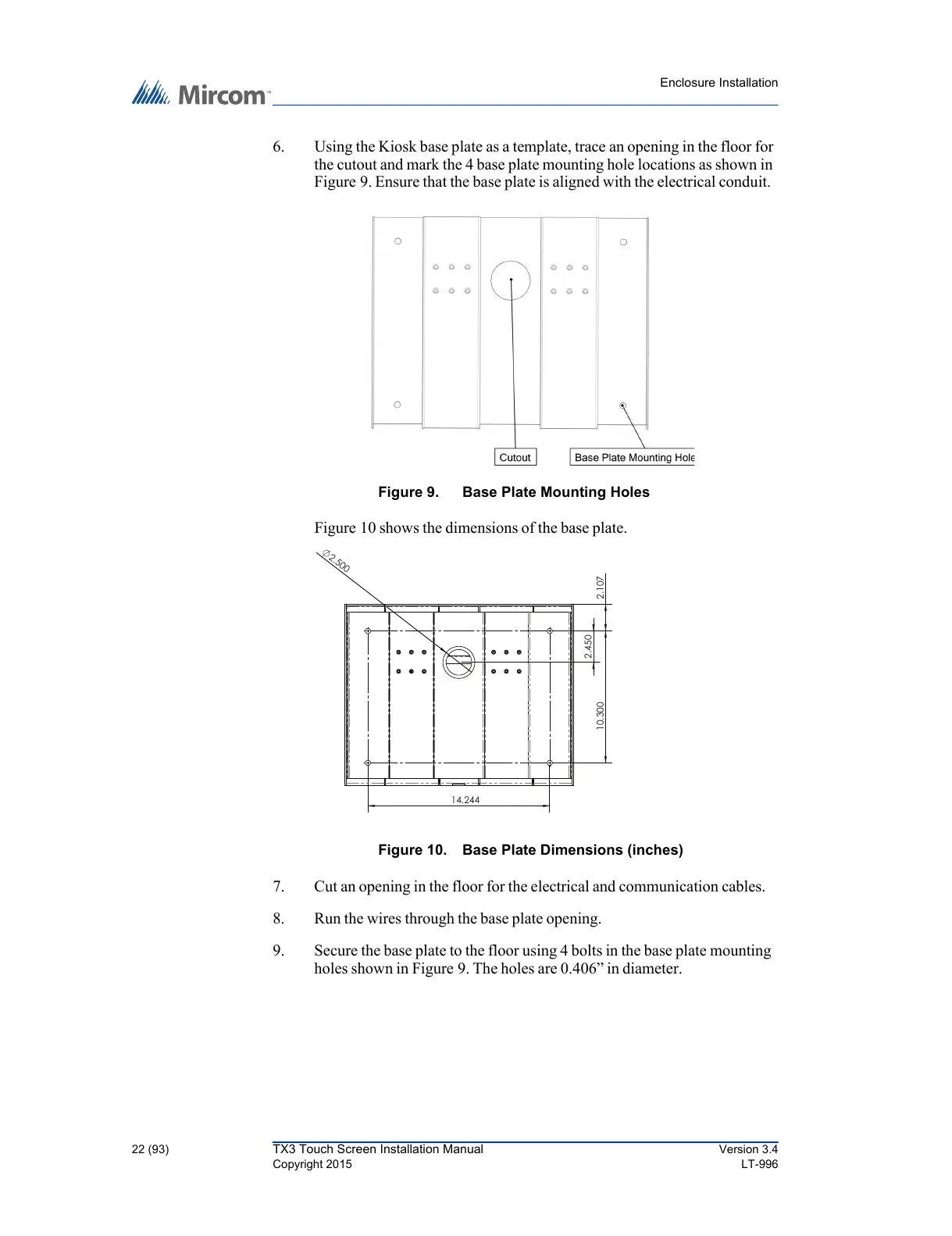
6. Using the Kiosk base plate as a template, trace an opening in the floor for
the cutout and mark the 4 base plate mounting hole locations as shown in
Figure 9. Ensure that the base plate is aligned with the electrical conduit.
Figure 9. Base Plate Mounting Holes
Figure 10 shows the dimensions of the base plate.
Figure 10. Base Plate Dimensions (inches)
7. Cut an opening in the floor for the electrical and communication cables.
8. Run the wires through the base plate opening.
9. Secure the base plate to the floor using 4 bolts in the base plate mounting
holes shown in Figure 9. The holes are 0.406” in diameter.



 To Next Page