EasyManua.ls Logo

Microm TX3 Series - Controller Board Details

Default Icon
93 pages
Print Icon
To Next Page IconTo Next Page
To Previous Page IconTo Previous Page
Loading...
58 (93) TX3 Touch Screen Installation Manual Version 3.4
Copyright 2015 LT-996
Touch Screen System and Setup
3.3 Controller Boards
3.3.1 15” Touch Screen Controller Boards
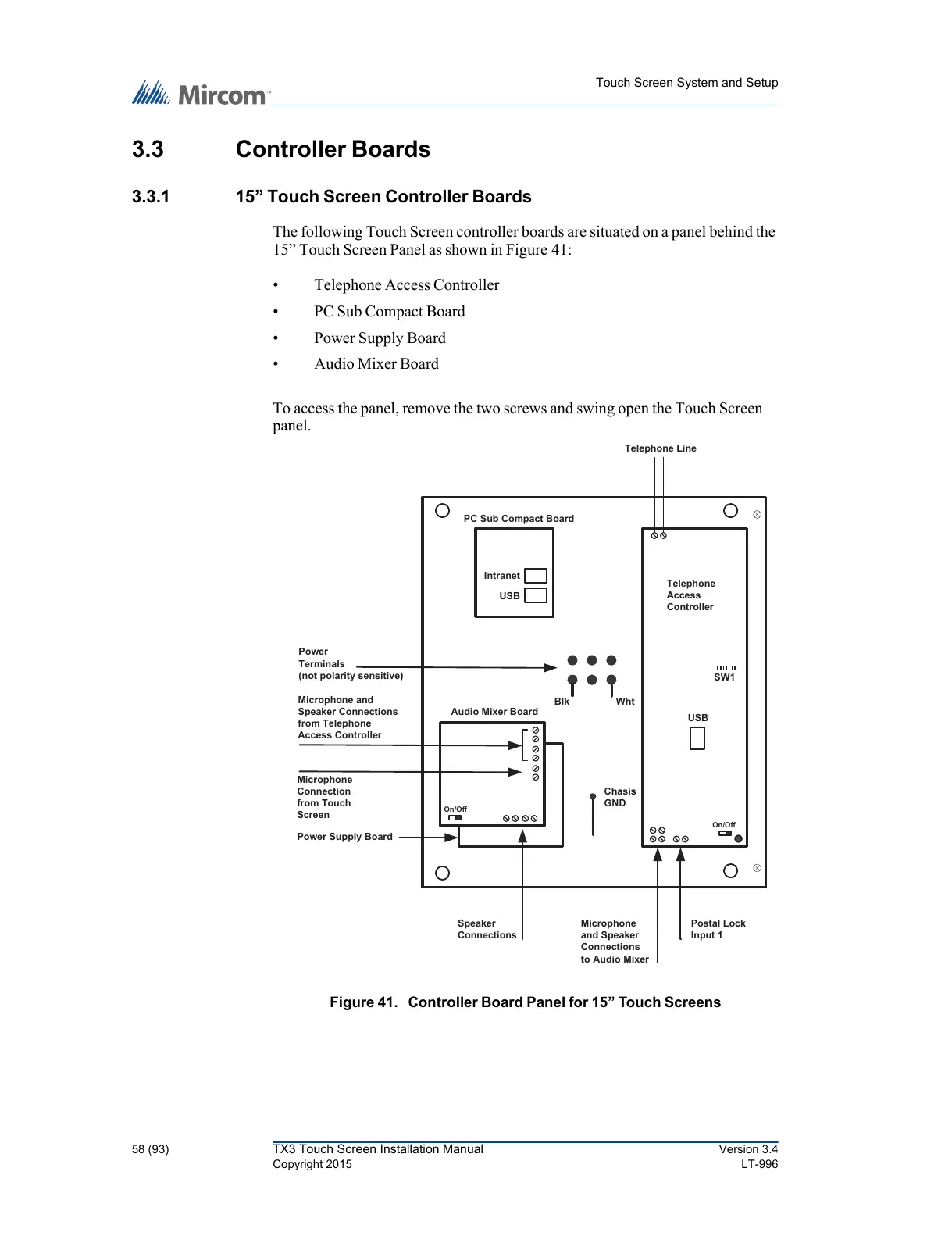
The following Touch Screen controller boards are situated on a panel behind the
15” Touch Screen Panel as shown in Figure 41:
Telephone Access Controller
PC Sub Compact Board
Power Supply Board
Audio Mixer Board
To access the panel, remove the two screws and swing open the Touch Screen
panel.
Figure 41. Controller Board Panel for 15 Touch Screens
Power
Terminals
(not polarity sensitive)
Microphone
and Speaker
Connections
to Audio Mixer
PC Sub Compact Board
Audio Mixer Board
Power Supply Board
USB
Telephone
Access
Controller
On/Off
On/Off
Postal Lock
Input 1
Chasis
GND
Microphone and
Speaker Connections
from Telephone
Access Controller
Microphone
Connection
from Touch
Screen
Blk Wht
Speaker
Connections
USB
Intranet
Telephone Line
SW1
All manuals and user guides at all-guides.com

Table of Contents