Enclosure Installation
Version 3.4 TX3 Touch Screen Installation Manual 39 (93)
LT-996 Copyright 2015
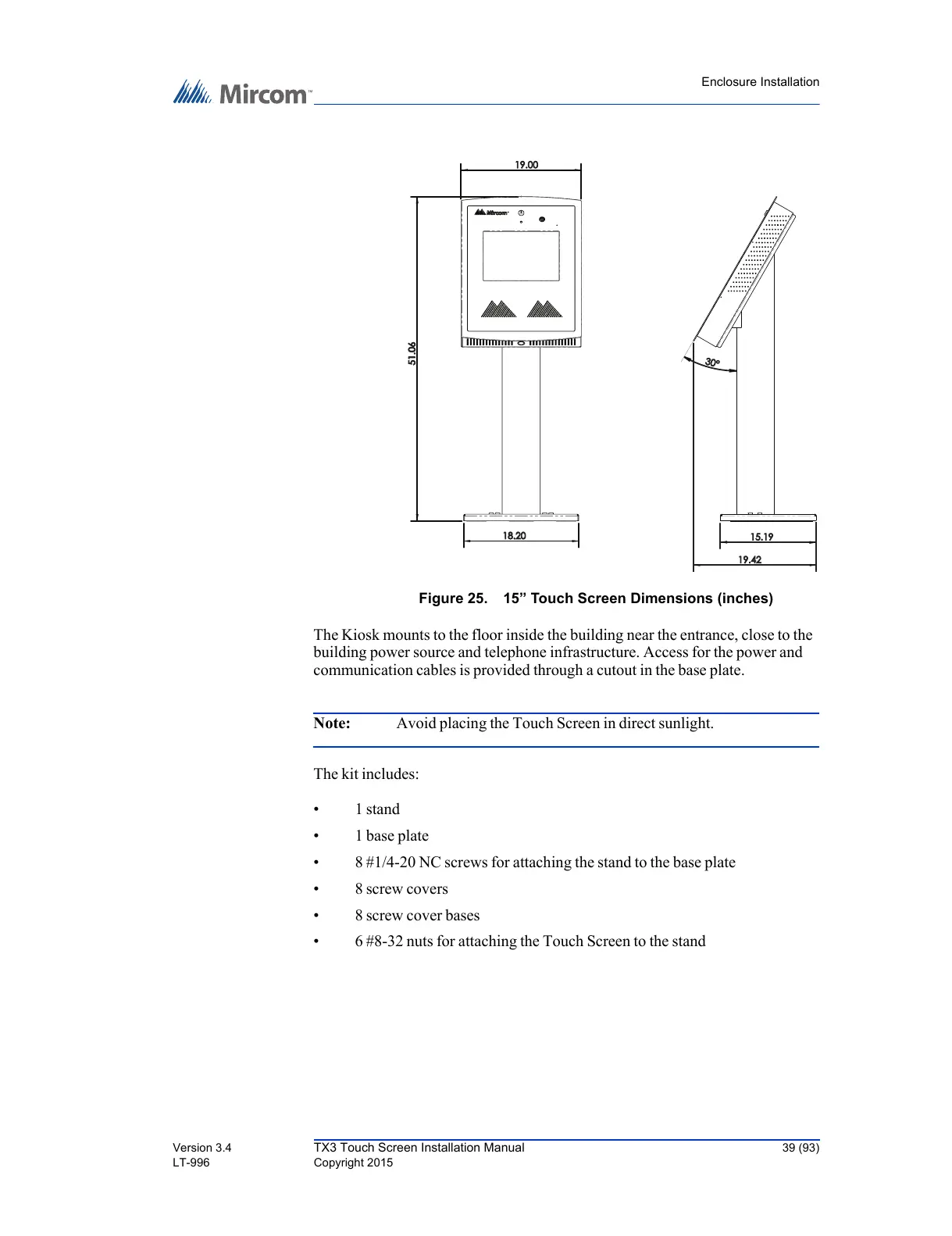
Figure 25. 15” Touch Screen Dimensions (inches)
The Kiosk mounts to the floor inside the building near the entrance, close to the
building power source and telephone infrastructure. Access for the power and
communication cables is provided through a cutout in the base plate.
Note: Avoid placing the Touch Screen in direct sunlight.
The kit includes:
• 1 stand
• 1 base plate
• 8 #1/4-20 NC screws for attaching the stand to the base plate
• 8 screw covers
• 8 screw cover bases
• 6 #8-32 nuts for attaching the Touch Screen to the stand
18.20



 To Next Page