48 (93) TX3 Touch Screen Installation Manual Version 3.4
Copyright 2015 LT-996
Enclosure Installation
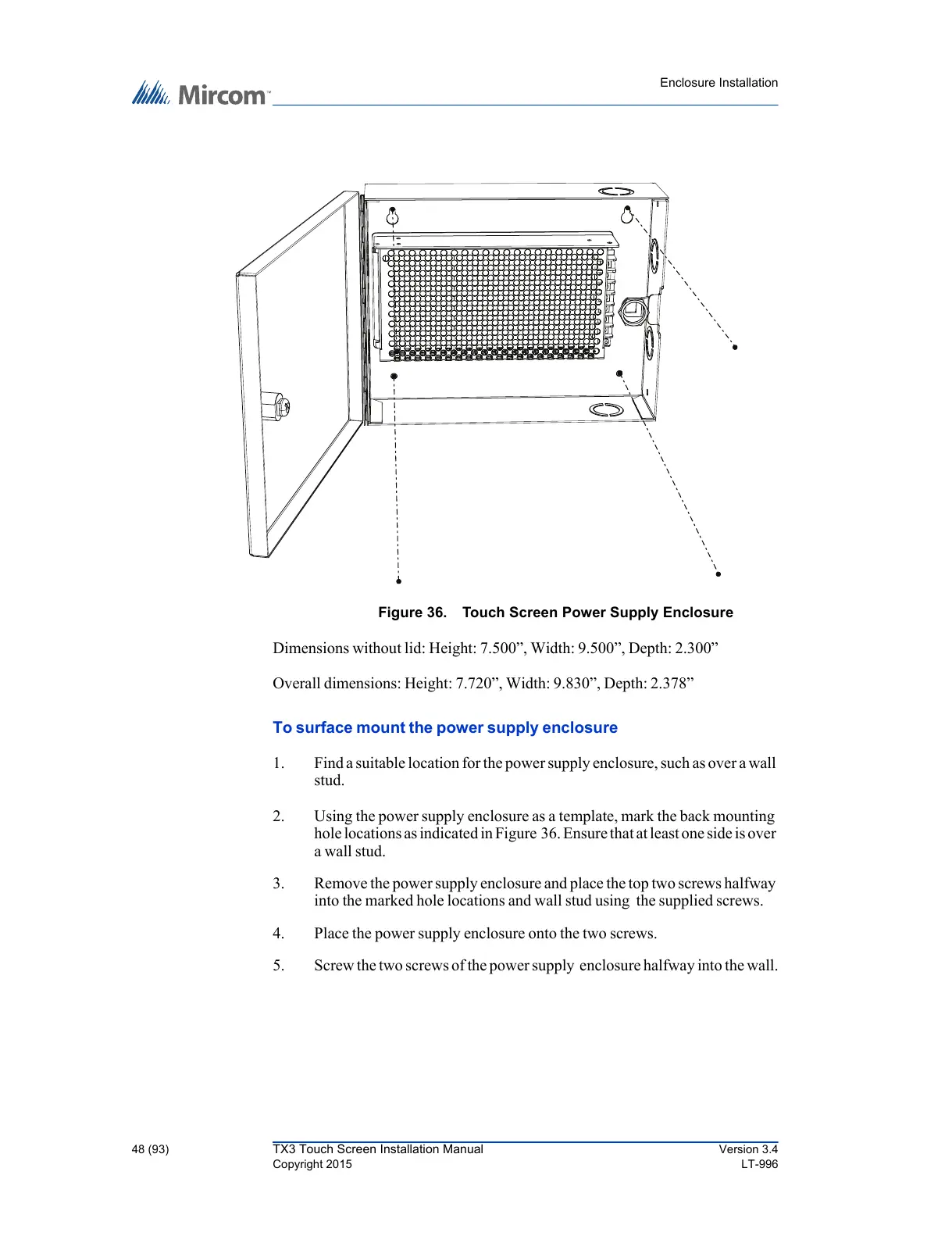
Figure 36. Touch Screen Power Supply Enclosure
Dimensions without lid: Height: 7.500”, Width: 9.500”, Depth: 2.300”
Overall dimensions: Height: 7.720”, Width: 9.830”, Depth: 2.378”
To surface mount the power supply enclosure
1. Find a suitable location for the power supply enclosure, such as over a wall
stud.
2. Using the power supply enclosure as a template, mark the back mounting
hole locations as indicated in Figure 36. Ensure that at least one side is over
a wall stud.
3. Remove the power supply enclosure and place the top two screws halfway
into the marked hole locations and wall stud using the supplied screws.
4. Place the power supply enclosure onto the two screws.
5. Screw the two screws of the power supply enclosure halfway into the wall.



 To Next Page