59
7−4−2. Setting related with zero tracking.
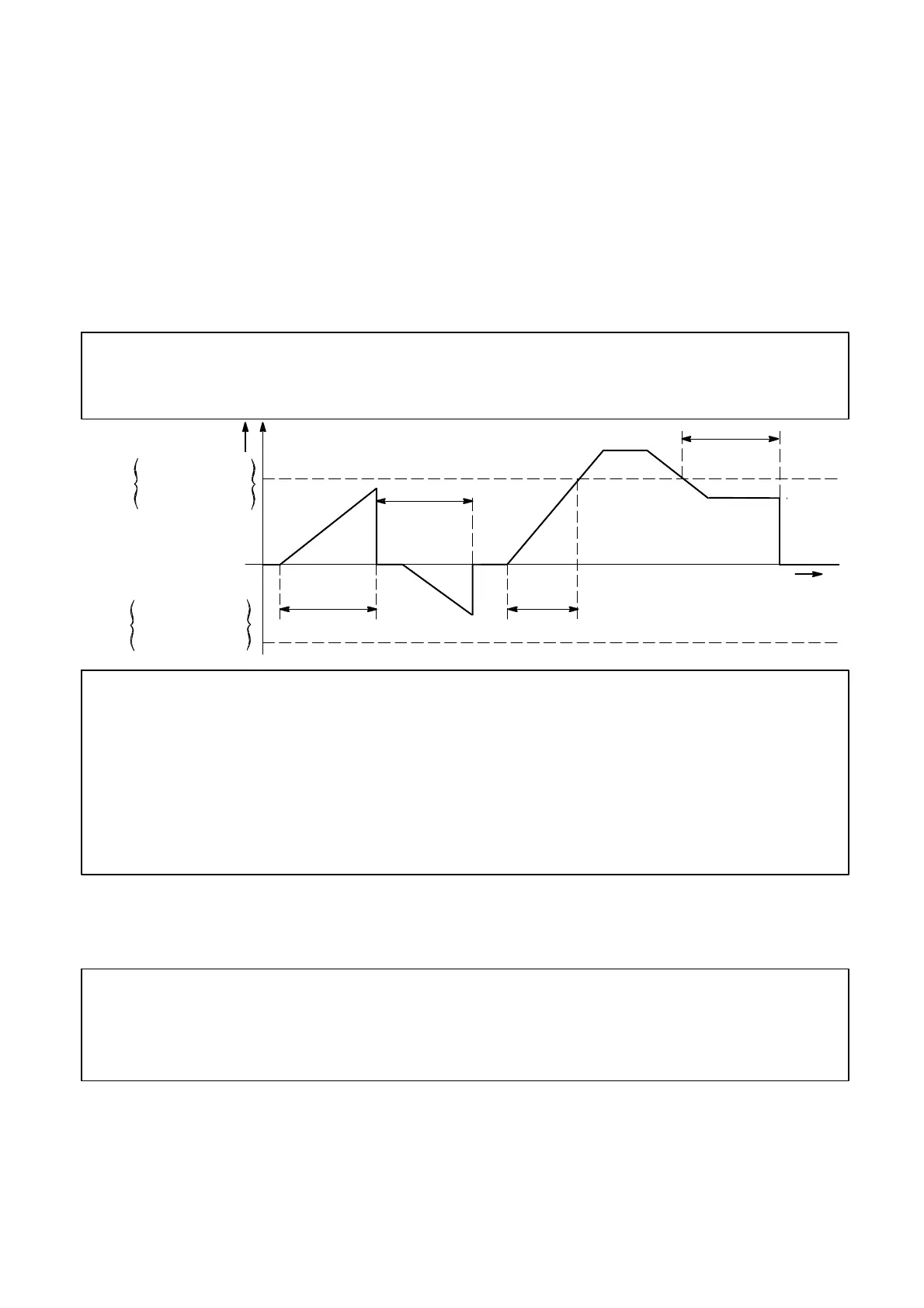
D Set the data width that performs zero tracking with the function F−08. The zero tracking
width per setting value “n” will be obtained by the calculation of display according to the
below formula.
(Zero tracking data width) =(Set value of F−08)×0.5×(Increment value for display)
For example, when the setting of function F−08 is “00010” and the increment value for
display is “D=5”, then (Zero tracking data width) will be as follows:
(Zero tracking data width) =10×0.5×5
=25D
D Set the time width performs zero tracking with the function F−08.
● The zero tracking will not operate whichever the function F−09 or the
function F−70 is set as “0”, or the function F−70 is “0”.
Zero tracking
data width
+
−
Zero point
Less than F−09
Setting of F−09
Time
Setting of F−09
Setting of F−09
Zero tracking
data width
Display
● When the load shows slow vibration in the vicinity of zero, never use
the zero tracking.
● When the variation of load display becomes moderate due to the
strength/weakness of the digital filter and stabilized filter, there may
have the case that the zero tracking becomes effective even when the
actual load variation is rapid, so care should be taken fully.
7−4−3. Cancellation for compensation by zero tracking
Cancellation for compensated data by zero tracking can be executed with the function F−98.
● When changing the target for zero tracking is required, be sure to
cancel the compensated portion by zero tracking once using the
function F−98.
The zero tracking of the instrument will become effective at the time of the load display will be
the gross weight. In due course, at the time of A/Z ON, the zero tracking will not work.



 To Next Page