37
5−2−5. Span fine adjustment
(1) Procedures by key operation
● During the Tare weight cancellation(A/Z) or Zero set is executed, and
also during effective for Zero tracking and Peak ON, Span fine
adjustment mode can’t be entered into. (Displays ER−5.)
The Span fine adjustment can be entered after Tare weight
cancellation clear(A/Z OFF), cancellation of the Compensated data at
Zero set (Execution of F−98), set OFF the Zero tacking (Set the F−08
and F−09 to “00000”.) and set the Peak OFF.
● During the calibration procedure, press key to interrupt the
calibration. The calibration data will keep the same condition as it is
entered before, then returns to the Measurement mode.
● When the key is pressed with the load display of “FUNC”, the
display will change as the following arrow marks indicate at every
time the key is pressed. However, every time the is pressed, the
display will change as the reverse direction of the following arrow
marks.
“FUNC”→“CCAL”→“ACAL”→“LCAL”→“ZERO”→“SPAN”
→“TARE”→“CHEK”→“MONT” →“VCAL”→“VADJ”→“FUNC”
→“CCAL”→・・・・・(Hereinafter, it will repeat.)
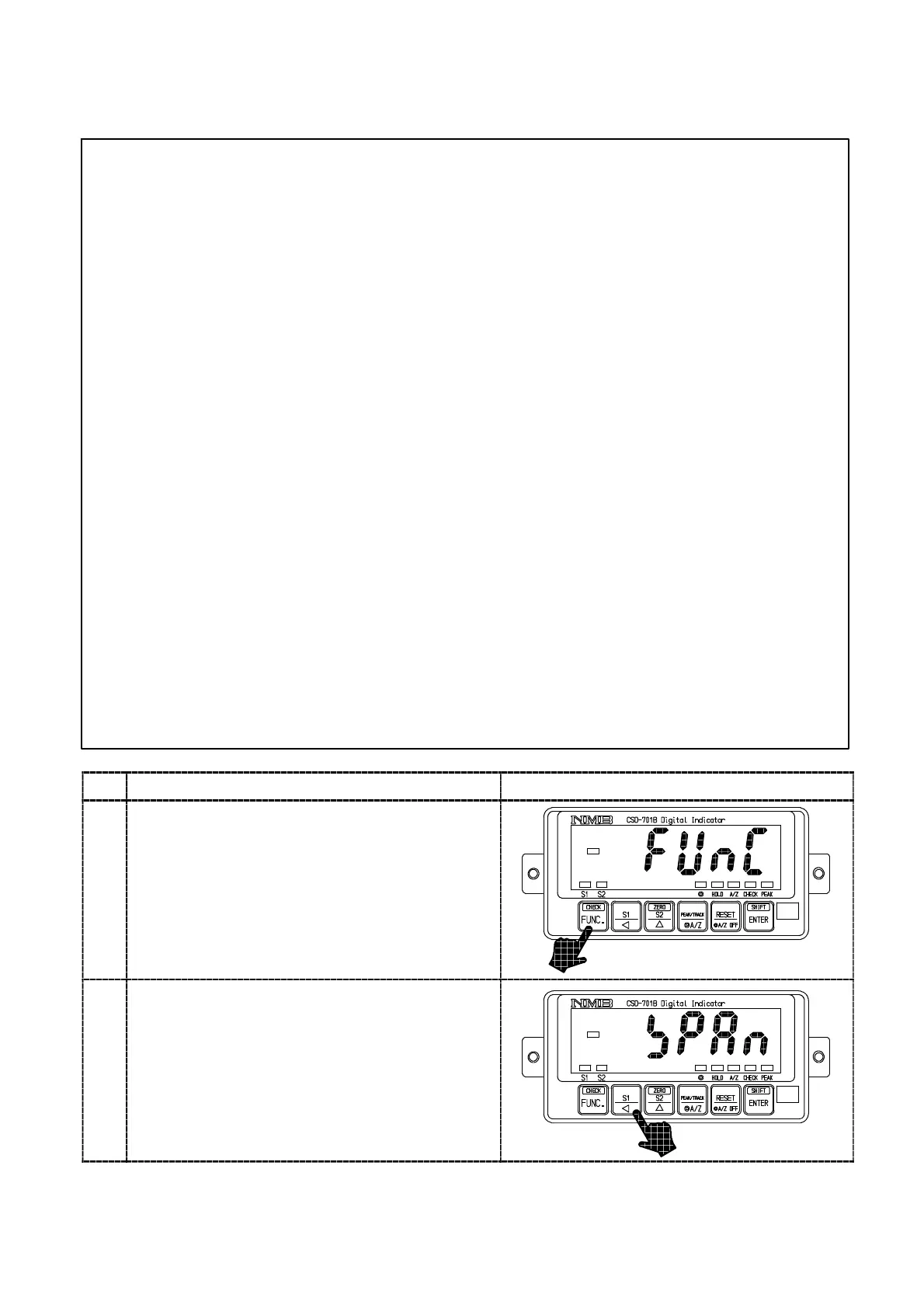
Procedures
1
Press the key for about one second.
The load display will show “FUNC”.
2
Press the key five times.
It will make the load display proceeded as
“FUNC”→“CCAL”→“ACAL”→“LCAL”
→“ZERO”→“SPAN”.
Please give the maximum load which can be
applied to the load cell here below the maximum
indicated value.



 To Next Page