70
7−15−3. Fine adjustment 2 on analog output
The fine adjustment explained in this paragraph is the procedures with applying the actual
weight.
Warning ● Before making the fine adjustment, be sure to make scaling for the
analog output by referring to the paragraph 7−15−1.
If neglected, deviation of output can’t be adjusted during the fine
adjustment.
● During the application on fine adjustment, if you want to suspend the
fine adjustment, press the key. The zero data, the span data are
kept as they were before entering the fine adjustment, and the
Measurement mode can be re−entered.
● Please execute the fine adjustment after about one hour has passed
since the power supply was turned on. The fine adjustment can be
executed in the status of the stable or more.
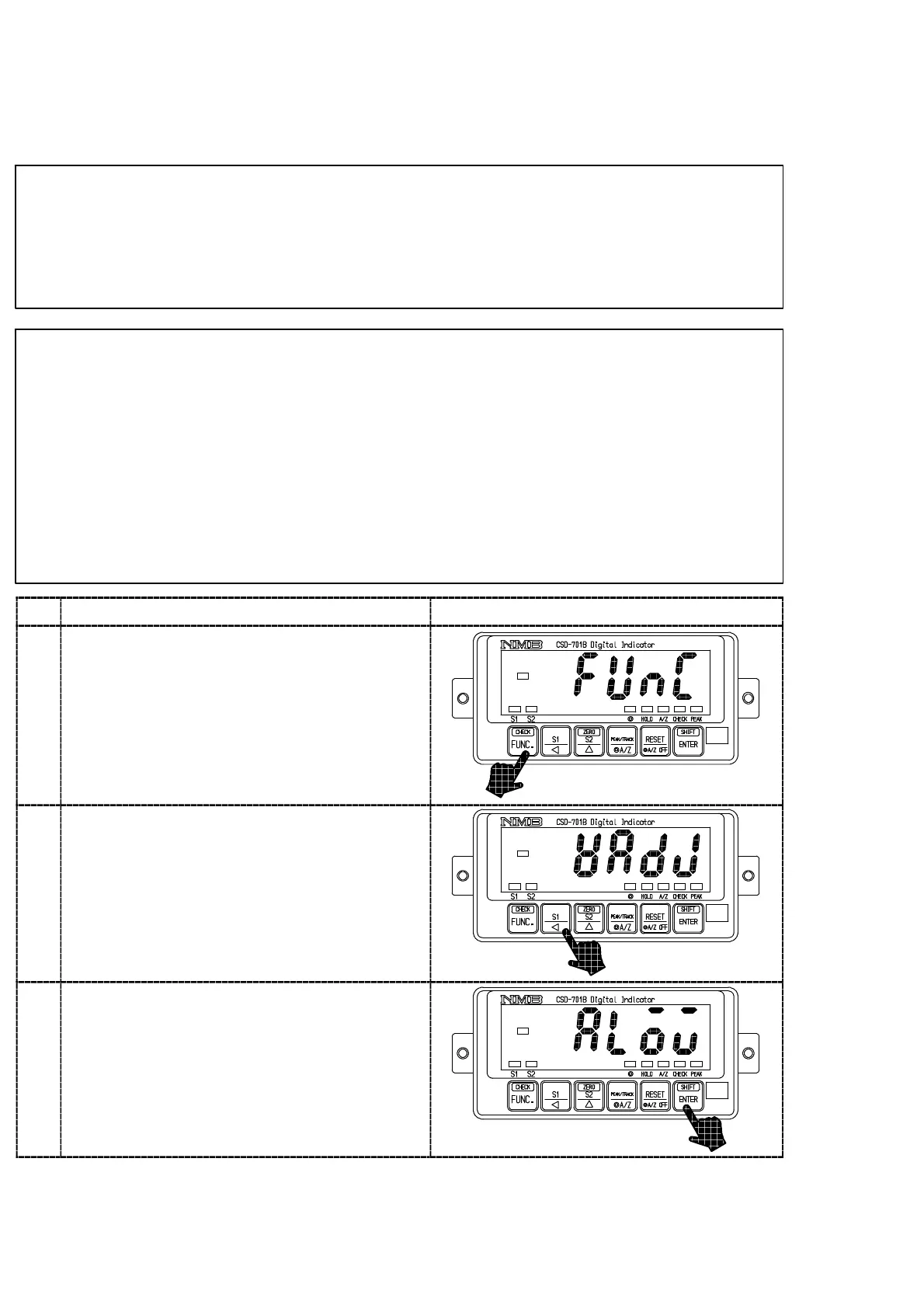
Procedures
1
Press the key for one second.
The load display will show “FUNC”.
2
Press the key 10 times.
The load display will change as “FUNC”
→“CCAL”→“ACAL”→“LCAL”→“ZERO”
→“SPAN”→“TARE”→“CHEK”→“MONT”
→“VCAL”→“VADJ”.
3
Press the key.
The load display will show “ALOW”.
At the same time, set the weight equivalent to
the minimum output value of the analog output.



 To Next Page