10. Safety-related functions and interfaces
MiR600 User Guide (en) 08/2021 - v.1.0 ©Copyright 2021: Mobile Industrial Robots A/S. 123
• Signal lights
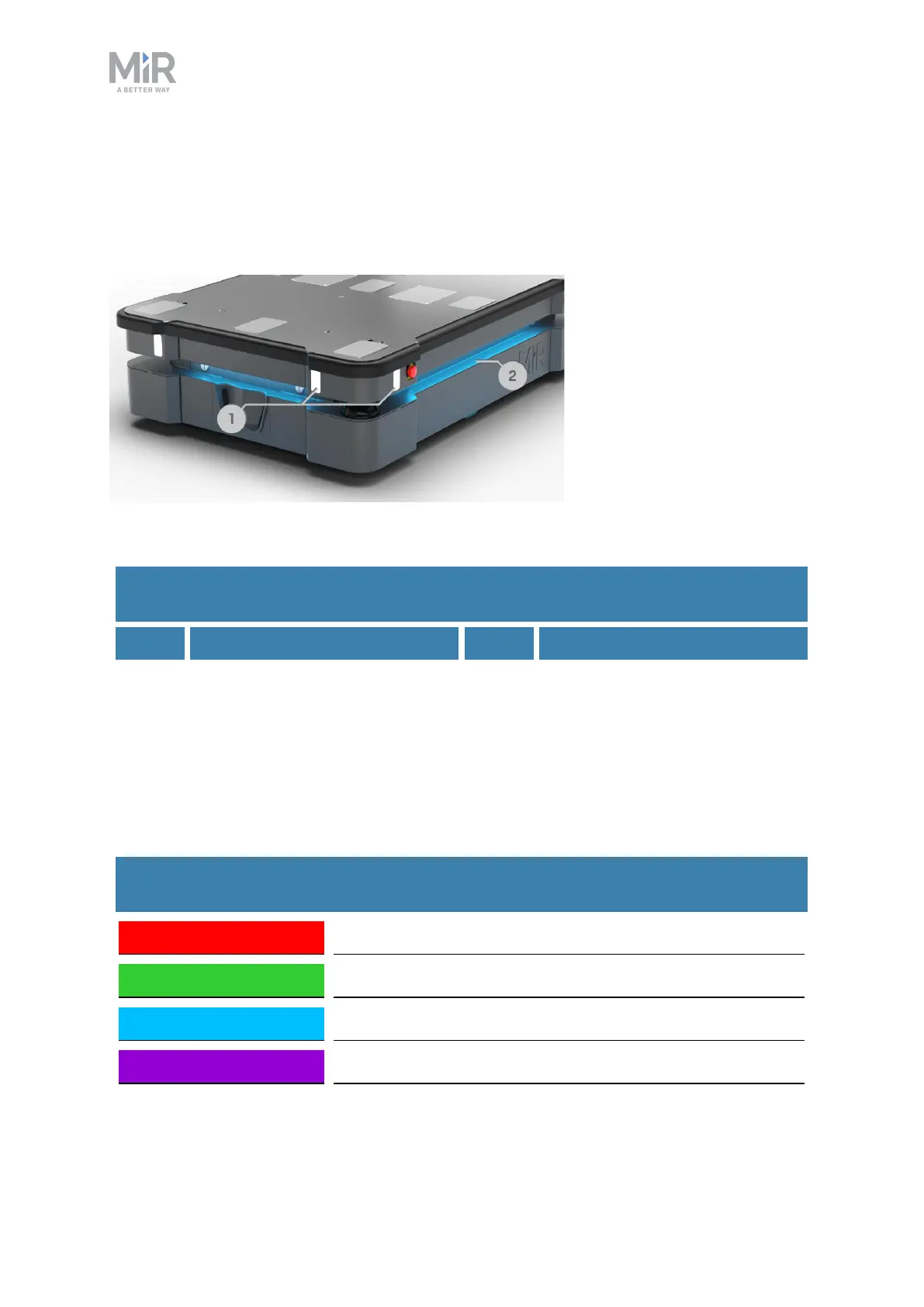
The signal lights at the front and back of the robot show if the robot is about to turn a
corner or go backward. Front lights are white and rear lights are red. Right and left turns
are indicated by blinking.
Figure 10.13. Indicator lights on MiR600.
Pos. Description Pos. Description
1 Signal lights 2 Status lights
Table 10.5.
Identification of indicator lights in Figure 10.13
Status lights
The LED light bands running all the way around the robot indicate the robot’s current
operational state. Colors may also be used as part of missions, but as standard, status lights
indicate the statuses described in Table 10.6.
Red Emergency stop
Green Ready for job
Cyan Drives to destination
Purple Goal/Path blocked
Table 10.6.
Status light colors



 To Next Page