10. Safety-related functions and interfaces
MiR600 User Guide (en) 08/2021 - v.1.0 ©Copyright 2021: Mobile Industrial Robots A/S. 124
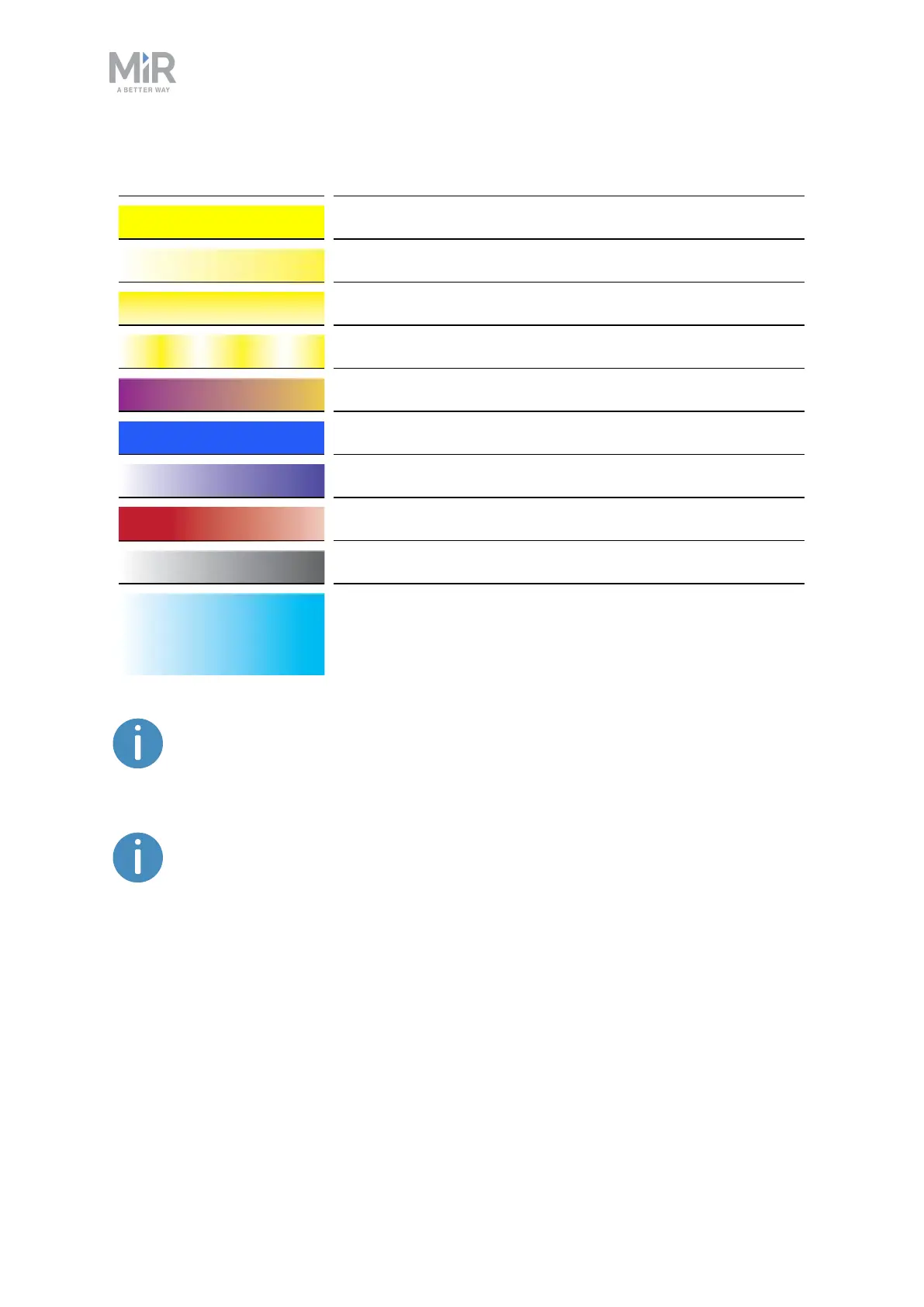
White Planning/Calculating
Yellow Mission paused
Yellow wavering Startup signal before PCis active
Yellow fade Shutting down robot
Yellow blinking Relative move, ignoring obstacles
Purple - yellow General error, for example hardware, localization
Blue Manual drive
Blue wavering Mapping
Contracting white Chargingat charging station
White wavering Prompt user / Waiting for user's response
Cyan wavering (robots
connected to MiRFleet
only)
Waiting for MiRFleet resource or for another MiR robot to
move
When the robot's battery reaches a critically low level of power (0-1%), the
ends of the status lights flash red.
When the robot is charging in a charging station, the status lights on the side
of the robot indicate the robot's battery percentage.
Signal lights
Signal lights are used to indicate the robot’s immediate motion plans by signaling forwards-
backwards-braking and left-right turns.
The signal lights work similarly to lights used on cars; white at the front, red at the back, and
indicating a left or right turn by blinking.



 To Next Page