12. Usage
MiR600 User Guide (en) 08/2021 - v.1.0 ©Copyright 2021: Mobile Industrial Robots A/S. 199
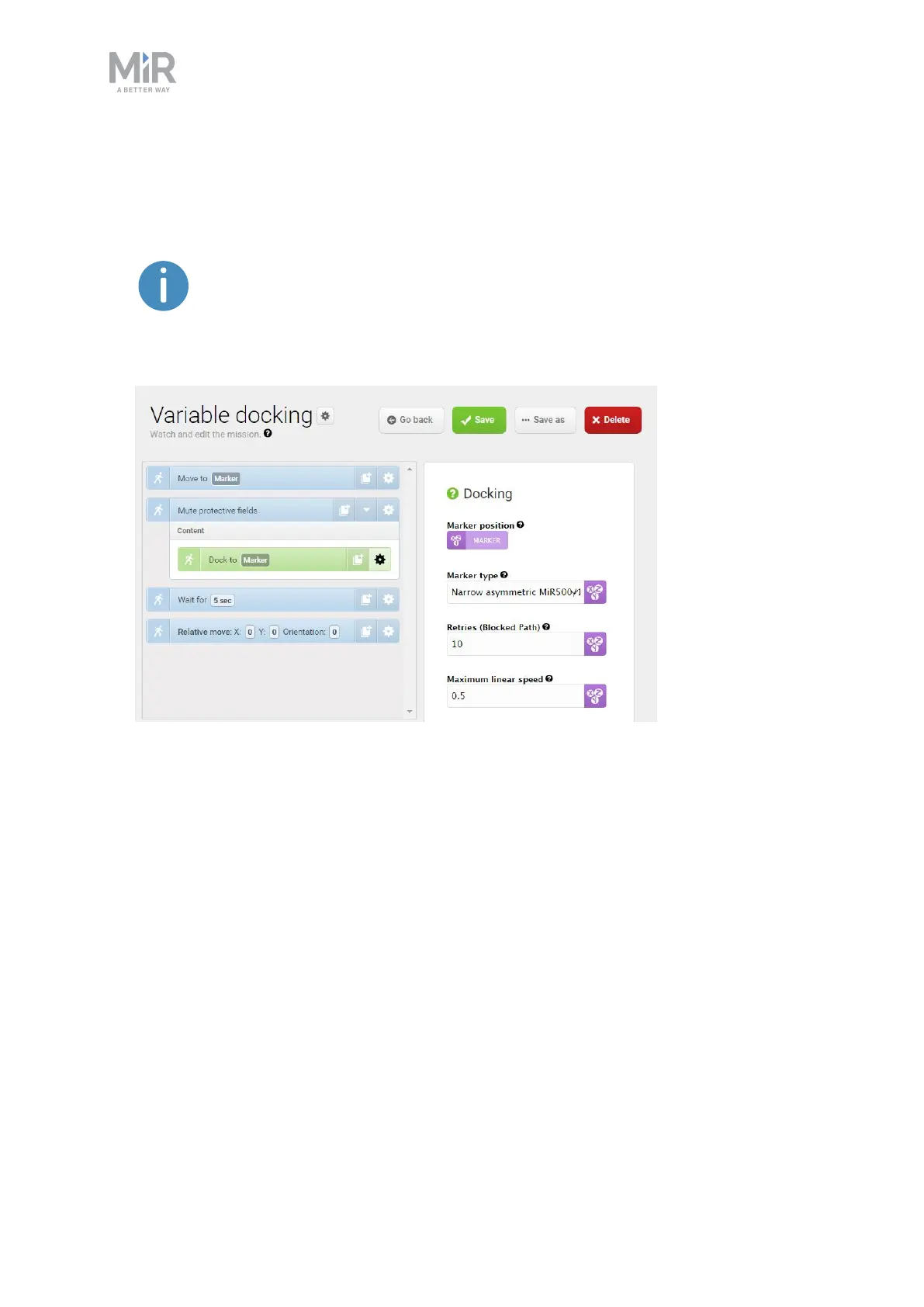
6. Drag the Docking action into the Mute protective fields action, and under Marker
position, create another variable titled Marker.
If two variables share the same name, the value you select for that
variable will be applied both places. In this case, by using the variable
Marker in two places, you ensure that the robot docks to the same marker
that it moved to in the first action.



 To Next Page