2. Product presentation
MiR600 User Guide (en) 08/2021 - v.1.0 ©Copyright 2021: Mobile Industrial Robots A/S. 25
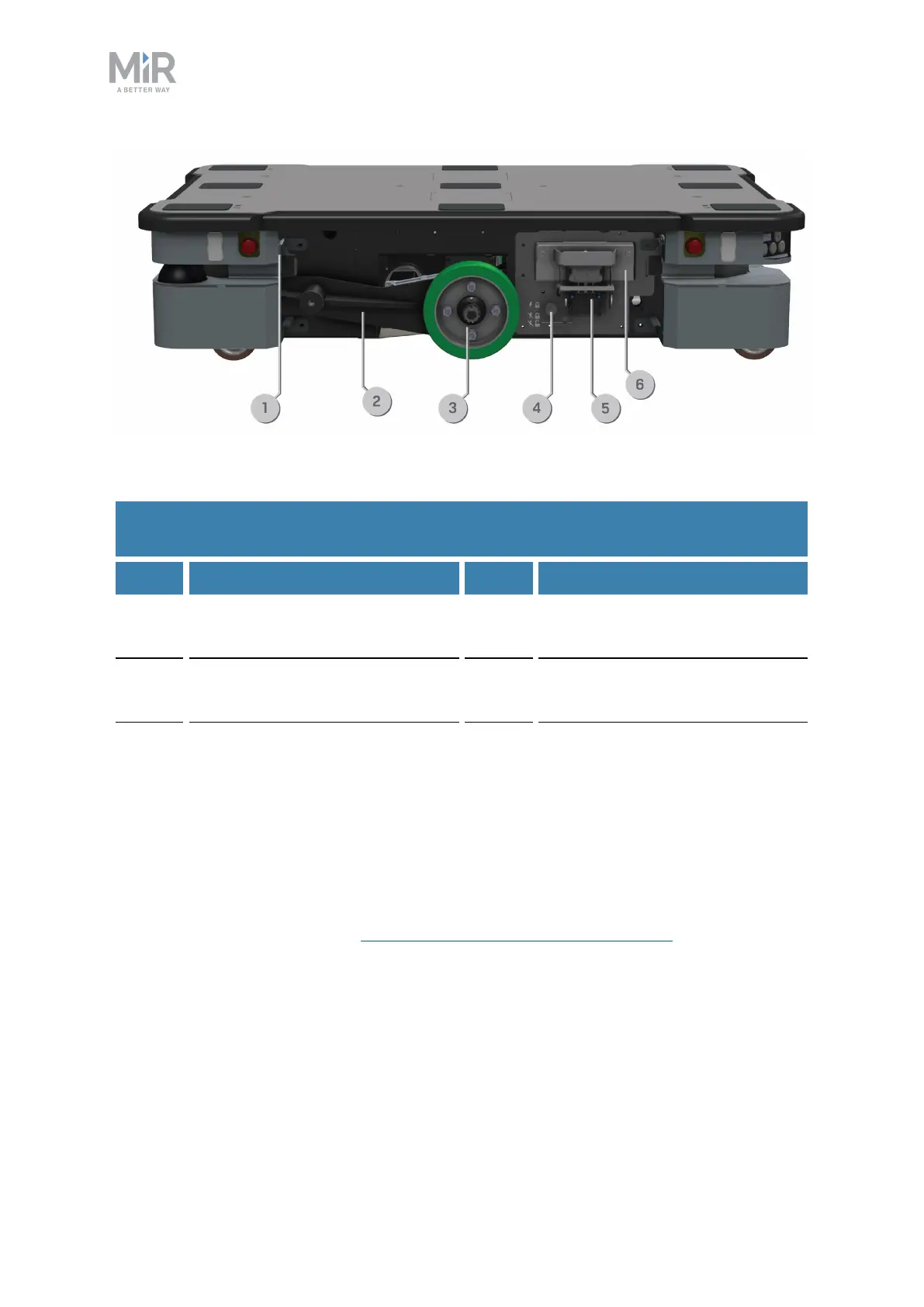
Figure 2.8. Internal parts of the MiR600 left and right side compartments.
Pos. Description Pos. Description
1 Connector for the status light
band
2 Bogie
3 Drive wheel 4 Battery lock pin (only in left side
compartment)
5 Fast-swap battery assembly (only
in left side compartment)
6 Battery (only in left side
compartment)
Table 2.5.
Identification of internal parts in Figure 2.8
Top compartments
The two top compartments contain electrical interfaces that can be connected to top
modules.
To open a top compartment, see Accessing the internal parts on page39.



 To Next Page