2. Product presentation
MiR250 Hook Integrator Manual (en) 12/2023 - v.3.0 ©Copyright 2021–2023: Mobile Industrial Robots A/S. 33
Status lights
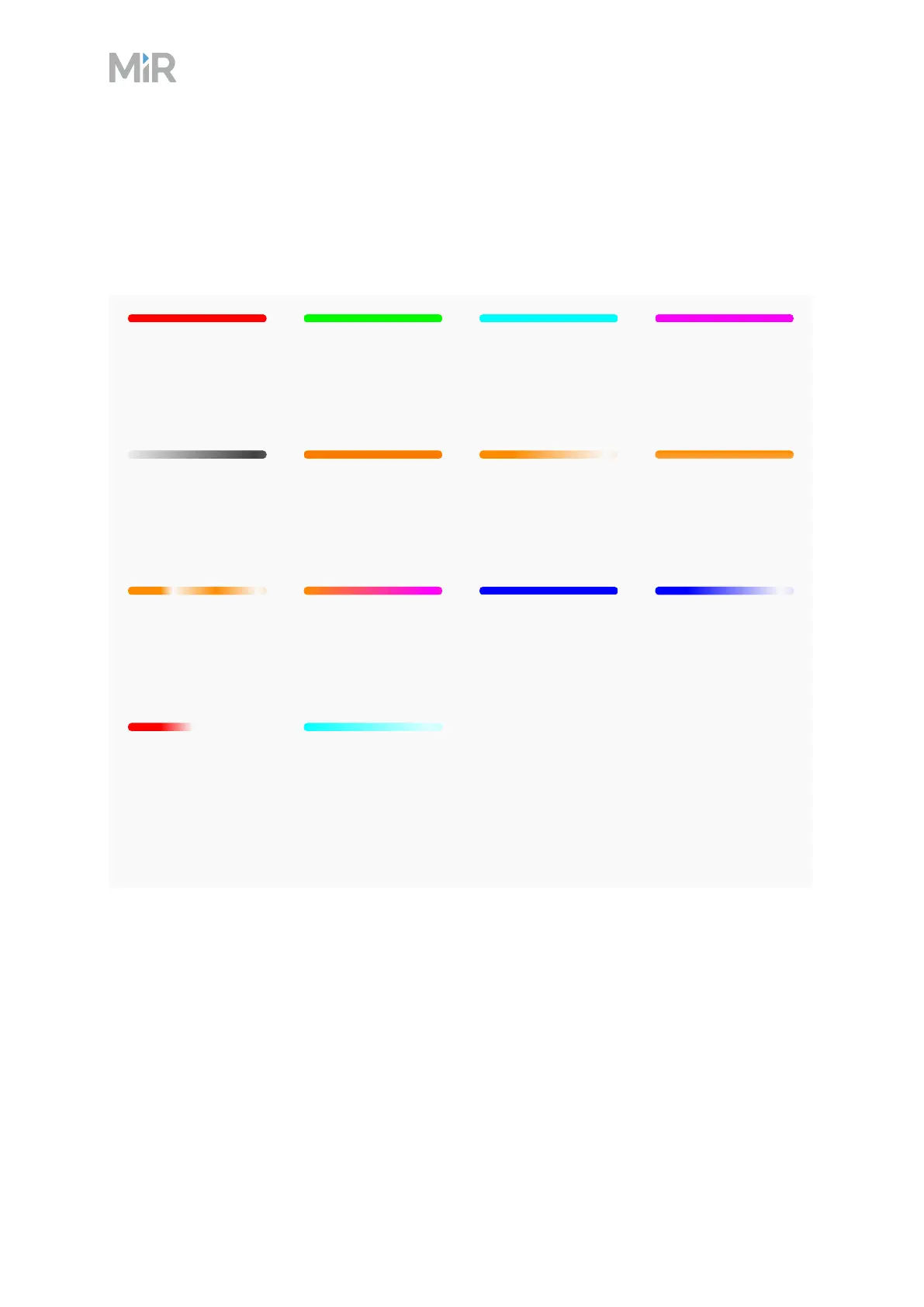
The LED light bands running all the way around the robot indicate the robot’s current operational
state. Colors may also be used as part of missions, but as standard, status lights indicate the
statuses described below.
Red
Emergency stop or
Protective stop
Green
Ready for job
Cyan
Drives to
destination
Purple
Goal/Path blocked
Wavering white
Planning path
Orange
Mission paused
Wavering orange
Startup signal
before PCis active
Fading orange
Shutting down
robot
Blinking orange
Relative move,
ignoring obstacles
Wavering purple
and orange
General error
Blue
Manual drive
Wavering blue
Mapping
State of charge
Chargingat
charging station
Wavering cyan
Waiting for
MiRFleet resource
or for another MiR
robot to move
When the robot's battery reaches a critically low level of power (0-1%), the ends of the status
lights flash red.
Signal lights
Signal lights are used to indicate the robot’s immediate motion plans by signaling forwards-
backwards-braking and left-right turns.



 To Next Page